Best Crayo AI Alternatives in 2026 (Free & Paid) — Tested and Compared
Published: 12 Jun 2026
Crayo AI made a name as a fast way to generate short-form video for TikTok, YouTube Shorts, and Instagram Reels. Drop in a topic or a Reddit link, and it builds a video with captions, voiceover, and background music. For faceless content creators, that automation is genuinely useful.
But the problems stack up. Crayo AI requires a paid subscription before you can download a single video. Rendering times run 5 to 10 minutes, and in some cases stretch longer. Template variety is limited, voice quality is basic, and customization options are thin compared to what newer tools offer in 2026.
This piece covers the best Crayo AI alternatives ranked on real criteria: video generation speed, AI voice quality, caption quality, free plan generosity, and how much creative control you actually get. If you are building a wider content operation beyond short clips, the broader AI video generator space in 2026 has options at every level of production.
What Does Crayo AI Actually Do?
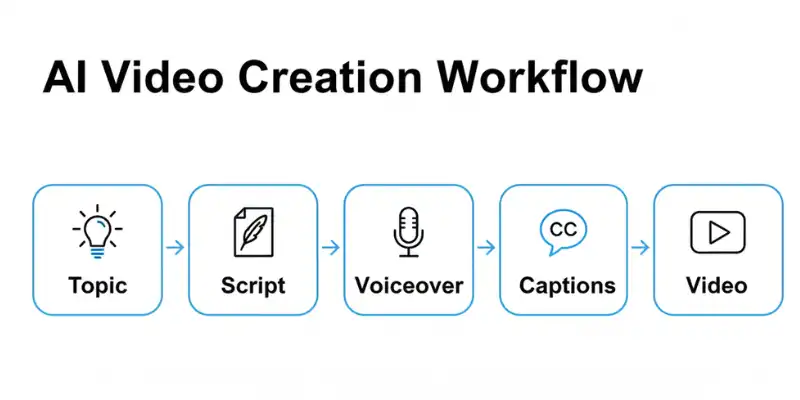
Crayo AI is built specifically for short-form video production. You give it a prompt, a topic, or even a URL, and it generates a complete video AI voiceover, synced subtitles, background effects, and music. The templates cover formats that perform well on TikTok: split-screen, Reddit story, fake-text conversation, gameplay overlay.
Where it falls short: no watermark-free free plan, slow render times, limited AI voice variety, basic subtitle styles, and a template library that has not kept pace with competitors. Anyone building a serious short-form content workflow in 2026 will hit these walls quickly.
Is Crayo AI free? No. You cannot download any video without a paid subscription. This is the main reason creators actively search for Crayo AI free alternatives, you cannot properly test the tool before paying.
What to Look for in a Crayo AI Alternative
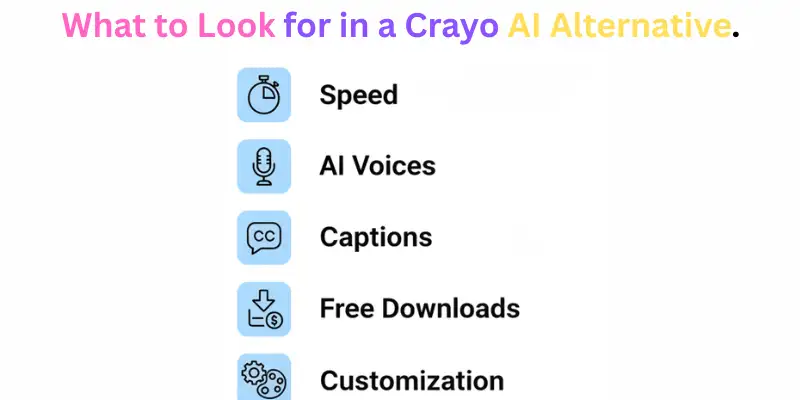
When evaluating alternatives, the things that actually matter are:
Video generation speed — how long from prompt to downloadable video. Crayo takes 5 to 10 minutes, which adds up when you are producing multiple videos daily.
AI voice quality and variety — the difference between basic TTS and voices from ElevenLabs or OpenAI is immediately noticeable to viewers.
Caption styling — basic subtitles are table stakes now. Animated word-by-word captions are what actually drives completion rates on TikTok and Reels.
Free plan that lets you download — this is where Crayo fails entirely.
Customization after generation — can you edit within the tool, or must you export and fix things in a separate editor?
How I Selected These Crayo AI Alternatives
To identify the best Crayo AI alternatives, each tool was evaluated using the same criteria that matter most to short-form content creators. The focus was not just on features, but on how well each platform performs in real-world content workflows.
The key factors included video generation speed, AI voice quality, caption accuracy, free plan limitations, ease of use, and the level of customization available after a video is generated. Tools that offered free downloads, faster rendering, and better creative control received higher rankings.
I also considered different use cases, including TikTok creators, YouTube Shorts publishers, faceless content channels, marketers, and creators repurposing long-form content into short clips. Only tools that provided a clear advantage over Crayo AI in at least one important area made this list.
13 Best Crayo AI Alternatives in 2026
FluxNote
FluxNote is the most direct replacement for Crayo AI’s core workflow, and it beats Crayo on nearly every technical specification. You type a topic, it generates a script, pulls HD stock footage from Pexels, applies an AI voiceover, and delivers a complete video with animated captions in under three minutes. Crayo’s typical render time is 5 to 10 minutes for the same type of content.
The voice library is the strongest advantage. FluxNote pulls from ElevenLabs and OpenAI, giving you 50-plus voices with real tonal range, a significant upgrade from Crayo’s basic TTS. The caption system offers 25-plus animated styles including word-by-word karaoke highlighting, which is the style that consistently boosts TikTok completion rates. There is no watermark on any plan including the free tier.
FluxNote supports 9:16, 16:9, 1:1, and 4:5 export ratios. The free plan includes one video per month with no credit card required.
Paid plans: Rise at $9.99/month for 21 videos, Pro at $19.99/month for 50 videos with all ElevenLabs voices — cheaper than Crayo for comparable or better output.
Best for: Creators who want the fastest Crayo replacement with better voice and caption quality.
Pricing: 1 free video/month (no watermark, no credit card). Paid from $9.99/month.
CapCut
CapCut is the most widely used free video editor for short-form content. In 2026 it has built out enough AI features to compete directly with dedicated generators auto-caption generation, AI script tools, text-to-video, and a large template library optimized for TikTok and Reels, all at no cost.
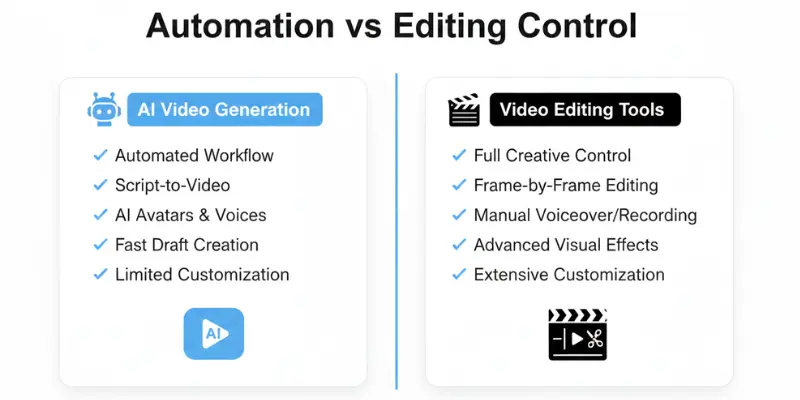
What separates CapCut from Crayo as a free tool: you can actually download your finished video without paying anything. The mobile app is fast, the desktop version is powerful, and caption accuracy is better than Crayo’s. The trade-off is that CapCut requires more manual involvement, it does not generate a full video from a single prompt the way FluxNote does. For creators who want real control over the output, that is a benefit, not a drawback.
Best for: Creators who want a fully free tool with professional editing control.
Pricing: Free with optional premium features.
InVideo AI
InVideo AI handles text-to-video well across multiple formats short-form vertical and horizontal and the stock footage and music library is significantly larger than Crayo’s. The script-to-video workflow is reliable and the free plan gives you enough functionality to test it seriously. The main advantage over Crayo is flexibility. InVideo handles videos longer than 60 seconds without issues, which makes it useful for YouTube and LinkedIn alongside TikTok. Rendering times on InVideo can run longer than FluxNote on complex projects, but the output quality on promotional content is strong. However, creators looking for faster rendering, lower costs, or additional features may want to compare other InVideo AI alternatives before making a decision.
Best for: Marketers and creators who produce content in multiple formats and lengths.
Pricing: Free plan available. Paid from $20/month.
VEED.io
VEED.io is a timeline editor that has deeply integrated AI into its workflow. Automatic subtitles and translations, Magic Cut (which trims silences automatically), eye-contact correction, and a range of AI-powered editing tools make it one of the most feature-complete free video tools available. It is not a one-prompt generator like Crayo, but for creators who want real editing control with AI assistance throughout the process, VEED delivers a more professional result.
The subtitle quality and translation accuracy are among the best of any tool in this category — a direct upgrade from Crayo’s basic caption output.
Best for: Creators who want AI-assisted editing with professional caption and translation quality.
Pricing: Free plan available. Paid from $18/month.
Opus Clip
Opus Clip solves a problem that Crayo does not address at all. If you have existing long-form content podcast recordings, YouTube videos, livestreams, Opus Clip analyzes it, finds the most engaging moments, and clips them into short-form vertical content with auto-captions and social formatting built in.
For creators who are already producing long-form content and want to multiply it into short clips without manual editing, Opus Clip removes that entire step. The free plan is generous compared to most tools in this space, and the caption sync quality is genuinely strong.
Best for: Content repurposing from long-form video into short clips.
Pricing: Free plan available. Paid from $19/month.
Submagic
Submagic does one thing captions and it does it better than any tool on this list including Crayo. It generates highly accurate, styled captions with animated effects, emoji placement, and word-by-word highlighting. The visual quality matches what you see on viral TikToks, and it handles multiple languages with strong accuracy.
If you are already generating videos through another tool and need a caption layer that looks professional rather than auto-generated, Submagic is the cleanest option. Crayo’s caption output is consistently cited as one of its weak points Submagic solves exactly that problem.
Best for: Creators who want professional-grade caption styling on top of any video source.
Pricing: Free plan available. Paid from $20/month.
Klap
Klap is designed specifically for turning long-form content into short clips, with stronger AI-powered topic detection and more precise clip selection than most competitors. It identifies the best moments from a long video, reframes them for vertical formats, adds captions, and delivers clips ready to publish.
For anyone producing podcast content or YouTube videos who wants to maximize reach on short-form platforms without a separate editing workflow, Klap removes the friction from that process entirely.
Best for: Podcasters and YouTubers who want to redistribute content across short-form platforms.
Pricing: Free plan available. Paid from $29/month.
StoryShort AI
StoryShort AI is the most direct workflow replacement for Crayo AI. It takes a script, converts it into a faceless video with AI voiceover and visual scenes, and produces output in the same formats Crayo targets. The critical difference: StoryShort AI lets you download completed videos on its free plan which Crayo does not.
For anyone specifically looking for the Crayo experience without the paywall barrier, StoryShort AI is the most straightforward like-for-like swap.
Best for: Faceless content creators who want Crayo’s exact workflow at lower cost.
Pricing: Free plan available. Paid from $19/month.
PixVerse
PixVerse has emerged as a strong short-form video generator in 2026, particularly for creators who want higher visual quality than what standard template tools produce. It offers text-to-video, image-to-video, and video style transfer, a wider creative toolkit than Crayo’s Reddit-story-focused template system. The free plan is genuinely functional and does not require payment to download results. Creators comparing similar tools may also want to explore other PixVerse alternatives that offer different strengths in AI video generation, editing, and pricing.
Best for: Creators who want higher visual quality and more creative formats than Crayo offers.
Pricing: Free plan available. Paid plans available.
Runway
Runway is the most technically capable tool on this list. It uses generative AI to create video from prompts or images, apply cinematic effects, remove backgrounds, and edit existing footage at a level no template-based tool can replicate. It is not a direct Crayo replacement for faceless content workflows, the learning curve is real, and the focus is on creative control rather than automation.
But for creators who have outgrown what template tools offer, Runway is the logical next step. Runway’s Gen-4 model and motion brush controls put it in a different category from everything else on this list.
Best for: Creative video producers who need generative AI capabilities beyond templates.
Pricing: Free credits available. Paid from $12/month.
Vidnoz AI
Vidnoz AI generates talking avatar videos. You provide a script, choose a realistic avatar, and the tool produces a lip-synced video with no camera or recording required. This fills a real gap for educators, marketers, and business owners who want a human face in their videos without hiring talent.
The free plan on Vidnoz is genuinely functional, not just a demo. You can produce complete avatar videos without paying, which makes it one of the most accessible tools in this category.
Best for: Businesses and educators who want avatar-based video without appearing on camera.
Pricing: Free plan available. Paid from $30/month.
Pictory
Pictory converts long-form text blog posts, articles, scripts into short-form videos automatically. It pulls relevant stock footage, adds voiceover, and generates a polished video from text input. For content marketers who produce a lot of written content and want to repurpose it as video without doing any manual editing, Pictory handles the conversion cleanly.
It is not optimized for TikTok-style formats that Crayo focuses on, but for professional promotional content and YouTube-format videos, it is one of the more reliable options available.
Best for: Content marketers converting blog posts and articles into video.
Pricing: Free trial. Paid from $23/month.
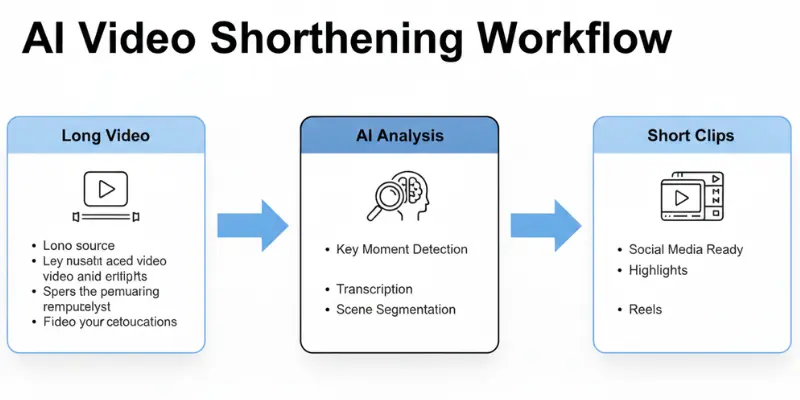
AI Video Cut
AI Video Cut is a specialized tool for transforming lengthy videos into viral YouTube Shorts, TikToks, or ads. It offers AI video cutting, ready-to-use prompts, smart crop and face detection, multilingual content support, and flexible length optimization. For creators who regularly need to cut longer footage into platform-optimized short clips with minimal manual work, it handles this workflow efficiently.
Best for: Creators who need smart AI-powered clip selection from longer footage.
Pricing: Free plan available. Paid plans available.
Crayo AI vs Top Alternatives: Side-by-Side
| Tool | Generation Speed | Free Download | Voices | Captions | Best Use Case |
| Crayo AI | 5–10 min | No | Limited | Basic | Reddit/TikTok templates |
| FluxNote | Under 3 min | Yes (no watermark) | 50+ (ElevenLabs) | 25+ animated | Full Crayo replacement |
| CapCut | Manual | Yes | N/A | AI-accurate | Free editing control |
| VEED.io | Manual | Yes (free) | N/A | Best-in-class | Professional AI editing |
| Opus Clip | Minutes | Yes | N/A | Strong sync | Long-form repurposing |
| Submagic | Fast | Yes | N/A | Best styling | Caption-focused |
| InVideo AI | Moderate | Limited free | Decent | Basic | Multi-format content |
| Klap | Minutes | Yes | N/A | Auto | Podcast/YouTube clips |
| StoryShort AI | Moderate | Yes | Decent | Auto | Direct Crayo replacement |
| PixVerse | Fast | Yes | N/A | Auto | Higher visual quality |
| Runway | Fast | Limited | N/A | N/A | Generative creative video |
| Vidnoz AI | Fast | Yes | Lip-sync | Auto | Avatar-based video |
| Pictory | Moderate | Trial | Yes | Auto | Blog-to-video |
| AI Video Cut | Fast | Yes | N/A | Auto | Long-form to short clips |
Short-Form Video as an Income Source
For most creators building these workflows, monetization is part of the goal. Short-form content on TikTok, YouTube Shorts, and Reels has become one of the more accessible ways to make money with AI without requiring significant upfront investment. The tools on this list especially FluxNote, CapCut, and Opus Clip lower the production barrier enough that daily output is realistic even for solo creators.
Crayo AI Pros and Cons
| Pros |
|---|
|
| Cons |
|---|
|
Conclusion
Crayo AI has not kept pace with what the best Crayo AI alternatives now offer. FluxNote is the best direct replacement if you want Crayo’s automation with faster rendering, better voice quality, and animated captions. CapCut and VEED.io are excellent choices for creators who want more editing control without paying for expensive subscriptions. Opus Clip and Klap are ideal for turning long-form videos into engaging short clips, while StoryShort AI is the simplest alternative for faceless video creation.
Ultimately, the best Crayo AI alternative depends on your workflow, budget, and content goals. Whether you need faster video generation, better AI voices, advanced captions, or a free plan that actually lets you download videos, the Crayo AI alternatives on this list offer stronger value than Crayo AI for most creators in 2026.
For creators looking beyond short-form content, exploring MotionMuse AI alternatives and Kling AI alternatives can open up more advanced video generation workflows, higher-quality visuals, and greater creative flexibility.
FAQS
FluxNote is the best overall Crayo AI alternative for most creators. It offers faster video generation, better AI voices, animated captions, and a free plan that allows downloads without a watermark
Yes. CapCut, VEED.io, Opus Clip, StoryShort AI, PixVerse, and Vidnoz AI all offer free plans. Unlike Crayo AI, several of these tools allow you to download videos without requiring a paid subscription.
Many creators switch because Crayo AI requires a paid plan for downloads, has relatively slow rendering times, limited voice options, and fewer customization features than newer AI video tools.
FluxNote, CapCut, and StoryShort AI are among the best choices for TikTok, Instagram Reels, and YouTube Shorts. They provide vertical video support, captions, AI voiceovers, and quick content creation workflows.
Submagic is widely regarded as the best caption-focused tool. It offers animated subtitles, emoji support, word-by-word highlighting, and highly accurate caption generation.
Opus Clip and Klap are excellent choices for turning podcasts, livestreams, and YouTube videos into short-form clips. They automatically identify engaging moments and add captions
FluxNote stands out because it uses advanced voice models from ElevenLabs and OpenAI, providing more natural-sounding narration than most competitors.
Yes. FluxNote, StoryShort AI, InVideo AI, and Pictory all support faceless video creation using AI-generated voiceovers, stock footage, captions, and automated editing.
For users who want a free tool with strong editing control, CapCut is often the better choice. However, Crayo AI and FluxNote offer more automation for users who want videos generated from prompts.
CapCut and FluxNote are the most beginner-friendly options. Both have simple interfaces, fast workflows, and require little video editing experience to get started.






- Be Respectful
- Stay Relevant
- Stay Positive
- True Feedback
- Encourage Discussion
- Avoid Spamming
- No Fake News
- Don't Copy-Paste
- No Personal Attacks
- Be Respectful
- Stay Relevant
- Stay Positive
- True Feedback
- Encourage Discussion
- Avoid Spamming
- No Fake News
- Don't Copy-Paste
- No Personal Attacks
