Best Deepfake AI Tools in 2026 — Top Face Swap & Video Generators Ranked
Published: 12 Jun 2026
Deepfake AI tools are no longer a niche technical category. The global market hit $6.4 billion in 2025, and the deepfake AI tools available in 2026 produce output that would have been impossible three years ago without a film production budget. What used to take a GPU rig, weeks of training data, and real machine learning skills now takes a browser tab and thirty seconds.
That speed and accessibility is what makes this category both powerful and consequential. Content creators use deepfake generators for entertainment, satire, and viral social media content. Marketers use face swap tools for localized advertising and avatar videos. Filmmakers working in the AI filmmaking space use them for de-aging, digital doubles, and post-production work that previously required expensive VFX pipelines.
This piece covers the best deepfake AI tools in 2026 ranked honestly by output quality, ease of use, free plan generosity, and fit for different use cases. Every deepfake AI tool here is evaluated for legitimate, consent-based creative use only.
| Category | Top Pick |
| Best Overall | DeepSwap |
| Best Free Tool | FaceFusion |
| Best Browser-Based Tool | Magic Hour |
| Best Mobile App | Reface |
| Best Professional Tool | DeepFaceLab |
| Best Privacy-Focused Tool | Morphed |
| Best Enterprise Solution | Akool |
| Best for Batch Processing | Remaker AI |
What Are Deepfake AI Tools?
A deepfake is AI-generated media where a person’s face, voice, or likeness has been replaced, synthesized, or altered using machine learning. The word comes from “deep learning” and “fake” reflecting the neural network technology that drives the process.
Modern deepfake AI works by learning how a face looks across different angles, expressions, and lighting conditions, then applying that learned model to target footage to produce a seamless replacement. Today’s deepfake AI tools have automated this entire pipeline into a web browser workflow.
Deepfake vs face swap
Deepfake is the broader term for any AI-generated synthetic media, including face swaps, voice cloning, and full body synthesis. All face swaps are deepfakes, but not all deepfakes are face swaps. The consumer face swap tools on this list use the same underlying neural network architectures GANs and diffusion models, but packaged with user-friendly interfaces and built-in safety guardrails.
Deepfakes cover several distinct categories: face swap tools replace one face with another in photos or videos; deepfake video generators synthesize a person’s likeness speaking or acting in footage they were never part of; voice deepfake tools clone and replicate voices from audio samples.
Legal Rules for Using Deepfake AI Tools in 2026
The legal landscape around deepfakes changed significantly in 2025 and early 2026. This section is not optional reading.
The TAKE IT DOWN Act, signed into US federal law in May 2025, is the first federal law directly restricting harmful deepfakes. It makes it a crime to knowingly publish non-consensual intimate imagery, including AI-generated face swaps, with penalties including fines and up to three years in prison. Online platforms must remove flagged content within 48 hours.
The DEFIANCE Act, passed unanimously by the US Senate in January 2026, establishes a federal right of action allowing victims of non-consensual deepfakes to sue creators and distributors. Statutory damages reach up to $150,000, or $250,000 when linked to sexual assault, stalking, or harassment. As of early 2026, 46 US states have deepfake-specific legislation.
EU AI Act classifies unconsented face swaps as high-risk AI use with corresponding compliance obligations.
Financial fraud using deepfakes surged by 3,000% in 2023 and has continued growing. Gartner predicts that by 2026, 30% of enterprise ID authentication solutions will be obsolete because of deepfake-powered fraud. This is why choosing the right deepfake AI tools — and using them responsibly has never mattered more.
The basic rule: You need explicit, informed consent from any real person whose face or voice you use. The fact that someone is a public figure does not give you permission to create content using their likeness. Everything below is evaluated in the context of legitimate, consent-based creative use only.
How to Get Better Results from Any Deepfake AI Tool
Source material quality is the single biggest factor in output quality more than which deepfake AI tool you choose.
The three most important factors for photos: lighting consistency (match the lighting between source and target), angle matching (use similar head angles in both images), and source image resolution (at least 512×512 pixels, ideally higher).
For video: use HD footage, avoid motion blur, and choose clips where the face is clearly visible without occlusion from hands, glasses, or hats. Better source material means more realistic output, regardless of which tool you use.
Top 18 Best Deepfake AI Tools in 2026
DeepSwap — Best Overall Deepfake AI Tool
DeepSwap is the best overall deepfake AI tool for most users in 2026. It delivers strong video face swap quality, fast cloud processing, and a clean web interface with no software installation required. It handles up to six simultaneous face swaps in a single video, covers both photo and video formats, and processes everything in the cloud.
The blending quality on standard talking-head footage is reliable, and it handles profile-facing shots and moderate motion well. The credit-based pricing model works well for users who produce content in batches rather than continuously. A free trial gives you enough credits to evaluate the output quality before paying.
Pros: Up to 6 simultaneous face swaps, no installation needed, handles both photo and video, reliable blending on talking-head footage, free trial available.
Cons: Cloud-based so footage uploads to external servers, credits run out fast on heavy use, quality drops on extreme angles and heavy motion.
Best for: General face swap video and photo work in a browser.
Pricing: Credit-based. Free trial available.
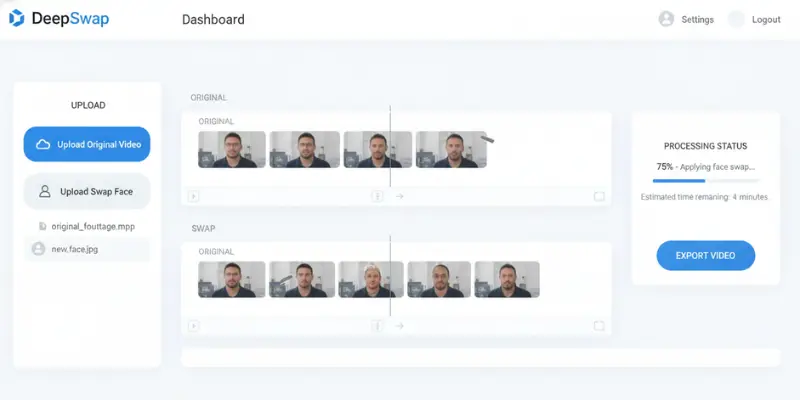
FaceFusion — Best Free Deepfake AI Tool
FaceFusion is ranked first by most independent directories and the rating is deserved for technical users. It is open source, completely free, and runs locally on your own hardware. The output quality is competitive with commercial tools, and because everything stays on your machine, there are no cloud uploads, no subscription fees, and no privacy concerns.
With over 35,000 GitHub stars and an active community, it represents the benchmark for what is technically possible in face swapping. The interface is more approachable than DeepFaceLab while producing comparable results for most face swap use cases.
Pros: Completely free, runs locally with zero cloud uploads, output quality rivals commercial tools, large active community and regular updates.
Cons: Requires a capable GPU and Python setup, steeper learning curve than browser tools, no customer support.
Best for: Technical users who want free, local, private deepfake AI tools with no cloud dependency.
Pricing: Free and open source.
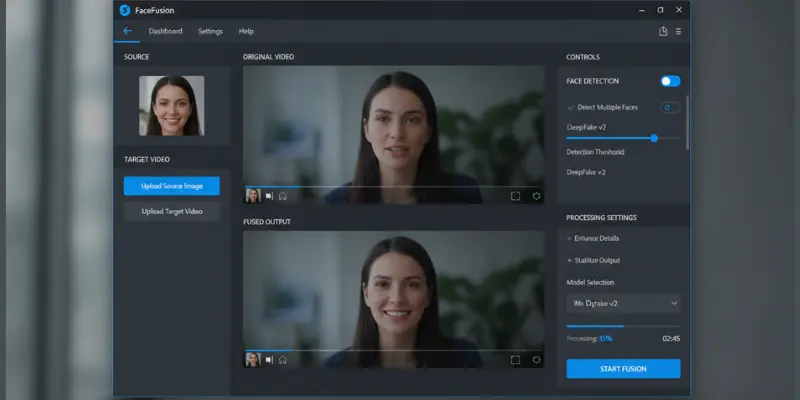
Picsi.ai — Best for Privacy-Conscious Creators
Picsi.ai ranks as the best overall AI face swap tool in 2026 for combining high-quality results with transparent privacy and consent policies. It is a strong choice for creators who want professional-grade output without the technical overhead of FaceFusion or DeepFaceLab, and who care about how their source images are handled.
The platform specializes in consent-aware workflows and is built for legitimate creative use — which matters in 2026 as platforms increasingly enforce disclosure requirements.
Pros: Strong consent-aware workflow, professional-grade output, transparent privacy policy, no technical setup required.
Cons: Freemium limits are restrictive, less customization than open-source tools, newer platform with smaller community than DeepSwap.
Best for: Creators who prioritize quality output with strong privacy and consent policies.
Pricing: Freemium. Paid plans available.
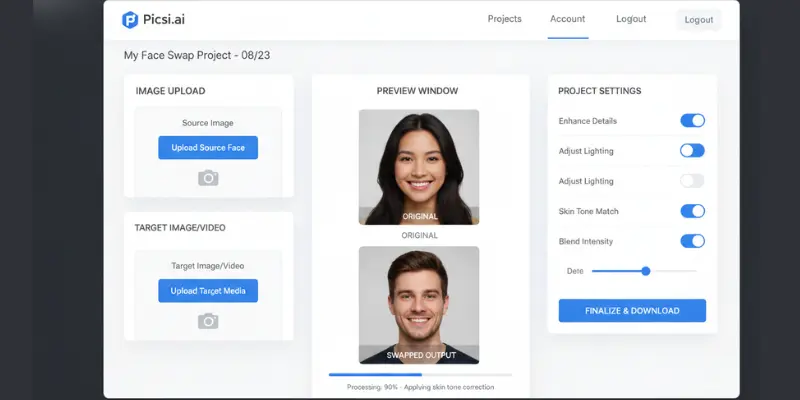
Magic Hour — Best Free Browser-Based Deepfake AI Tool
Magic Hour has the strongest free plan of any browser-based deepfake tool — 400 credits that never expire, no watermark, and no credit card required to start. The platform handles both photo and video swaps in one place, and the blending quality on the free plan is the best among browser-based free tools.
For content creators who want to test deepfake face swap without committing to a subscription, Magic Hour is the most practical starting point.
Pros: 400 free credits that never expire, no watermark on any plan, no credit card required to start, handles both photo and video in one platform.
Cons: 400 credits go faster than expected on video projects, cloud-based processing, limited advanced editing controls.
Best for: Users who want quality browser-based deepfake with a genuinely useful free plan.
Pricing: Free plan with 400 credits (no expiry). Paid plans available.
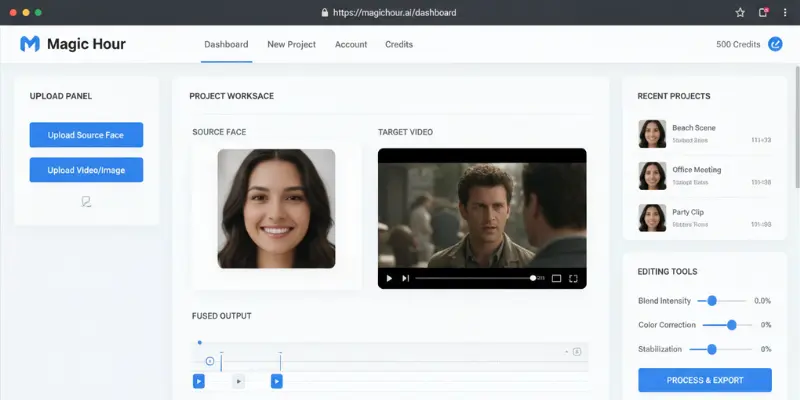
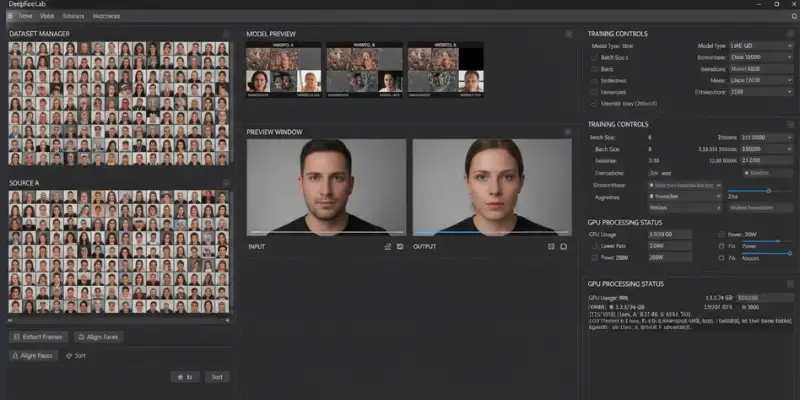
DeepFaceLab — Best Deepfake AI Tool for Professionals
DeepFaceLab is the benchmark for professional deepfake video production. It is open source, free, and runs locally, but requires a capable GPU and willingness to work through a more complex setup process. The output quality ceiling is higher than every other tool on this list — it is the tool behind most professional deepfake work in film and research.
For film production, research, and serious creative projects where quality is non-negotiable and the technical overhead is acceptable, DeepFaceLab is the standard everything else is compared against.
Pros: Highest output quality ceiling of any tool on this list, completely free, runs locally, industry standard for film and research use.
Cons: Steep learning curve, requires powerful GPU hardware, setup process is significantly more complex than browser tools, no GUI for beginners.
Best for: Filmmakers, researchers, and professionals who need maximum output quality.
Pricing: Free and open source.
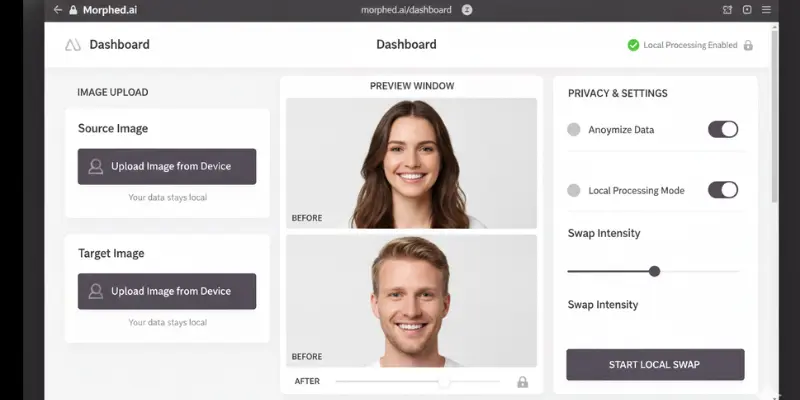
Morphed — Best Local Browser Deepfake Tool
Morphed processes everything locally in the browser, meaning your images never leave your device an important distinction from cloud-based deepfake AI tools. This makes it the strongest privacy-focused option for creators who handle sensitive source material or want to avoid any cloud data retention risk.
The output quality on photo swaps is strong for a browser-based local tool, and the no-upload architecture is a genuine technical differentiator in a category where most tools send your images to remote servers.
Pros: Images never leave your device, no software installation needed, strong privacy posture, free plan available.
Cons: Processing speed is slower than cloud tools, limited to browser capability so output quality has a lower ceiling than local GPU tools.
Best for: Creators who need local processing for privacy without installing software.
Pricing: Free plan available. Paid plans available.
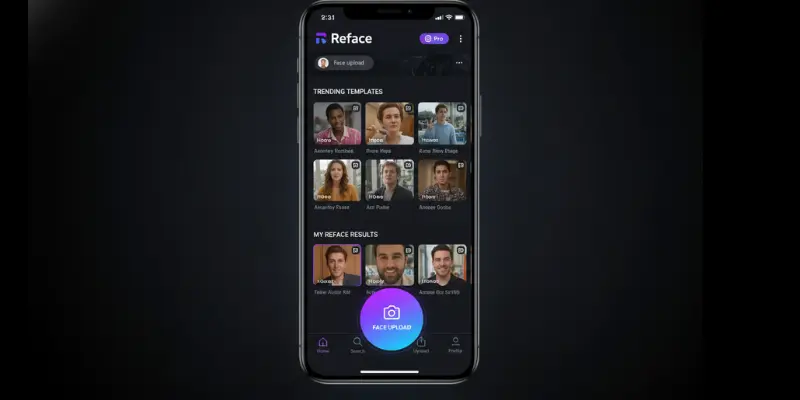
Reface — Best Mobile Deepfake AI Tool
Reface is the most downloaded mobile deepfake app globally — over 100 million downloads across 90-plus countries. The app is built for viral short-form content: you swap your face into trending templates, celebrity clips, and GIFs and share directly to TikTok or Instagram. The template library updates constantly to stay aligned with what is trending.
The face swap quality is optimized for mobile sharing rather than cinematic production — it prioritizes speed and entertainment over technical precision. For casual use, social media content, and entertainment, Reface is the most accessible and fastest mobile deepfake app available.
Pros: 100M+ downloads, fastest mobile face swap available, constantly updated trending templates, direct TikTok and Instagram sharing.
Cons: Optimized for entertainment not precision, quality not suitable for professional or commercial work, premium subscription needed for full access.
Best for: Mobile users who want fast, casual deepfake content for social sharing.
Pricing: Free with premium tier. iOS and Android.
FaceSwapper — Best Versatile Face Swap Tool
FaceSwapper handles both photo and video face swaps with good accuracy, supports multiple simultaneous face replacements, avatar creation, and clothes changing in a single platform. The interface is clean and accessible to non-technical users, and the freemium model gives you enough access to test real output quality before committing.
Pros: Multi-face replacement, avatar creation and clothes changing in one platform, clean interface, freemium access to test before paying.
Cons: Free tier is limited, output quality on video is not at the level of DeepSwap or local tools, fewer advanced controls.
Best for: Content creators who want versatile face swap across photos and video without technical setup.
Pricing: Freemium. Paid plans available.
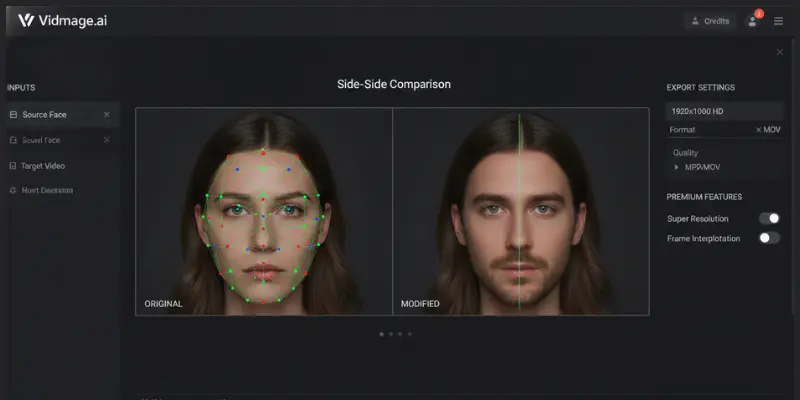
Vidmage.ai — Best Premium Deepfake AI Tool
Vidmage.ai is a premium cloud-based platform for creators who need high-resolution, professional-grade facial replacements without technical setup. It uses facial landmark alignment technology to preserve original skin textures, natural eye glints, and lighting continuity through complex motion angles, the specific technical challenge where many mid-range tools struggle.
It specializes in deep asset rendering with a dedicated multi-face swap module for group photos and high-definition output that preserves source file resolutions. For professional commercial work where variation across skin tones and lighting is not acceptable, this level of technical precision matters.
Pros: Facial landmark alignment preserves skin texture and lighting continuity, handles group photos well, high-definition output that preserves source resolution.
Cons: Premium pricing not suited for casual use, overkill for simple single-face swaps, fewer community resources than established tools.
Best for: Professional creators who need premium quality for commercial or complex video work.
Pricing: Premium subscription. Trial available.
SwapFace — Best Real-Time Deepfake AI Tool
SwapFace specializes in real-time face swapping designed specifically for live streaming, video calls, and real-time use cases. While other tools on this list process pre-recorded footage, SwapFace works in real time, making it the right choice for streamers, video call presenters, or anyone who needs live face swap capability.
Pros: Real-time processing during live streams and video calls, free core features, works with most streaming software.
Cons: Windows only, not designed for pre-recorded video production, quality is lower than non-real-time tools.
Best for: Streamers and video call users who need real-time face swap.
Pricing: Free with paid tiers for additional features.
Best Deepfake AI Tool for Developers
Banuba SDK is the tool of choice for developers who need real-time face swap capabilities built into their own applications. It is not a consumer product, it is an SDK designed to integrate facial AR, face swapping, and avatar animation into mobile or desktop apps. If you are building a product rather than using one, Banuba is the enterprise-grade real-time face swap infrastructure.
Pros: Enterprise-grade real-time face swap infrastructure, full API integration, supports mobile and desktop apps, highly customizable.
Cons: Not a consumer product requires development knowledge, enterprise pricing is not transparent, too complex for individual creators.
Best for: Developers building real-time face swap into applications.
Pricing: Enterprise licensing. Trial available.
FaceMagic — Best for TikTok Face Swap
FaceMagic is built for fast TikTok-style face swap edits on mobile. It handles quick swaps efficiently, is optimized for the short-form content creation workflow, and produces results fast enough for daily content production. For mobile creators who want Reface-style speed with a slightly different template library, FaceMagic is a strong alternative.
Pros: Fast processing optimized for mobile, good template variety for short-form content, easy to use with no learning curve.
Cons: Quality not at the level of desktop or local tools, limited customization beyond templates, paid tier required for full access.
Best for: Mobile creators who want fast face swaps for TikTok-style content.
Pricing: Free with paid tier.
Deepfakes Web — Best Pay-Per-Video Deepfake Tool
Deepfakes Web is consistently rated for its simplicity and the quality of its output. Among browser-based deepfake AI tools, it stands out as the only option that lets you train your own deepfake model entirely in the cloud with no GPU required. You upload your source and target footage and the tool handles everything else, no installation or technical knowledge required.
What distinguishes it from most browser deepfake AI tools is the pay-per-video model — you only pay for completed videos rather than a monthly subscription. If you create deepfake content occasionally rather than daily, this makes it significantly more economical.
Pros: Pay-per-video model means no wasted monthly subscription, only browser-based tool with custom model training in the cloud, no installation required.
Cons: Processing times are longer than most competitors, pay-per-video becomes expensive at volume, less straightforward interface than DeepSwap.
Best for: Occasional deepfake video creation without monthly fees.
Pricing: Pay-per-video. Some free access available.
Akool — Best Enterprise Deepfake AI Tool
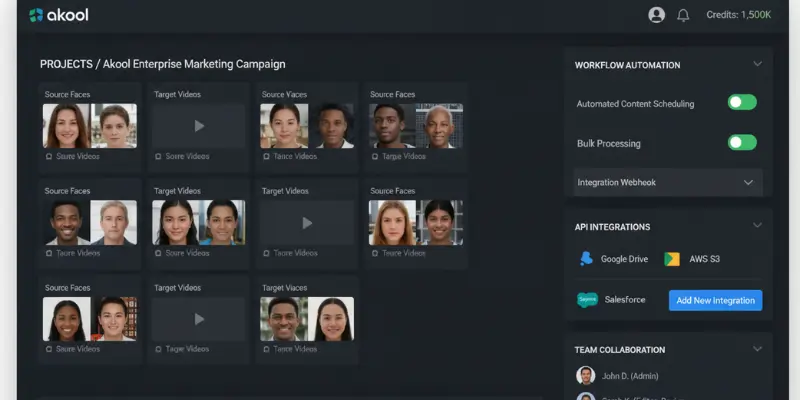
Akool is the enterprise-grade deepfake tool on this list. It handles multi-face swapping at scale, API integration, and high-volume production for commercial use cases. Marketing teams use it for localized ad content — swapping faces to create regional variants of the same video without reshooting. The output quality is consistent across different skin tones, lighting conditions, and camera angles.
Pros: Multi-face swapping at scale, API integration for automated workflows, consistent quality across skin tones and lighting, purpose-built for commercial production.
Cons: Enterprise pricing is not accessible for individuals, overkill for small-scale or casual use, requires onboarding for full setup.
Best for: Enterprise marketing teams and commercial production at scale.
Pricing: Enterprise subscription. Free trial available.
Remaker AI — Best Deepfake AI Tool for Batch Processing
Remaker AI has quietly become one of the strongest deepfake AI tools for batch work in 2026. It handles photos, videos, and batch processing with consistent quality across the board. The standout feature is batch face swap capability upload a folder of images and a source face, and it processes the entire set. For marketers and content creators producing volume, this is a significant workflow advantage.
Pros: Batch processing across entire folders of images, consistent quality on both photo and video, hits the sweet spot between ease of use and output quality.
Cons: Subscription required for full access, batch feature is the main differentiator so overkill for single swaps, cloud-based processing.
Best for: Content creators who need consistent quality across photo and video with batch capability.
Pricing: Subscription. Free trial available.
Live3D AI Face Swap — Best Free Multi-Format Tool
Live3D AI Face Swap is a free tool that handles photo, GIF, and video face swaps with unlimited replacements and no watermarks. It also integrates AI image generation for creative montage work. The combination of face swap and generative image tools in one free platform makes it particularly useful for creators who need both capabilities.
Pros: Fully free, no watermark, unlimited replacements, integrates face swap with AI image generation in one platform.
Cons: Less polished interface than premium tools, output quality is good but not at the level of DeepSwap or Remaker AI, smaller community.
Best for: Creators who want face swap and AI image generation in one free tool.
Pricing: Free.
Misgif — Best Deepfake Tool for GIFs
Misgif specializes in GIF face swapping, you replace a character’s face in any GIF with your own using AI faceswap technology. For meme creators, social media users, and anyone working specifically with GIFs, Misgif handles this niche format better than most general face swap tools.
Pros: Free, purpose-built for GIF swapping, handles the format better than general tools, fast results for meme creation.
Cons: Limited to GIFs only no photo or video support, basic editing tools, not suitable for professional or commercial work.
Best for: GIF-specific face swapping for social media and meme content.
Pricing: Free.
DeepSwapper AI — Best Simple Deepfake AI Tool
DeepSwapper AI is a straightforward browser-based face swap tool with a clean interface and reliable output for standard use cases. It works on photos and short video clips without requiring technical setup. For users who want a simple deepfake maker without feature complexity, it handles the basics cleanly.
Pros: Clean simple interface, no technical setup required, reliable on standard use cases, freemium access available.
Cons: Struggles with complex angles and heavy motion, fewer features than DeepSwap, limited customization options.
Best for: Simple photo and video face swaps without technical complexity.
Pricing: Freemium.
Deepfake AI Tools Compared : side-by-side
| Tool | Platform | Free Option | Best For | Privacy |
| DeepSwap | Browser | Trial credits | General video + photo | Cloud |
| FaceFusion | Local | Fully free | Technical users | Local |
| Picsi.ai | Browser | Freemium | Quality + consent policies | Strong |
| Magic Hour | Browser | 400 credits, no expiry | Free browser-based | Cloud |
| DeepFaceLab | Local | Fully free | Professional filmmaking | Local |
| Morphed | Browser (local) | Free plan | Privacy-first creators | Local |
| Reface | Mobile | Free tier | Viral social content | Cloud |
| Vidmage.ai | Browser | Trial | Premium commercial work | Cloud |
| SwapFace | Desktop | Free core | Live streaming | Local |
| Banuba SDK | Developer | Enterprise trial | App integration | Configurable |
| FaceMagic | Mobile | Free | Fast TikTok edits | Cloud |
| Deepfakes Web | Browser | Pay-per-video | Occasional use | Cloud |
| Akool | Browser | Enterprise trial | Commercial at scale | Cloud |
| Remaker AI | Browser | Free trial | Batch processing | Cloud |
Free Deepfake Generators: What You Can Actually Expect
Not all deepfake AI tools are equal when it comes to free access. Here is the honest picture of what each tier actually gives you.
Genuinely free, no watermark, no limit: FaceFusion (local), DeepFaceLab (local), Live3D AI Face Swap, Misgif, SwapFace (core features).
Free with credits or limited usage: Magic Hour (400 credits, no expiry, no watermark), DeepSwap (free trial credits), FaceSwapper (freemium access), Morphed (local browser processing).
Paid with free trial: Deepfakes Web (pay-per-video), Akool, Remaker AI, Vidmage.ai.
For content creators who want to build deepfake tools into a larger video workflow, the AI video generator tools available in 2026 increasingly include face swap as a built-in feature, which removes the need to chain multiple tools together.
How I Selected These Deepfake AI Tools
To identify the best deepfake AI tools in 2026, I evaluated each platform based on output quality, ease of use, processing speed, privacy protections, pricing, and overall value. The goal was not simply to list the most popular tools, but to find the options that perform best for different real-world use cases.
I also compared support for photo face swaps, video face swaps, real-time processing, local execution, mobile access, and enterprise workflows. Tools that offered a strong balance of quality, reliability, and user experience ranked higher than platforms with limited features or inconsistent results.
Because deepfake technology is increasingly regulated, privacy policies, consent requirements, and responsible-use safeguards were also considered. Every tool on this list was evaluated for legitimate creative, educational, and commercial use cases rather than deceptive or non-consensual applications.
Deepfake Detection: The Other Side
The same way deepfake AI tools have improved, so have deepfake detectors. Sensity AI and Resemble AI’s detection suite can now identify AI-generated media with high accuracy in many cases.
All major social platforms YouTube, TikTok, Instagram now require disclosure labels on AI-modified content. Not labeling deepfake content violates platform terms and can result in account suspension. EU AI Act watermarking requirements are rolling out for certain categories of AI-generated content.
The practical requirement: If you publish AI-generated face swap content, label it clearly as AI-generated. That is both the legal requirement in many jurisdictions and the standard expected by audiences and platforms in 2026.
Conclusion
The deepfake AI tools available in 2026 are better, faster, and more accessible than ever and the legal framework around them is tighter than it has ever been. The best deepfake AI tool for you depends entirely on your use case.
For free local production with maximum quality, FaceFusion and DeepFaceLab are the benchmarks. For the best overall browser-based tool, DeepSwap is the strongest recommendation for most users. For browser-based work with a real free plan, Magic Hour is the standout. For mobile entertainment content, Reface or FaceMagic. For enterprise workflows, Akool or Vidmage.ai. For privacy-first creators who do not want cloud uploads, Morphed or the local open-source tools.
Whatever deepfake AI tool you choose, the consent and transparency obligations are yours. The TAKE IT DOWN Act and DEFIANCE Act mean that non-consensual deepfake creation carries real criminal and civil liability in 2026 — not just platform bans. The technology has reached a point where the only thing that separates legitimate creative use from serious legal exposure is the intent and ethics of the person using it.
For creators building deepfake tools into a wider production workflow, the MotionMuse AI alternatives ecosystem shows how far AI video production has moved beyond single-feature tools.
FAQS
DeepSwap is the best overall deepfake AI tool for most users because it combines high-quality face swaps, fast cloud processing, and support for both photo and video content. Technical users may prefer FaceFusion or DeepFaceLab for local processing and complete control.
Deepfake AI tools are legal when used with proper consent and for legitimate purposes. However, creating or sharing non-consensual deepfakes may violate laws such as the TAKE IT DOWN Act and other regional regulations.
FaceFusion and DeepFaceLab are completely free and open-source deepfake AI tools that run locally on your computer. Live3D AI Face Swap and Misgif also offer free access for specific use cases.
Magic Hour offers one of the strongest free plans with 400 credits, no watermark, and no credit card requirement, making it the best free browser-based option for most users.
Reface is the most popular mobile deepfake app for creating face swap videos, GIFs, and social media content. FaceMagic is another strong option for short-form video creators.
Yes. Most modern deepfake AI tools support both photo and video face swaps. Platforms such as DeepSwap, Magic Hour, FaceSwapper, and Remaker AI can process videos in addition to static images.
Morphed, FaceFusion, and DeepFaceLab are the best choices for privacy-conscious users because they process files locally rather than uploading them to cloud servers.
Deepfake detection tools such as Sensity AI and Resemble AI can identify many forms of AI-generated media. Most major platforms also require creators to disclose AI-generated or AI-modified content.




- Be Respectful
- Stay Relevant
- Stay Positive
- True Feedback
- Encourage Discussion
- Avoid Spamming
- No Fake News
- Don't Copy-Paste
- No Personal Attacks
- Be Respectful
- Stay Relevant
- Stay Positive
- True Feedback
- Encourage Discussion
- Avoid Spamming
- No Fake News
- Don't Copy-Paste
- No Personal Attacks
