16 Kling AI Alternatives That Actually Work in 2026
Published: 21 May 2026
Kling AI released version 3.0 in February 2026, bringing 4K output, native audio support, and better character consistency. However, the credit system still burns through fast, especially on paid plans. The free tier is capped at 720p with a watermark and no commercial use allowed. Because of this, many creators are still looking for Kling AI alternatives that offer better value, fewer restrictions, or a specific feature Kling does not cover well
Kling AI is one of the most capable AI video generators available right now. Its motion physics are genuinely impressive, and the 66 free daily credits make it accessible for casual use. But once you start working seriously testing multiple concepts, needing clean exports, or building content for clients the limitations show up fast.
Failed generations still consume credits. Queue times during peak hours can stretch past 30 minutes. Commercial use is locked behind paid plans. And the watermark stays on until you upgrade.
This guide covers 16 Kling AI alternatives that actually work in 2026. Each one was selected because it fixes a specific gap: speed, pricing, creative control, mobile use, or professional output. If you also work with AI video tools beyond generation like MotionMuse AI for animation or Unlucid AI for image-to-video many of the same decision factors apply.
What Kling AI Does Well (Before You Switch)
| Switching tools is not always the right call. Here is where Kling AI genuinely leads in 2026: |
|---|
|
Motion physics quality — realistic body movement, walk cycles, and fluid animation |
| Where Kling falls short: |
|---|
|
If motion realism is your top priority and you are fine with the credit system, Kling is still a strong primary tool. The alternatives below are better choices when you need speed, editing control, a cleaner free plan, or a different workflow altogether.
Quick Comparison Table (Best Kling AI Competitors)
Below is a simple and clear comparison of the top kling ai alternatives
This table helps you choose the best tool fast.
| Tool | Free Plan | Starting Price | Text-to-Video | Image-to-Video | Best For |
| Runway Gen-4.5 | Yes (watermark) | $15/month | Yes | Yes | Professional editing control |
| Luma Dream Machine | 30 gen/month | $29.99/month | Yes | Yes | Fastest generation speed |
| Pika 2.5 | 80 credits/month | $8/month | Yes | Yes | Stylized creative video |
| Google Veo 3 | Limited (100 credits) | Custom/enterprise | Yes | Yes | Photorealistic, native audio |
| Hailuo AI (Minimax) | Free credits | Paid tiers | Yes | Yes | Cinematic camera control |
| PixVerse AI | Yes (limited) | Paid tiers | Yes | Yes | Realistic cinematic output |
| Sora (OpenAI) | ChatGPT Plus only | $20/month (Plus) | Yes | Yes | Highest visual quality |
| VEED | Yes | $18/month | Yes | No | All-in-one editing workflow |
| Haiper | Yes | From $5/month | Yes | Yes | Style-driven creators |
| Fliki AI | Yes (watermark) | Paid tiers | Yes | No | Voice + video together |
| Pollo AI | Yes (limited) | Paid tiers | Yes | Yes | Beginners, style control |
| HeyGen | Yes (limited) | $29/month | No | Yes | Realistic AI avatars |
| Synthesia | Limited | $22/month | No | No | Enterprise AI presenters |
| InVideo AI | Yes (watermark) | $20/month | Yes | No | Script-based faceless YouTube |
| Unlucid AI | Free credits | Paid tiers | No | Yes | AI image-to-video animation |
16 Best Kling AI Alternatives in 2026
If you are searching for powerful kling ai alternatives, this list will help you choose the right one. Each tool below follows the same structure so you can compare easily.
Pollo AI
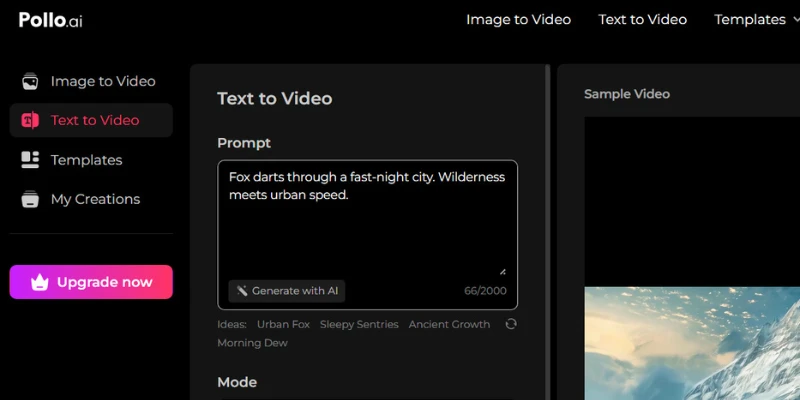
Pollo AI is consistently recommended as the most balanced starting point for creators new to AI video generation. The interface is clean, the results are consistent, and the multiple style options give you more creative direction than Kling’s more minimal controls.
It supports AI avatars alongside video generation, making it useful for creators who want to appear on screen without being on camera.
- Beginner-friendly interface with minimal learning curve
- Multiple art styles and templates
- AI avatars alongside video generation
- Fast rendering for quick iteration
Best for: Beginners and small creators who want quick results without technical complexity.
Skip if: You need cinematic precision or deep professional editing.
Hailuo AI
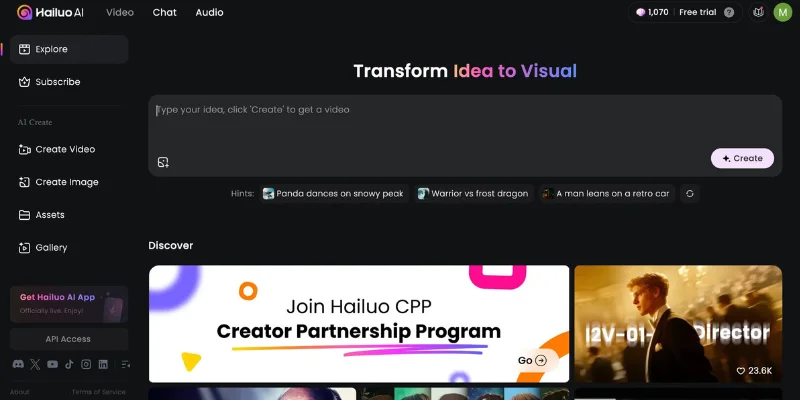
MiniMax’s Hailuo AI is a strong pick for creators who want more control over how their scenes are filmed. Its camera control system lets you define movement direction, zoom behavior, and framing directly inside the prompt. That level of control reduces the trial-and-error that often makes Kling frustrating when you already know the exact shot you want.
Generation speed is another major advantage, with most clips finishing in 20 to 50 seconds. For creators producing content at scale, that speed matters a lot. It is also why many users searching for Hailuo AI alternatives often compare it with other cinematic AI video tools focused on faster rendering and better camera movement control.
- Camera movement presets: tracking, dolly, crane, aerial
- Generation speed: 20-50 seconds per clip
- Supports both text-to-video and image-to-video
- Strong temporal consistency across 6-10 second clips
Free or Paid? Free credits available. Paid tiers for more volume.
Best for: Cinematic content where camera behavior matters as much as the subject.
Skip if: You want editing control after generation — Hailuo is generation-only.
Fliki AI
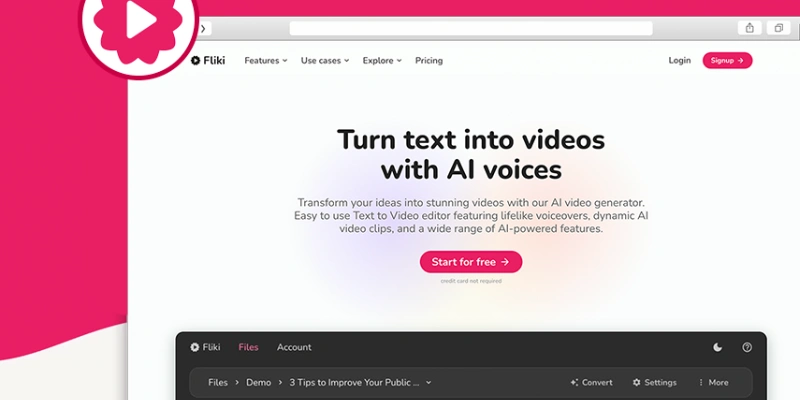
Fliki AI occupies a specific niche that Kling does not touch: combining AI voiceover with video generation in one tool. If you create YouTube explainers, blog-to-video content, or narrated social clips, Fliki removes the step of sourcing or recording audio separately. Creators who write scripts for these videos often pair tools like this with AI writing tools to speed up the scripting side as well.
It supports multiple languages, which makes it a practical choice for creators working in non-English markets. The free plan includes a watermark, and paid plans start at affordable tiers.
- AI voiceover built into the video workflow
- Blog-to-video and script-based editing
- Multiple language support
- Good for faceless YouTube and explainer content
Best for: Creators who need voice and video in the same tool, especially for educational or narrated content.
Skip if: You need cinematic quality or complex motion generation.
MotionMuse AI
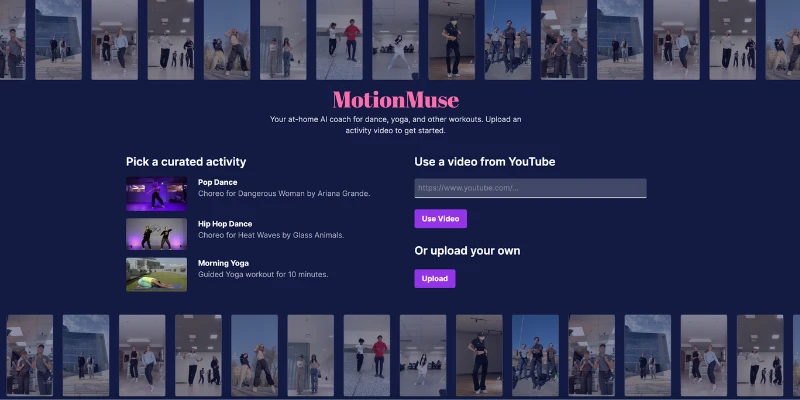
MotionMuse AI is a dedicated AI animation tool that helps creators turn text prompts and scene descriptions into animated video sequences. It focuses more on animated and motion-graphic style content instead of photorealistic AI video generation.
- Text prompt to animation workflow
- Scene control and character animation
- Multiple animation styles
- Simpler learning curve than Runway for animation work
Free Plan Info
The free version is limited.
Users often look for motionmuse ai alternative or free motionmuse alternative for better plans.
Best for : Creators who want animated content instead of realistic AI video. It works well for explainers, motion graphics, and stylized clips.
Skip if : Skip MotionMuse AI if you need photorealistic or cinematic video output. The platform is built more for animation workflows than realism.
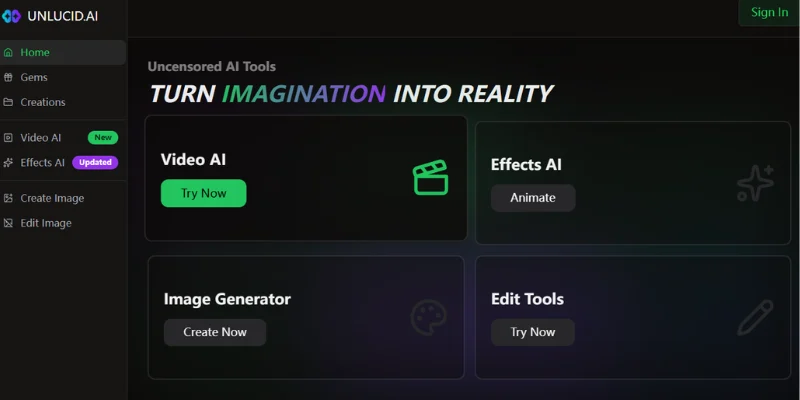
Unlucid AI
Unlucid AI focuses specifically on turning still images into animated videos through AI-powered motion. It is especially popular among creators working with characters, illustrations, and product visuals who want smooth animation without writing complicated prompts.
If you already work with AI-generated artwork and want an easier way to add movement, Unlucid AI is one of the cleanest tools for that workflow. It is also why many creators searching for Unlucid AI alternatives compare it with other image-to-video platforms that offer more motion control, export quality, or faster rendering speeds.
- Image-to-video with smooth AI animation
- Good for illustrated characters and product content
- Free credits available to test
- Clean, simple interface
Best for: Creators who animate illustrations, character art, or product visuals.
Skip if: You need text-to-video or complex scene generation.
Pixverse AI
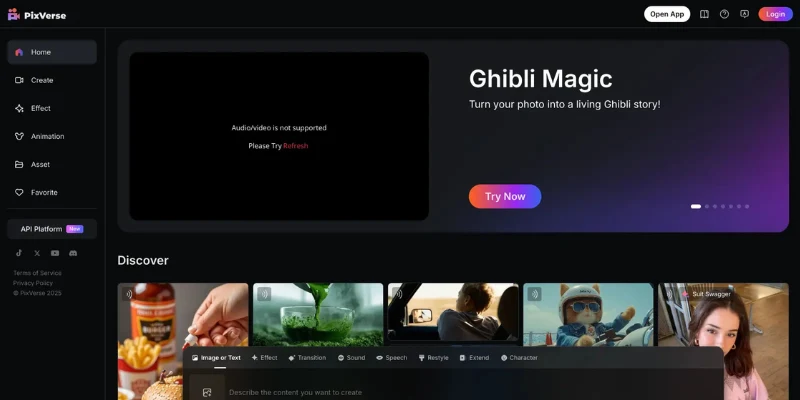
PixVerse AI has become a popular choice among creators who want Kling-quality cinematic output without the credit system complexity. The interface is straightforward, the results are consistently realistic, and the free plan gives you enough to evaluate it properly before paying anything.
It supports both text-to-video and image-to-video generation with scene controls and style customization that Kling’s basic interface still lacks. For marketers and brand-focused creators, it offers a strong balance between video quality, creative flexibility, and pricing.
That is also why many users searching for PixVerse alternatives compare it with other AI video tools focused on cinematic visuals, faster workflows, and better scene control.
- Cinematic video generation with scene control
- Image-to-video with realistic motion
- Free plan available to test before paying
- Suitable for marketing and brand content
Free or Paid? Free plan available. Paid tiers for more features and volume.
Best for: Marketers and creators who want professional-grade output without Runway’s price
Runway Gen-4.5
Runway is one of the strongest options for creators searching for a serious Kling AI alternative with deeper creative control. While Kling mainly relies on simple prompting, Runway gives creators tools that make the generation process feel much more hands-on and cinematic.
Features like Motion Brush, camera choreography, and frame-level editing let you direct scenes with far more precision instead of relying on trial and error. That extra control is especially useful for filmmakers, agencies, and creators working on story-driven content.
The Gen-4.5 model also handles character consistency much better than Kling. If you need the same character to appear naturally across multiple scenes, Runway delivers more reliable results.
- Motion Brush for adding movement to specific parts of a frame
- Camera choreography with advanced movement control
- Post-generation editing including inpainting and outpainting
- Better character consistency across multiple shots
Pricing
Free plan available with watermark. Paid plans start around $15/month.
Best For : Filmmakers, creative agencies, and advanced creators who want editing flexibility after video generation.
Skip If : You want the cheapest possible option. The runway is more expensive than Kling for heavy usage.
If you are also comparing animation-focused AI tools, the MotionMuse AI vs Kling AI comparison highlights some important differences in workflow, motion quality, and creator features.
Luma Dream Machine
Luma AI’s Dream Machine is the fastest serious AI video generator available in 2026. Where Kling regularly queues past 30 minutes during peak hours, Luma delivers outputs in one to two minutes. For creators who test multiple concepts before committing to one, this speed difference changes the entire workflow.
The output quality is not quite at Kling’s level for motion realism, but it is close enough for most social media and marketing use cases. Camera movement control is solid, and the free plan is generous enough to actually test the tool properly.
- Sub-2-minute generation times consistently
- 30 generations per month on the free plan
- Strong camera movement control in prompts
- Good for storyboarding and rapid prototyping
Free or Paid? Free plan with 30 generations per month. Paid from $29.99/month.
Best for: Creators frustrated by Kling’s queue times, and anyone who needs rapid concept testing.
Skip if: Motion realism is your absolute top priority Kling still leads there.
Pika 2.5
Pika does not try to out-Kling Kling on photorealism. Instead, it goes in a different direction stylized content, motion graphics, abstract effects, and creative visual experiments. If your use case is artistic rather than documentary, Pika 2.5 is one of the most interesting tools in the category.
The free plan offers 80 credits per month at 480p, which is enough to test properly. Pika raised $80 million at a $470 million valuation, so it is not going anywhere.
- 80 free credits per month solid for testing
- Stylized effects and motion graphics Kling cannot replicate
- Built-in audio in recent updates
- Good for surreal, abstract, and animated content
Free or Paid? Free tier at 480p, 80 credits/month. Paid from $8/month.
Best for: Creative and artistic video work, not photorealistic content.
Skip if:You need consistent photorealistic results because prompt accuracy can sometimes be unreliable.
Google Veo 3
Google Veo 3 is the most impressive AI video generator from a pure quality standpoint. What separates it from everything else including Kling is native audio generation. Veo 3 can produce a finished video with ambient sound and synchronized audio baked in, not added afterwards. That is a meaningful step toward production-ready output.
The catch is access. Veo 3 is available through Google AI products with limited tiers, and enterprise access requires custom pricing. It is built for studios and serious teams, not casual creators.
- Native multilingual audio generation unique in the category
- Visibly sharper and more detailed video than most alternatives
- Advanced camera control and frame consistency
- Available in Google’s AI ecosystem with 100 monthly credits on eligible plans
Free or Paid? Free limited access (100 monthly AI credits in eligible regions). Enterprise pricing custom.
Best for: High-end production work where output quality is non-negotiable.
Skip if: You need affordable access for regular use pricing is not straightforward.
Sora (OpenAI)
Sora produces the most visually striking AI video available. The detail, lighting, and physical accuracy are a step above everything else when it works well. If you need video that genuinely looks like it was shot with a real camera, Sora delivers that more consistently than Kling.
Access is through ChatGPT Plus and Pro subscriptions. Plus users get limited access, Pro users get more. It is not a standalone product with its own credit system which makes pricing simpler in some ways.
- Highest visual quality and photorealism in the category
- Available through ChatGPT Plus ($20/month) and Pro
- Strong scene consistency and cinematic detail
- Text-to-video and image-to-video both supported
Free or Paid? Requires ChatGPT Plus ($20/month minimum).
Best for: Creators who prioritize absolute visual quality and are already using ChatGPT.
Skip if: You want a standalone tool with transparent credit pricing.
VEED
VEED solves a problem that pure generation tools like Kling do not address at all: what happens after you generate. If you use Kling as your generation engine but then move to another tool to edit, add captions, adjust audio, or resize for different platforms VEED handles all of that in one place.
It is not primarily a video generator. It is a full editing platform with AI video generation built in. For creators who produce polished, publish-ready content rather than raw clips, VEED removes several steps from the workflow.
- Full post-production editing suite alongside video generation
- Auto-captions, subtitles, and text overlays
- Resize for different platforms in one click
- Free plan available, paid from $18/month
Best for: Professional creators who need both generation and editing without switching tools.
Skip if: You only need raw clip generation and handle editing elsewhere.
Haiper
Haiper is the newest tool on this list and the one most worth watching. Its focus is style consistency and creative control over motion and composition, and the model is improving fast. It is not yet at the maturity of Runway or the depth of Luma, but at $5/month for premium access it is one of the most affordable credible options.
- Style consistency as a primary design goal
- Free tier available, premium from $5/month
- Model improving rapidly in 2026
- Good for experimental and style-driven content
Best for: Early adopters and style-driven creators who want something newer and cheaper.
Skip if: You need production-grade reliability right now.
HeyGen
HeyGen does something Kling does not: it creates convincing talking- head AI avatar videos. If your content involves a presenter or spokesperson for marketing, training, or social HeyGen produces results that look genuinely human.
It is not a motion video generator like Kling. It solves a different problem. But it regularly appears in Kling alternative discussions because many creators realize what they actually need is a presenter video, not a cinematic scene.
- 230+ AI avatars with realistic facial expressions
- AI voice cloning and lip sync
- 140+ language support
- Free plan available, paid from $29/month
Best for: Marketing, training, and explainer videos that need an on-screen presenter.
Skip if: You need motion scene generation rather than avatar-based content.
Synthesia
Synthesia targets a completely different buyer from Kling. It is an enterprise platform for producing AI presenter videos at scale — L&D teams, corporate communications, product demos, and training content. With SOC 2 compliance, 230+ avatars, and 140+ languages, it is built for teams with compliance requirements and volume needs.
- SOC 2 compliant — enterprise-ready security
- 230+ diverse AI avatars
- Integrates with LMS and content management systems
- Paid from $22/month
Best for: L&D teams, HR departments, and corporate communications.
Skip if: You are a solo creator or need cinematic video generation.
InVideo AI
InVideo AI turns scripts into complete videos automatically, making it especially popular among faceless YouTube creators and marketers. You paste a script, choose a style, and the platform handles stock footage, captions, transitions, and AI voiceovers for you.
Unlike Kling, InVideo AI focuses more on video assembly than true AI scene generation. Instead of generating cinematic shots from prompts, it builds polished content using templates, stock assets, and automation tools.
That workflow is also why many creators searching for InVideo AI alternatives compare it with tools that offer more advanced AI-generated visuals, cinematic motion, or image-to-video animation features. For example, creators exploring animation-focused platforms often end up comparing InVideo with tools like Unlucid AI or PixVerse that offer true AI-generated motion rather than template-based assembly.
- Script-to-video automation
- Built-in stock footage library
- AI voiceover and auto-captions
- Free plan with watermark, paid from $20/month
Best for: Faceless YouTube channels and content teams who produce video from written scripts.
Skip if: You need creative generation or cinematic output.
Which Kling AI Alternative Should You Choose?
| Your Situation | Best Choice | Why |
| Kling queues are too slow | Luma Dream Machine | 1-2 min generation, 30 free/month |
| Need editing control, not just generation | Runway Gen-4.5 | Motion Brush, camera control, post-edit |
| Want the highest visual quality possible | Sora or Google Veo 3 | Best photorealism in 2026 |
| Need voice + video in one tool | Fliki AI | Built-in narration, blog-to-video |
| Creating stylized or artistic content | Pika 2.5 | Best for non-photorealistic styles |
| Building AI avatar presenter videos | HeyGen or Synthesia | Realistic talking-head output |
| Enterprise compliance requirements | Synthesia | SOC 2, LMS integration, 140+ languages |
| Making faceless YouTube content from scripts | InVideo AI | Script-to-video automation |
| Animating illustrations or product images | Unlucid AI or PixVerse AI | Image-to-video focus |
| Need cinematic camera shot control | Hailuo AI or Runway | Camera path control in prompt |
| Beginner, want simple starting point | Pollo AI | Clean UI, multiple styles, avatars |
| Lowest possible price | Haiper ($5/mo) or Pika ($8/mo) | Most affordable credible options |
Kling AI vs Competitors
When choosing the right AI video tool, it helps to compare kling ai vs competitors. This detailed comparison shows how Kling AI stacks up against other top options. It also helps creators find the best kling ai alternatives for their needs.
Kling AI vs Runway Gen-4.5
Kling leads on motion physics and has a more generous free tier. Runway leads on post-generation editing, character consistency across shots, and professional workflow integration. Kling is better for one-off clip generation. Runway is better for projects that need iteration, editing, or multi-scene consistency. At $15/month vs $6.99/month, Runway costs more but gives you meaningfully more control.
Kling AI vs Luma Dream Machine
Speed is the clearest difference. Luma generates in 1-2 minutes. Kling queues can exceed 30 minutes during peak hours. Kling produces better motion realism in direct comparisons. Luma wins on turnaround time. If you are prototyping concepts or need volume, Luma makes more sense. If you need the best motion quality and can wait, Kling still leads.
Kling AI vs Hailuo AI
Hailuo offers more explicit camera control in prompts, with presets for tracking, dolly, crane, and aerial shots. Kling has stronger general motion physics. Hailuo generates faster (20-50 seconds vs Kling’s variable queue). For cinematic shot-specific content, Hailuo’s camera system gives you more predictable results. For general-purpose motion realism, Kling is stronger.
Kling AI vs Google Veo 3
Veo 3 is objectively higher quality in direct output comparisons, sharper detail, better camera control, and native audio. But access is limited and enterprise pricing makes it impractical for individual creators. Kling is more accessible for regular use. Veo 3 wins on quality for teams that can access it. For most creators, Kling or Runway is the more realistic choice.
Best Free Kling AI Alternatives
If you want to test AI video generation without paying, these platforms offer the most useful free access:
| Tool | Free Plan Details | Watermark? | Commercial Use Free? |
| Kling AI | 66 credits/day, 720p | Yes | No |
| Luma Dream Machine | 30 generations/month | No | Yes |
| Pika 2.5 | 80 credits/month, 480p | Yes | No |
| Runway | Limited generations | Yes | No |
| Google Veo 3 | 100 credits/month (eligible regions) | No | Limited |
| Hailuo AI | Free credits to test | Varies | Varies |
| PixVerse AI | Free plan available | Yes | No |
| Haiper | Free tier | No | Yes |
| Pollo AI | Free credits | Varies | Varies |
| Unlucid AI | Free credits | Yes | No |
Free plan details change frequently. Always verify current limits on each platform before committing.
Are There Any Open Source Kling AI Alternatives?
Kling AI is not open source. Its code is private and you cannot self-host or modify it. For developers who need full control or want to run locally, these open-source options exist:
- Stable Video Diffusion — text-to-video and image-to-video, runs locally
- Wan2.1 (open-source) — high-quality video generation, available on Hugging Face
- CogVideoX — open-source video generation from THUDM
- AnimateDiff — animation tool built on Stable Diffusion
Self-hosted options require meaningful GPU hardware and technical setup. They give you complete privacy and no credit system, but the output quality generally sits below hosted platforms like Runway or Kling.
How to Choose the Right Kling AI Alternative?
Choosing the best kling ai alternatives can feel hard. But a simple checklist makes it easy.Here are the key things to check before you pick a tool:
Budget
- Know how much you can spend per month.
- Free tools are great for beginners.
- Paid plans give advanced features.
Question: What is your budget right now?
Video Quality
- Look for tools with sharp visuals and smooth motion.
- Cinematic style is best for big projects.
- Simple styles work for reels and shorts.
Tip: Watch sample videos before choosing.
Watermark
- Some tools add a watermark on free exports.
- If you need clean videos, choose tools without watermark.
Checklist:
No watermark free plan
Watermark removal in paid plan
Commercial License
- If you want to sell or use videos for business, check the license.
- Not all free tools allow commercial use.
Pro Tip: Read the license before exporting.
Speed
- Fast rendering saves time.
- Tools with slow generation can delay projects.
- If you publish often, choose faster tools.
Question: Do you need speed or quality more?
AI Voice Support
- Some creators need voiceovers in the same tool.
- For narrated videos or explainers, this is key.
- Not all kling ai alternatives include AI voice.
Quick Checklist
✔ Budget ready
✔ High video quality
✔ No watermark (if needed)
✔ Commercial license available
✔ Fast rendering
✔ AI voice support
Final Verdict – Which Kling AI Alternative Should You Use?
| User Type | Best Pick | Runner-Up |
| Beginner / Casual | Pollo AI | Pika 2.5 |
| YouTuber (faceless) | InVideo AI | Fliki AI |
| Short-form / Social | Luma Dream Machine | Pika 2.5 |
| Filmmaker / Professional | Runway Gen-4.5 | Google Veo 3 |
| Marketing / Brand | PixVerse AI | HeyGen |
| Enterprise / Corporate | Synthesia | HeyGen |
| Budget conscious | Haiper | Pika 2.5 |
| Need fastest output | Luma Dream Machine | Hailuo AI |
| Animating images / illustrations | Unlucid AI | PixVerse AI |
Conclusion
Kling AI 3.0 is genuinely impressive for motion physics and free tier generosity. But the credit system, watermarked exports, and lack of post-generation editing mean it is not the right tool for every workflow.
For most creators, the clearest switch is Runway for professional control, Luma for speed, or Pika for stylized content. If you need an all-in-one workflow, VEED solves the editing gap that every pure generator leaves open.
Pick based on your specific frustration with Kling not on feature lists. The best Kling AI alternative is the one that removes the exact problem slowing your work down.
Faqs
It depends on what you need. Kling AI leads on motion physics quality and has a more generous free tier 66 daily credits vs Runway’s limited free plan. But Runway Gen-4.5 gives you post-generation editing tools, Motion Brush, and better character consistency across multiple shots.
Kling is better for one-off clip generation. Runway is better for professional projects that need iteration and editing. At $15/month vs $6.99/month, Runway costs more but the creative control is significantly greater.
No. Kling AI’s free tier adds a watermark to all exports and limits output to 720p. Commercial use is also not allowed on the free plan.
To remove the watermark and get 1080p or 4K output, you need a paid plan. For clean free exports, Luma AI Dream Machine (30 generations/month, no watermark) and Haiper (free tier, no watermark) are the strongest alternatives
Luma Dream Machine offers 30 free generations per month with no watermark and commercial use allowed making it the most useful free alternative for most creators. Pika 2.5 is also strong with 80 free credits per month. For open-source, Stable Video Diffusion runs locally with no credit limits but requires technical setup.
Kling AI offers 66 free credits per day, which generates roughly 3-6 short clips depending on quality settings. The free tier is capped at 720p, includes a watermark, and does not allow commercial use. For clean exports or professional use, you need a paid plan.
Luma Dream Machine consistently generates clips in 1-2 minutes, making it the fastest option among major alternatives. Hailuo AI is also fast at 20-50 seconds per clip. Kling’s queue times regularly exceed 30 minutes during peak hours.
For faceless YouTube channels, InVideo AI is the most practical. It turns scripts into finished videos with stock footage and AI voiceover. For narrated content specifically, Fliki AI adds voiceover natively. For more cinematic YouTube content, Runway or Luma are stronger picks.
Pika 2.5 and Luma Dream Machine both work well through mobile browsers. Haiper and PixVerse AI are also mobile-friendly. For mobile video editing alongside generation, VEED has a strong mobile interface. Kling AI itself is browser-based and works on mobile, though the interface is optimized for desktop.
Google Veo 3 produces the sharpest and most detailed output in 2026, but access is limited and pricing is enterprise-level. Sora (OpenAI) is a close second, available through ChatGPT Plus. For accessible realistic video, Kling 3.0 and Runway Gen-4.5 are the most practical options.
Yes. Unlucid AI, Hailuo AI, PixVerse AI, Luma Dream Machine, and Runway all support image-to-video generation. Unlucid AI is specifically built around animating still images and illustrations. Hailuo AI is strong for cinematic image-to-video with explicit camera control.





- Be Respectful
- Stay Relevant
- Stay Positive
- True Feedback
- Encourage Discussion
- Avoid Spamming
- No Fake News
- Don't Copy-Paste
- No Personal Attacks
- Be Respectful
- Stay Relevant
- Stay Positive
- True Feedback
- Encourage Discussion
- Avoid Spamming
- No Fake News
- Don't Copy-Paste
- No Personal Attacks
