15 Best Pixverse Alternative Tools for Free AI Image to Video (Reddit Tested)
Published: 20 Apr 2026
Ever tried to turn an image into a video and ended up confused about which tool actually works? Many people face the same problem when they start searching online. One tool feels too limited, another asks for credits, and some don’t give good results at all. That’s where the search for a pixverse alternative begins.
In this guide, we will clear that confusion for you. You will see simple and better options for creating videos from images, what makes each tool useful, and which ones are worth your time. The goal is to help you pick the right tool without wasting time or effort
What to Look for in a Free Image to Video AI Tool
Choosing the best image to video AI tool is not only about clicking “generate.” You need a tool that is simple, fast, and gives clean results without limits.
Many people search for a best free image to video AI generator but end up stuck with watermarks, low quality, or daily limits. That is why you must know what to check before you pick any tool, especially when you want a solid PixVerse alternative.
Here are the key things you should always look for.
1) No Watermarks and No Hard Limits
Some tools are free, but they add watermarks or strict limits.
Look for an AI image to video no restrictions free option that lets you export without branding.
Check this:
- No watermark on export
- No forced credit system for basic use
- No daily block after 1–2 videos
Example: If you are making videos for YouTube Shorts, a watermark will hurt your brand.
2) Simple Controls for Motion
Good tools give easy sliders for motion. You should control:
- Camera pan and zoom
- Motion strength
- Frame length
This helps you turn a normal photo into a smooth video without editing skills.
Ask yourself: Can I control the movement, or is it random?
3) Fast Rendering Speed
Free tools often take too long to render. Time is important.
Look for tools that:
- Generate videos in under 1–2 minutes
- Do not freeze during export
- Work smoothly on a normal browser
This matters when you create many videos daily.
4) High-Quality Export (MP4, HD)
A good best free image to video AI generator should give:
- MP4 download
- At least 720p or 1080p quality
- Smooth frames (no shaking)
Low quality makes your video look fake and blurry.
5) Works Without Complex Prompts
Some tools need long prompts. That wastes time.
A beginner-friendly tool should:
- Work with just an image
- Need only 1–2 simple lines of text
- Give good results automatically
This is very helpful for beginners and social media creators.
6) Positive Feedback from Real Users
Before choosing, check what real users say. Many people share honest reviews on forums like Reddit when searching for an AI video generator with no restrictions free reddit.
You can quickly learn:
- Which tools are truly free
- Which tools secretly charge later
- Which tools give the best motion results
7) Good for Social Media Content
If you create content for TikTok, Reels, or Shorts, the tool should:
- Support vertical video
- Keep file size small
- Export in social-friendly format
This saves editing time later.
Best Pixverse Alternative Tools (Free & No Restrictions)
Here is a clear ranking of tools like Pixverse that you can use to turn images into videos. I include details you need before you try them. I use simple words and clear lists so you can choose easily.
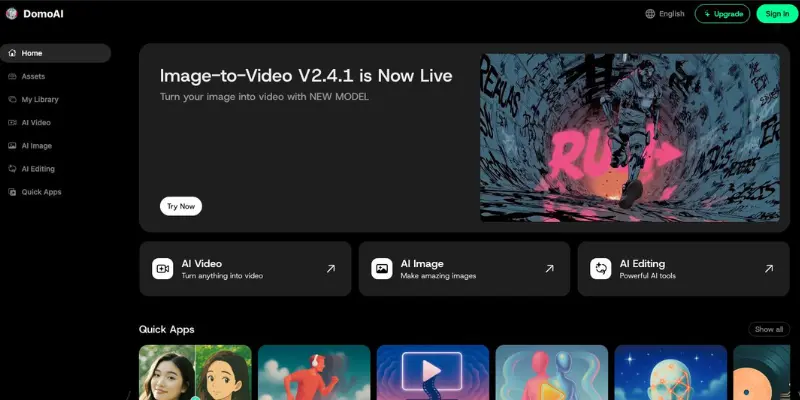
Domo AI – Best for Fast Simple Videos
Domo AI is a simple tool that turns images into short videos with smooth motion. The interface is clean, so beginners do not feel lost. You upload a photo, adjust motion sliders, and export in minutes. Many creators use it daily as a reliable Pixverse alternative for quick work.
- Free or not: Yes, free plan
- Credits: Offers domo ai free credits on signup and small daily use
- Watermark: No watermark on most exports
Why better than Pixverse
It is faster and easier for basic motion videos. You do not need long prompts.
Pros
- Very easy controls
- Fast rendering
- Clean exports
Cons
- Limited advanced styles
- Credits finish quickly on free plan
Key Features
- Motion sliders (pan, zoom)
- MP4 export in HD
- Beginner-friendly dashboard
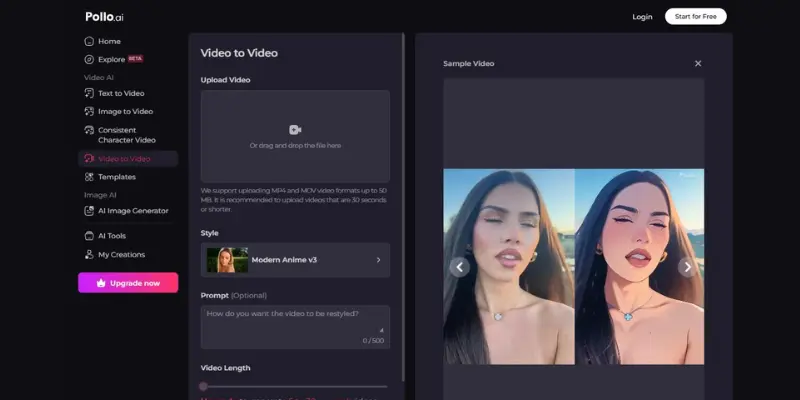
Pollo AI – Best for Social Media Clips
Pollo AI focuses on vertical and social formats. It helps you turn photos into eye-catching clips for Reels and Shorts. The presets save time, so you do not edit later. Many users pick it as a Pixverse alternative for social content.
- Free or not: Free tier
- Credits: Limited free credits
- Watermark: May appear on some outputs
Why better than Pixverse
Ready templates for social platforms.
Pros
- Vertical presets
- Quick results
- Simple layout
Cons
- Watermark on some videos
- Fewer motion controls
Key Features
- Social templates
- Fast export
- Easy upload and render
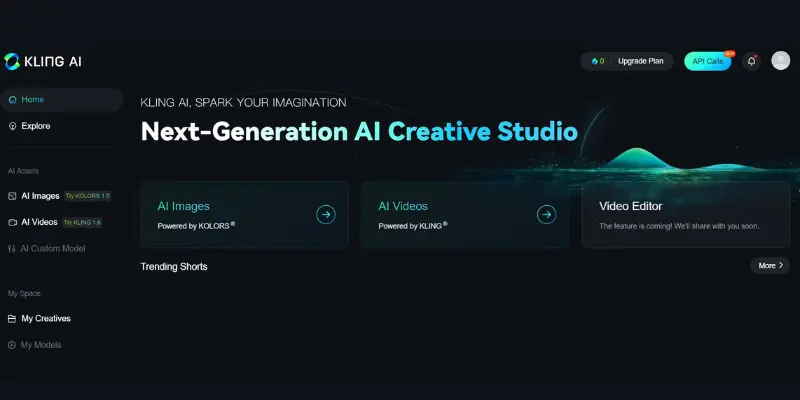
Kling AI – Best Simple Motion Tool
Kling AI is known for smooth and natural motion. The tool works well even if you only upload an image with no prompt. Many people search for a kling ai free alternative because it is easy for beginners.
- Free or not: Yes
- Credits: Free credits included
- Watermark: Usually no watermark
Why better than Pixverse
More natural motion with fewer steps.
Pros
- Smooth animation
- Beginner friendly
- Clean exports
Cons
- Limited styles
- Basic interface
Key Features
- Motion strength control
- HD MP4 export
- Quick rendering
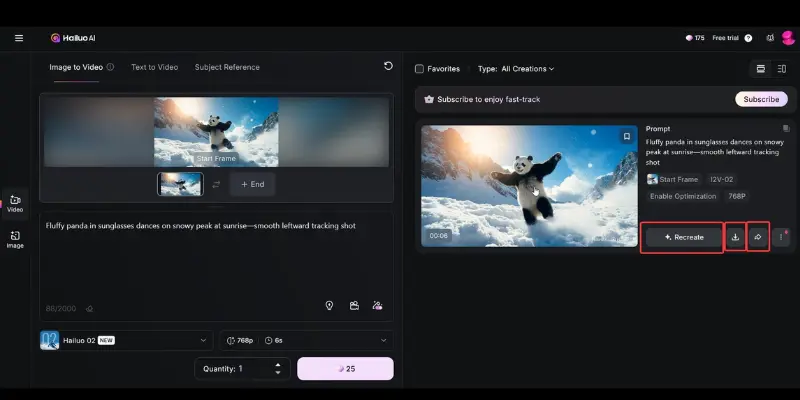
Hailuo AI – Best Creative Image to Video
Hailuo AI gives artistic motion styles. Your image feels alive with creative animation. Many creators like it for unique effects and use it as a Pixverse alternative for creative videos.
- Free or not: Yes
- Credits: Monthly free credits
- Watermark: Minimal or none
Why better than Pixverse
Stronger creative styles and presets.
Pros
- Artistic motion
- Style presets
- Easy use
Cons
- Credits are limited
- Some styles take longer to render
Key Features
- Animation styles
- HD export
- Simple controls
Vidu AI – Best Auto Video Edits
Vidu AI helps you create videos with auto scenes and transitions. You upload images, and it builds a video story. Many users look for a vidu ai alternative for this reason.
- Free or not: Yes
- Credits: Free credits included
- Watermark: No watermark in many cases
Why better than Pixverse
Auto editing saves time.
Pros
- Scene transitions
- Story flow
- Easy export
Cons
- Less motion control
- Template based
Key Features
- Auto scenes
- Templates
- MP4 export
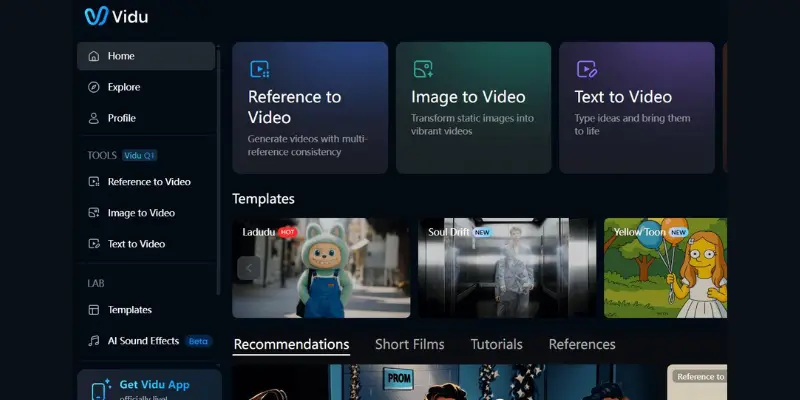
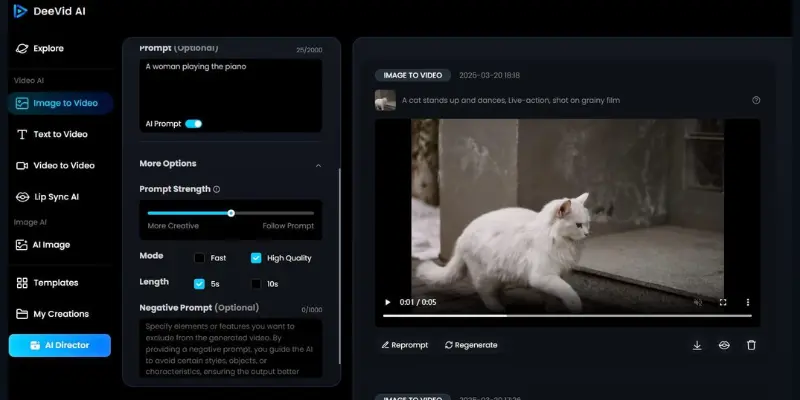
DeeVid AI – Best for Story Videos
DeeVid AI focuses on story flow with images. You can create scene-based videos that feel like a mini movie. It works well as a deevid ai alternative for story clips.
- Free or not: Yes
- Credits: Free credits
- Watermark: No watermark
Why better than Pixverse
Better for storytelling videos.
Pros
- Story templates
- Easy scenes
- Clean output
Cons
- Fewer motion sliders
- Template limits
Key Features
- Scene builder
- Text and transitions
- HD export
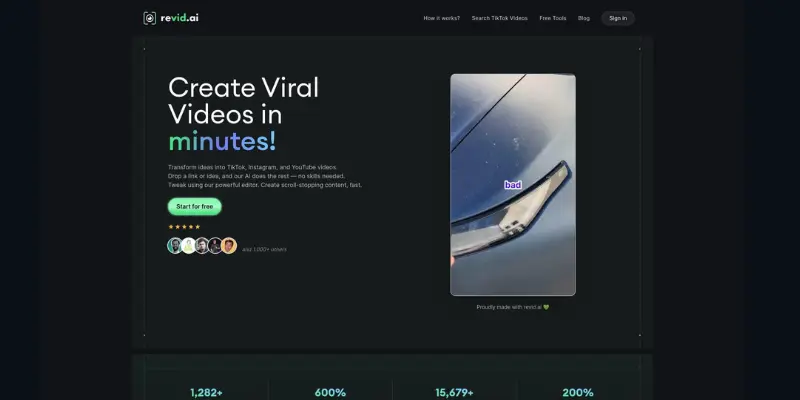
Revid AI – Best for Quick Reels
Revid AI makes fast vertical clips from photos. It is helpful for creators who post daily. Many consider it a revid ai alternative for quick work.
- Free or not: Yes
- Credits: Free credits
- Watermark: Clean export
Why better than Pixverse
Faster for vertical social videos.
Pros
- Quick reels
- Vertical format
- Easy use
Cons
- Basic styles
- Limited control
Key Features
- Reels templates
- Fast export
- Simple UI
Steve AI – Best for Scripted Videos
Steve AI is helpful when you want to turn images and text into a guided video. You can add a script, and the tool matches scenes with visuals. Many creators use it as a reliable Pixverse alternative for explainer and story videos.
- Free or not: Yes, free tier
- Credits: Limited free credits
- Watermark: No watermark on basic exports
Why better than Pixverse
It supports script, captions, and voice timing.
Pros
- Script-to-video flow
- Captions and voice options
- Easy storyboard
Cons
- Credits finish fast
- Less motion control
Key Features
- Storyboard editor
- Text and voice sync
- MP4 HD export
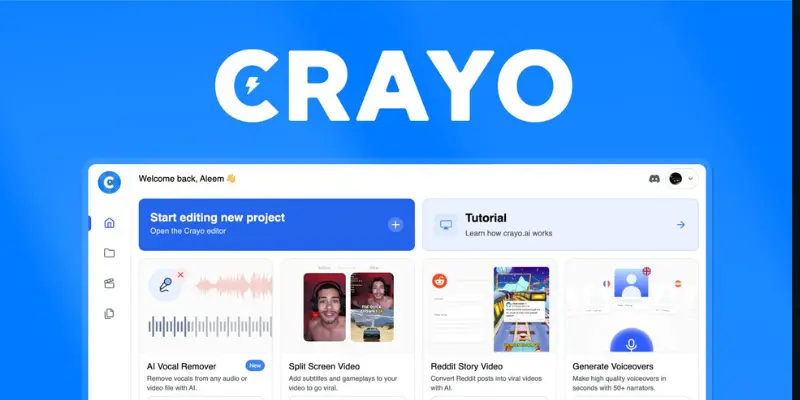
Crayo AI – Best Free Creative Maker
Crayo AI offers creative styles that make images feel dynamic. It is popular among users who want eye-catching motion without editing skills. Many search for crayo ai alternatives free and pick this as a strong choice.
- Free or not: Yes
- Credits: Monthly free credits
- Watermark: No watermark on most results
Why better than Pixverse
More creative presets with simple steps.
Pros
- Artistic motion
- Easy presets
- Clean exports
Cons
- Limited advanced control
- Style based results
Key Features
- Creative presets
- HD export
- Simple controls
Clippie AI – Best for Quick Clips
Clippie AI is made for speed. You upload an image and get a short clip in seconds. Many users look for a clippie ai free alternative when they want fast content for social posts.
- Free or not: Yes
- Credits: Free credits
- Watermark: Clean export
Why better than Pixverse
Faster for short clips and posts.
Pros
- Very fast
- Easy to use
- Good for reels
Cons
- Few motion options
- Short video length
Key Features
- Quick templates
- Vertical video support
- MP4 export
MotionMuse – Motion Preset Comparison Tool
MotionMuse focuses on ready motion presets. It is simple and helpful for quick video creation. It appears in comparisons when users search for a Pixverse alternative and other tools with ready motion presets.
- Free or not: Yes
- Credits: Free credits
- Watermark: No watermark
Why included
Good preset motion for quick results.
Pros
- Preset motion
- Fast export
- Easy use
Cons
- Limited control
- Basic interface
Key Features
- Motion presets
- MP4 HD export
- Simple dashboard
Unlucid AI – Popular Comparison Choice
Unlucid AI is often compared in lists of sites like unlucid ai when people search for tools like Pixverse. It gives decent motion and simple results.
- Free or not: Yes
- Credits: Free credits
- Watermark: Minimal
Why included
Common comparison when users look for alternatives.
Pros
- Simple to use
- Decent motion
- Clean interface
Cons
- Basic features
- Limited styles
Key Features
- Motion presets
- HD export
- Easy UI
Makefilm AI – Best for Styled Video Looks
Makefilm AI helps you create videos with stylish templates. Your image looks like a mini cinematic clip. Many people use it as a Pixverse alternative for polished looks.
- Free or not: Yes
- Credits: Free credits
- Watermark: No watermark on many outputs
Why better than Pixverse
Better style templates for polished videos.
Pros
- Stylish templates
- Easy export
- Beginner friendly
Cons
- Template limits
- Less motion control
Key Features
- Cinematic presets
- HD export
- Simple controls
Haiper AI – Best for Advanced Motion
Haiper AI gives more control over motion. You can adjust sliders for smooth camera movement. This makes it a good Pixverse alternative for users who want control.
- Free or not: Yes
- Credits: Free credits available
- Watermark: No watermark
Why better than Pixverse
More detailed motion control.
Pros
- Motion sliders
- Smooth animation
- Clean export
Cons
- Slight learning curve
- Fewer templates
Key Features
- Advanced motion control
- HD MP4 export
- Easy dashboard
Viggle AI – Best for Motion Art
Viggle AI focuses on motion presets that make images look alive. It works well for creative videos and edits. Many creators use it as a Pixverse alternative for unique motion styles.
- Free or not: Yes
- Credits: Monthly free credits
- Watermark: No watermark usually
Why better than Pixverse
Stronger motion presets for creative videos.
Pros
- Unique motion styles
- Easy interface
- HD export
Cons
- Preset based
- Limited manual control
Key Features
- Motion presets
- Simple export
- Clean UI
Best Free Image to Video AI According to Reddit Users
Reddit users often share real experience with free AI tools. They test many tools and talk about what actually works. Most people search for the best free image to video AI Reddit because they want tools that are truly free, not fake free plans. Many also compare them as a Pixverse alternative to find better options.
Haiper AI – Most Recommended Free Option on Reddit
Haiper AI is often praised on Reddit for simple and stable results. Users like it because it works well for short videos and does not feel too complex. It is a common pick when people search for free ai video maker Reddit.
- Free or not: Free plan available
- Credits: Limited daily free credits
- Watermark: Usually none or very small
Why better than Pixverse:
It feels more stable for free users and gives smoother daily use.
Pros: Easy, fast, good for beginners
Cons: Short videos, limited control
Features: Basic motion, quick export
Kling AI – Best Quality Free Motion
Kling AI is known on Reddit for better video quality. Users say it gives more natural motion than many free tools. It is often mentioned in photo to video AI free Reddit discussions.
- Free or not: Yes
- Credits: Limited free credits
- Watermark: Usually none
Why better than Pixverse:
It creates more realistic motion and smoother animation.
Pros: High quality, clean output
Cons: Limited credits, slower rendering
Features: Motion control, HD export
Vidu AI – Best for Quick Testing
Vidu AI is popular for fast testing. Reddit users use it when they want quick results without settings. It is often found in searches like AI image to video free Reddit.
- Free or not: Yes
- Credits: Free credits included
- Watermark: Sometimes none
Why better than Pixverse:
It is faster for simple ideas and quick clips.
Pros: Fast, simple, beginner friendly
Cons: Basic motion, fewer options
Features: Templates, quick export
Pika Labs – Most Talked About Tool
Pika Labs is one of the most discussed tools on Reddit. Users like it because it is easy and gives good results even on free plans. It often appears in Reddit best free AI video generator discussions.
- Free or not: Yes
- Credits: Limited free credits
- Watermark: Mostly none
Why better than Pixverse:
It is easier and more stable for beginners.
Pros: Simple, good quality, easy UI
Cons: Short clips, limited features
Features: Image + text to video
Runway ML – Best for High Quality Output
Runway ML is not fully free, but Reddit users still talk about it because of its strong quality. It is used for testing professional-style videos.
- Free or not: Trial only
- Credits: Limited free credits
- Watermark: Depends on plan
Why better than Pixverse:
It gives much higher-quality cinematic results.
Pros: Best quality, advanced tools
Cons: Limited free use, credits finish fast
Features: Advanced editing, cinematic output
Simple Reddit Summary
Reddit users usually agree:
- Haiper AI → best free daily use
- Kling AI → best motion quality
- Vidu AI → fastest simple tool
- Pika Labs → easiest beginner option
- Runway ML → best quality but not fully free
Most users say there
Tools Like Unlucid, MotionMuse, and Pixverse (Side-by-Side)
Many users look for websites like unlucid ai or a strong Pixverse alternative when they want free image to video tools. The main goal is simple: better motion, fewer limits, and clean exports.
Quick Comparison Table
| Tool | Free Access | Credits | Watermark | Best For | Why People Choose It |
| Unlucid AI | Yes | Limited free credits | Small watermark | Simple image to video | Easy starter tool for beginners |
| MotionMuse | Yes | Free credits available | No watermark | Motion presets | Fast animation without editing |
| Pixverse AI | Yes | Free + paid credits | Sometimes watermark | General AI video creation | Popular but limited free use |
| Pollo AI | Yes | Limited free credits | May include watermark | Social media videos | Good for Reels and Shorts |
Final Insight
- Unlucid AI → easiest beginner tool
- MotionMuse → smooth motion presets
- Pixverse → popular but limited free use
- Pollo AI → best for social media videos
Most users combine tools instead of relying on one Pixverse alternative for everything.
Completely Free AI Image to Video Tools (No Credits, No Login)
Many users search for 100 free image to video AI tools because most platforms show limits, credits, or sign-ups. On Reddit, people often say that truly free tools are rare. So the main goal is simple: find free AI images to video tools that work without login, credits, or restrictions. Many users also compare them as a Pixverse alternative for easier access.
No Login AI Image to Video Tools
Some tools work directly in the browser. You upload an image and get a video in seconds. No account is needed, and no credit system blocks you. These tools are popular for quick tests and simple animation. They are a good match for AI video from photo free use.
- Free or not: Fully free
- Credits: No credits system
- Watermark: Usually none or light watermark
AI Video Tools with No Credits System
These tools remove the credit system completely. You can generate videos without worrying about limits. Users like them because they feel open and easy. This is often searched as image to video AI no credits tools.
- Free or not: Yes
- Credits: No credits required
- Watermark: Depends on tool
Unlimited Free Browser AI Tools
Some platforms offer unlimited basic usage in the browser. You just upload your photo and generate a video. These tools are simple and fast, but advanced controls are limited. Still, they are useful for free AI video maker Reddit type users.
- Free or not: Free tier available
- Credits: No strict limits in basic mode
- Watermark: Sometimes included
Reddit Style Insight
Reddit users usually agree on one thing: fully unlimited tools are rare. Most “free” tools have some limits in quality or features. That is why people often mix tools instead of depending on one. It also explains why users keep searching for a strong Pixverse alternative for better control and smoother results.
Conclusion
In this guide, we explored the best free image to video AI tools and compared many popular options in detail. We also looked at strong choices for a Pixverse alternative, along with other tools like MotionMuse alternative and Unlucid alternative platforms. The goal was simple to help you find tools that turn images into videos with less limit, better motion, and easy use.
If I give you a personal suggestion, start with Haiper AI or Kling AI for quality results, and try Vidu AI if you want fast and simple video creation. These tools give you a good balance of free access and smooth performance, especially when you are just starting. After that, you can test other tools based on your needs, like social media clips or creative motion effects.
So guys, don’t stick to just one tool. Try a few, see what fits your style, and build your own workflow. Keep experimenting and learning, because that’s how you get better results over time.
Faqs
The best Pixverse alternative depends on what you need. If you want simple use, tools like Haiper AI and Kling AI are strong choices. They give smoother motion and fewer limits in free plans. For social media videos, Pollo AI also works well. Most users pick 2–3 tools instead of only one because no single tool is perfect for all needs.
Many tools can turn a photo into a video for free. Vidu AI and Pika Labs are common choices for beginners. They allow basic image animation without complex steps. You upload a photo, and the AI creates motion automatically. Free plans usually include limited credits, but they are enough for testing.
Fully unrestricted AI video generators are very rare. Most tools still have limits like credits, resolution caps, or watermarks. Some browser-based tools allow quick use without login, but they are not truly unlimited. Platforms like Haiper AI offer more flexibility in free use, but still keep some boundaries to manage usage.
Reddit users often recommend Kling AI for realistic motion and Haiper AI for stable free usage. Pika Labs is also popular because it is simple and beginner-friendly. Overall, Reddit users usually mix tools instead of using one platform for everything. This gives better results and fewer limits.
To make a free AI video from an image, you simply upload your photo to a tool like Vidu AI or Haiper AI. Then select a motion style or preset, and click generate. The AI will turn your image into a moving video automatically. Free plans may have limits, but they are enough for practice and small projects.




- Be Respectful
- Stay Relevant
- Stay Positive
- True Feedback
- Encourage Discussion
- Avoid Spamming
- No Fake News
- Don't Copy-Paste
- No Personal Attacks
- Be Respectful
- Stay Relevant
- Stay Positive
- True Feedback
- Encourage Discussion
- Avoid Spamming
- No Fake News
- Don't Copy-Paste
- No Personal Attacks
