14 Best Vidu AI Alternatives in 2026 (Free and Paid Tools Tested)
Published: 22 Jun 2026
Vidu AI built a name for itself with its Subject Reference feature and fast turn around on image to video clips. It is a solid tool. But once you push past the free credits or need something Vidu just does not do well, you start looking around for a Vidu AI alternative that fits your project better.
Maybe the wait times during busy hours are too long. Maybe you tried it on a tricky image and the motion came out stiff. Maybe you just want to compare it against the other big names before picking one tool to stick with. Whatever brought you here, this list covers the best Vidu AI alternatives options in 2026, based on real generations and honest notes about what each tool gets right and wrong.
Why Look Beyond Vidu AI
Vidu AI does a few things really well. The Subject Reference tool lets you lock a character’s face or look and keep it consistent across multiple clips, which is genuinely rare among image to video tools. It also supports clips up to sixteen seconds, longer than most competitors offer on a free plan.
The problems show up once you use it regularly. The free tier gives you a small number of daily credits, and once those run out, the wait for fresh credits or a paid plan kicks in fast. Motion quality can also feel a bit stiff or repetitive on certain images, especially anything involving complex movement like a person walking or playing an instrument. In hands-on testing against other tools, Vidu’s output often lands in the middle of the pack rather than at the top.
None of this makes Vidu a bad choice. It just means a meaningful number of creators want a Vidu AI alternative that handles a specific job better, whether that is raw visual quality, native audio, longer clips, or simply a more generous free plan.
How We Compared These Tools
To keep this list honest, every tool here was judged using the same evaluation process. We tested each platform with similar image-to-video prompts and source images to compare performance under comparable conditions.
| We looked at: |
|---|
|
Many comparison articles simply repeat marketing claims. This list focuses on practical testing and real-world results to show what actually happens when you upload an image and generate a video.
Best Vidu Alternatives Compared
| Tool | Best For | Native Audio | Free Plan | Max Clip Length |
| Kling AI | Best overall realism | Yes | Limited daily credits | Up to 10 seconds |
| Google Veo | Cinematic quality and audio | Yes | Daily free credits via Flow | 8 seconds |
| PixVerse | Fast, clean image to video | Yes | Daily credits | Up to 10 seconds |
| Luma Dream Machine | Smooth natural motion | No | Limited credits | 5 seconds, extendable |
| Grok Imagine | Strong free tier | Yes | Generous daily limit | 6 or 10 seconds |
| Hailuo AI | Budget friendly realism | No | Limited daily credits | 6 seconds |
| Wan 2.6 | Anime and stylized motion | Yes | Daily credits | 5 or 10 seconds |
| Pika Labs | Beginners and quick edits | No | Monthly credits | 5 seconds |
| Runway | Professional editing control | No | One time credits | 5 or 10 seconds |
| HunyuanVideo | Free and open source | No | Unlimited, self hosted | 5 seconds |
| Higgsfield AI | Cinematic camera control | No | Monthly credits | 3 or 5 seconds |
| Sora 2 | Story based scenes | No | Limited daily generations | 10 or 15 seconds |
| Adobe Firefly Video | Commercially safe content | No | 5 free generations | 5 seconds |
| Meta AI | Completely free | No | Unlimited | 5 seconds |
The Best Vidu AI Alternatives, One by One
Kling AI: Best Overall Realism
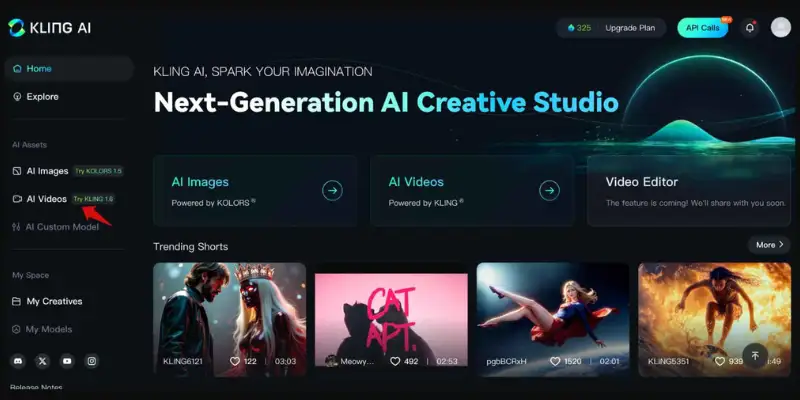
Kling has become one of the most talked about names in AI video, and the reputation is earned. In side by side testing against Vidu using identical source images, Kling consistently produced cleaner, more believable motion, especially on anything involving people. Finger movements, facial expressions, and walking motion all came out smooth rather than stiff.
Kling also generates native audio to match the video, which Vidu does not always handle as well. The free plan gives you a useful number of one time credits to test the tool, though the queue can run long during busy hours.
Key Features
- Native audio generation with the video
- Clips up to 10 seconds on the free tier
- Strong handling of human motion and facial detail
- Camera controls and prompt assistance built in
Pros
- Top tier realism among free tools tested
- Clean results on both people and objects
- Useful free credits to properly evaluate the tool before paying
Cons
- Longer queue times during peak hours
- Free credits run out fast if you generate multiple takes
Best for: Creators who want the most realistic motion available without paying upfront. Anyone who wants to dig deeper into how it compares with similar tools can look at other Kling AI alternatives too.
Google Veo: Best for Cinematic Quality and Audio
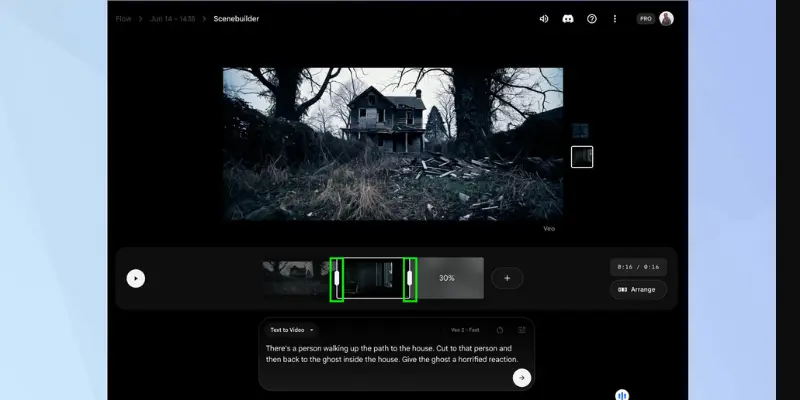
Google’s Veo model consistently produces some of the cleanest, most polished output of any tool tested for this list. Using Google’s Flow platform, you get a daily allotment of free credits, which is more generous than most competitors offer.
What sets Veo apart is how well it handles complex scenes without falling apart. Smoke, water, and fabric all moved in ways that looked physically real rather than artificially smoothed. Audio generates automatically alongside the video, adding music or ambient sound that actually fits the scene.
Key Features
- Daily free credits through Google Flow
- Native audio generation
- Strong handling of complex physical motion like smoke and fabric
- Tools for mixing multiple reference images
Pros
- Among the highest quality output tested
- Genuinely useful daily free tier
- Audio quality matches the visual quality
Cons
- Clip length capped at 8 seconds
- Less direct creative control than some competitors
Best for: Creators who want cinematic results with sound built in, without a long wait for fresh credits.
PixVerse: Best for Fast, Clean Image to Video
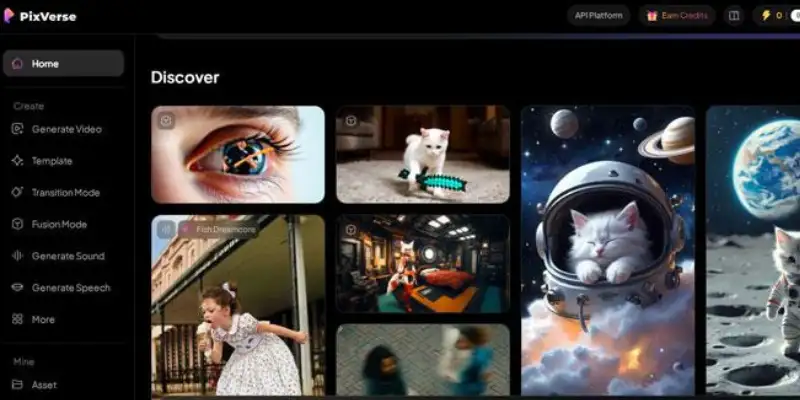
PixVerse focuses specifically on turning a single image into a clean, finished clip quickly, and it does that job better than most competitors right now. Testing showed sharp output with minimal artifacts, and the addition of native audio in recent updates closes a gap that used to separate it from bigger names like Veo and Kling.
The free plan gives daily credits rather than a one time batch, which means you can keep coming back without paying anything as long as your needs stay modest.
Key Features
- Fast rendering speed for image to video
- Native audio support
- Daily free credits instead of a one time allowance
- Character to video and lip sync tools
Pros
- Among the cleanest results tested for straightforward image to video
- Sound effects often match the scene without extra effort
- Daily credits make ongoing free use realistic
Cons
- Lower resolution on the free tier compared to paid plans
- Fewer advanced editing tools than Runway or Kling
Best for: Creators who want quick, clean clips from a single photo without complicated settings. If you want to see how it holds up against other options, there is a closer look at PixVerse alternatives too.
Luma Dream Machine: Best for Smooth Natural Motion
Luma’s strength shows up in small details. Eye blinks, subtle head turns, and natural pacing all came through more convincingly than in many competitors during testing. The tool struggles a bit more with limbs and walking motion, but for portraits, products, and scenic shots, the output looks genuinely natural.
There is no native audio, and the free tier runs on limited credits with a lower quality draft mode, but for the specific job of smooth, natural seeming motion, Luma holds its own against bigger names.
Key Features
- Strong handling of subtle motion like blinking and head turns
- Looping video support
- Extend feature to lengthen an existing clip
- Prompt enhancement tool built in
Pros
- Natural feeling motion on portraits and still scenes
- Looping and extending features add flexibility
- Easy to learn for a first time user
Cons
- No native audio
- Free tier locked to a lower quality draft mode
Best for: Creators working with portraits or calm scenes usually prefer motion that feels soft and natural instead of too dramatic, and for similar cinematic tools you can also use Luma AI alternatives for more options.
Grok Imagine: Best Generous Free Tier
Grok Imagine is one of the newer entries in this space, and it made a strong first impression in testing. Motion quality on both realistic and illustrated source images came out clean, with accurate hand and facial movement that many older tools still struggle with.
The free plan is unusually generous, offering around twenty daily generations, far more than most competitors allow. Audio generates natively alongside the video too.
Key Features
- Around twenty free generations per day
- Native audio and dialogue support
- Resolution and aspect ratio selection
- Six or ten second clip options
Pros
- One of the most generous free allowances tested
- Strong accuracy on hands and faces
- Native audio adds real value at no extra cost
Cons
- Free tier capped at 480p resolution
- Newer platform with a smaller track record than established names
Best for: Creators who generate often and want a daily free allowance that does not run out after one or two clips.
Hailuo AI: Best Budget Friendly Realism
Hailuo, built by MiniMax, focuses on realistic human motion at a price point well below most premium competitors. Testing showed solid results on facial expression and camera movement, though slower movements like walking can come across as a touch too slow or static.
The free plan includes a decent batch of trial credits, though a watermark applies and resolution sits lower than the paid tier.
Key Features
- Strong facial expression and camera movement
- Prompt enhancement assistance built in
- Multiple model tiers for different speed needs
- Six second clip length
Pros
- Good realism for a budget priced tool
- Useful trial credits to test before paying
- Multiple model options depending on speed versus quality needs
Cons
- No native audio
- Slower motion can look static at times
Best for: Creators who want realistic results without paying premium prices for every generation. There are also other Hailuo AI alternatives worth comparing if budget is the main factor.
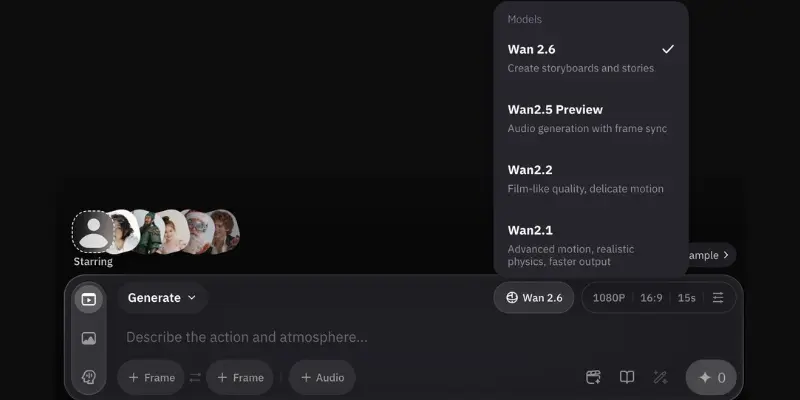
Wan 2.6: Best for Anime and Stylized Motion
Alibaba’s Wan model handles stylized and illustrated content particularly well, which is a gap many realism focused tools struggle to fill. Testing on anime style source images showed fluid, believable motion that held up better than several bigger name competitors.
Native audio is generated alongside the clip, and the free plan gives a workable number of daily credits, though resolution is capped below 1080p on the free tier.
Key Features
- Native sound effect generation
- Smart multi shot feature for sequential scenes
- Daily free credits
- Five or ten second clip options
Pros
- Strong results on anime and stylized images specifically
- Free credits reset daily rather than running out permanently
- Audio adds production value at no extra charge
Cons
- Resolution capped below 1080p on the free plan
- Wheels and mechanical objects sometimes stay too static
Best for: Creators working with anime, illustrated, or stylized source images rather than photorealistic ones.
Pika Labs: Best for Beginners and Quick Edits
Pika has improved significantly in recent testing rounds after a rough patch with inconsistent output. The current version produces clean, usable clips with a genuinely simple interface, making it a strong starting point for someone new to image to video tools.
Beyond basic generation, Pika includes editing tools like adding new elements into an existing clip or creating smooth transformations between a start and end image, features most competitors do not offer at all.
Key Features
- PikaFrames for smooth transitions between two images
- Pika Edits for adding new elements into existing footage
- Wide range of style presets
- Monthly free credits
Pros
- Genuinely improved output quality compared to earlier versions
- Unique editing tools not found elsewhere on this list
- Simple enough for complete beginners
Cons
- No native audio
- Lower resolution on the free tier
Best for: Beginners who want an easy starting point along with some genuinely useful editing extras. If you are looking for a simpler way to turn a single image into a short video clip, you can also explore other MotionMuse alternatives built for that exact kind of workflow.
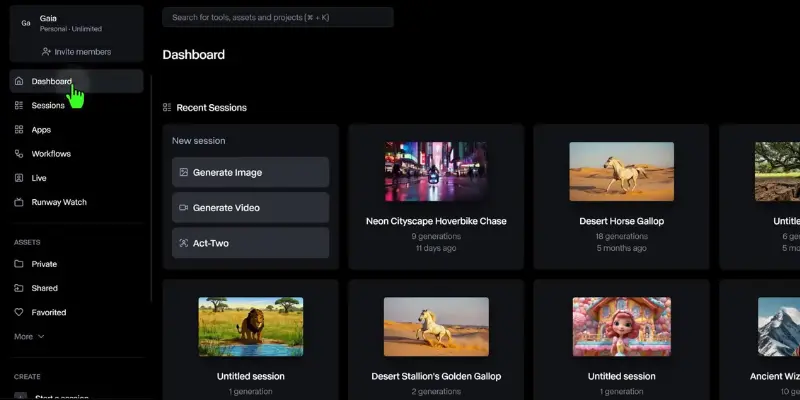
Runway: Best for Professional Editing Control
Runway remains the choice for creators who need more than a single generated clip. The platform combines generation with a genuine editing workspace, letting you adjust style, extend footage, and refine results after the initial generation finishes.
Testing showed solid but not top tier raw motion quality, particularly on the faster turbo model available to free accounts. Where Runway pulls ahead is the post generation control, something most competitors on this list do not offer at all.
Key Features
- Character and style reference inputs
- First frame input for precise starting points
- Post generation editing tools
- Five or ten second clip lengths
Pros
- Real editing control after generation, not just raw output
- Trusted by professional creators and agencies
- Strong style and character consistency tools
Cons
- Free tier limited to one time credits with a watermark
- Steeper learning curve than beginner focused tools
Best for: Creators who need editing control beyond a single raw generated clip. If Runway alone does not fully meet your needs, there are other Runway alternatives worth comparing too
HunyuanVideo: Best Free and Open Source Option
Tencent’s HunyuanVideo stands out because it is genuinely free with no credit system at all, provided you have the hardware to run it yourself. Testing showed surprisingly clean, coherent motion with very few of the glitches common in other free tools, putting it well ahead of several paid competitors on raw quality.
The tradeoff is setup. This is not a simple website you sign into. Running it requires technical comfort and a capable graphics card, which puts it out of reach for casual users.
Key Features
- Fully open source with no usage limits
- Resolution settings from 480p to 1080p
- Prompt enhancement tool included
- Active developer community
Pros
- No credit system, no watermark, no cost once set up
- Clean output that holds up against paid tools
- Full control since it runs on your own hardware
Cons
- Requires technical setup and a capable graphics card
- No simple web interface for casual users
Best for: Technically comfortable creators who want unlimited free generation with no platform restrictions.
Higgsfield AI: Best for Cinematic Camera Control
Higgsfield focuses heavily on camera movement, and it shows in testing. Dolly shots, pans, and dynamic framing came through with a level of intention that felt closer to actual cinematography than most competitors manage. Facial detail and small expressive touches were a consistent highlight too.
The free plan includes a workable monthly credit allowance, though it locks you out of the faster Lite and Turbo model options.
Key Features
- Dozens of cinematic camera effects
- Effect mashup for combining multiple styles
- Prompt enhancement tool
- Three or five second clip lengths
Pros
- Strong, intentional camera movement that feels professionally directed
- Good facial and expressive detail
- Wide variety of built in effects
Cons
- No native audio
- Free plan locked out of faster model tiers
Best for: Creators who care specifically about camera movement and cinematic framing.
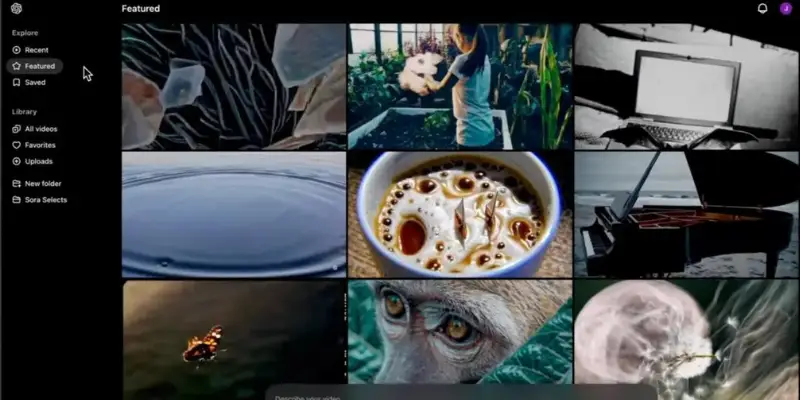
Sora 2: Best for Story Based Scenes
OpenAI’s Sora 2 takes a different approach than most tools on this list. Rather than sticking closely to your starting image, it tends to build out a broader narrative around the scene, adding jump cuts and unexpected story beats. This makes it less predictable but genuinely interesting for creative experimentation.
Clip lengths run longer than most competitors, supporting up to fifteen seconds, which gives more room for an actual story to develop within a single generation.
Key Features
- Scene by scene storyboarding tools
- Up to fifteen second clip length
- Aspect ratio selection
- Strong narrative flow between connected scenes
Pros
- Longer clips than most competitors on this list
- Genuinely creative interpretation rather than literal animation
- Good for experimental or narrative driven content
Cons
- Less literal adherence to your starting image than other tools
- Limited free daily generations
Best for: Creators who want narrative flow rather than a strict animation of a single still image.
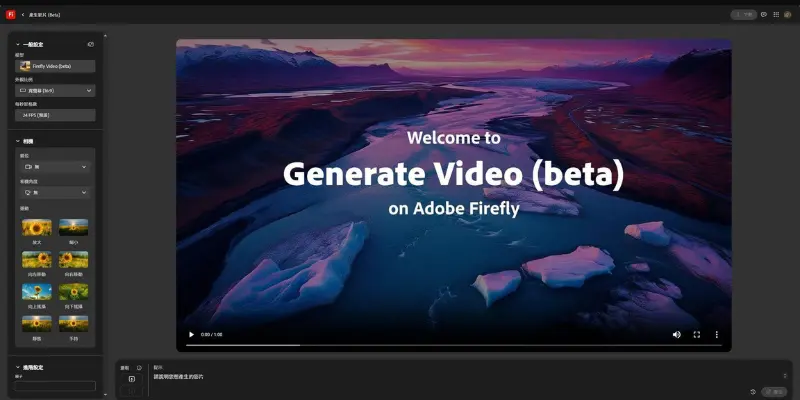
Adobe Firefly Video: Best for Commercially Safe Content
Firefly Video carries a real advantage for business use. Adobe trained the model exclusively on properly licensed content, which removes a layer of legal uncertainty that exists with most AI video tools when it comes to commercial use.
Testing showed solid, reliable motion without major glitches, though the free tier is limited to just five total generations, the smallest allowance of any tool on this list.
Key Features
- Trained entirely on licensed content
- Camera controls and style selector
- Resolution and aspect ratio choices
- Five second clip length
Pros
- Clear commercial use rights without legal ambiguity
- Reliable, glitch free output in testing
- Simple interface for quick use
Cons
- Only five free generations total, not renewing
- Fewer creative style options than competitors
Best for: Businesses and agencies who need commercially safe video without legal uncertainty.
Meta AI: Best Completely Free Option
Meta’s video generation tool, launched under the Vibes brand, is fully free with no credit system or paywall found during testing. That alone makes it worth a look for anyone who simply wants to experiment without spending anything or tracking a credit balance.
The output quality is inconsistent, sometimes producing jerky or glitchy motion, but for zero cost experimentation, it remains a genuinely free option in a space where most tools eventually ask for payment.
Key Features
- No credit system or paywall found in testing
- Five second clip length
- Simple chat based interface
- Direct image upload for animation
Pros
- Completely free with no usage limits encountered
- Simple to use through a conversational interface
- Good for casual experimentation without financial commitment
Cons
- Inconsistent quality, sometimes jerky or glitchy
- Fewer advanced features than paid competitors
Best for: Casual users who want to experiment freely without worrying about credits or cost.
Vidu AI vs Top Alternatives
While Vidu AI remains one of the best tools for character consistency and image-to-video generation, several competitors outperform it in specific areas such as realism, audio generation, editing controls, free usage limits, and stylized video creation. The table below highlights where each alternative has a clear advantage over Vidu AI.
| Tool | Better Than Vidu For |
| Kling AI | More realistic human motion |
| Google Veo | Cinematic quality and native audio |
| PixVerse | Faster image-to-video generation |
| Runway | Advanced editing controls and post-generation editing |
| Wan 2.6 | Anime and stylized video creation |
| Grok Imagine | More generous free usage and daily generations |
| HunyuanVideo | Unlimited self-hosted generation with no credit limits |
If character consistency is your priority, Vidu still remains one of the strongest options, and it’s worth seeing how that Subject Reference feature actually holds up in the Vidu AI review
What Users on Reddit Say About Vidu AI Alternatives
Discussions across Reddit show that many creators move beyond Vidu AI when they need better motion quality, more generous free plans, or stronger editing controls.
| Common recommendations include: |
|---|
|
While opinions vary, the general consensus is that no single tool is best for every use case. Most creators recommend testing multiple platforms with the same source image before choosing a paid subscription.
Which Vidu AI Alternative Should You Choose
The right pick depends on what actually matters for your project.
If raw realism is the priority, Kling AI and Google Veo currently sit at the top of the field, with Veo offering the more generous daily free allowance of the two. For fast, simple image to video work without a learning curve, PixVerse and Pika Labs both deliver clean results quickly. Anime and stylized creators will get more consistent results from Wan 2.6 than from realism focused tools.
If you need editing control after the clip generates, Runway remains the strongest option, even with its steeper learning curve. Budget conscious creators who do not mind technical setup should look seriously at HunyuanVideo, since it removes the credit system question entirely. And if you just want to play around with zero financial commitment, Meta AI and Grok Imagine both offer genuinely generous free access.
Whichever direction fits your workflow, testing two or three tools on your own source images will tell you more than any single comparison list. Free credits exist specifically for this kind of testing, so use them before committing to a paid plan anywhere.
Conclusion
Vidu AI remains one of the strongest image-to-video generators available today, particularly for creators who need reliable character consistency and fast video generation. Its Subject Reference feature still gives it an advantage in workflows where maintaining the same character across multiple clips is important.
That said, the AI video landscape has become far more competitive. Tools like Kling AI, Google Veo, PixVerse, Runway, Luma Dream Machine, Pika Labs, Hailuo AI, HunyuanVideo, Sora, Adobe Firefly, and Meta AI now offer advantages in areas such as realism, cinematic quality, audio generation, editing flexibility, and free usage limits. As a result, the best Vidu AI alternative depends less on finding a single “winner” and more on choosing the tool that matches your specific creative needs.
Based on our testing, Kling AI offers the best balance of realism, ease of use, and overall video quality, making it the strongest Vidu AI alternative for most creators in 2026. However, Google Veo is a close second for users who prioritize cinematic visuals and native audio generation.
Frequently Asked Questions
HunyuanVideo and Meta AI both produced watermark free output during testing. Most other free tiers, including Kling, Pika, and Runway, add a watermark unless you upgrade to a paid plan.
Grok Imagine offers one of the most generous daily free allowances tested, at around twenty generations per day. Google Veo through Flow and PixVerse also provide meaningful daily credits rather than a one time batch.
Kling AI, Google Veo, PixVerse, Grok Imagine, and Wan 2.6 all generate native audio alongside the video. Luma, Hailuo, Pika, Runway, HunyuanVideo, Higgsfield, Sora 2, Adobe Firefly, and Meta AI currently produce silent clips by default.
Wan 2.6 produced the most consistent results on anime style source images during testing, handling stylized motion more naturally than realism focused competitors.
Adobe Firefly Video offers the clearest commercial use rights since it trained exclusively on licensed content. Most other paid plans across these tools permit commercial use as well, though free tier outputs often carry restrictions, so checking each platform’s terms before publishing client work is worth the few minutes it takes.
Runway’s character and style reference tools and Pika’s PikaFrames come closest to offering the kind of consistency control Vidu’s Subject Reference provides, though neither matches it exactly feature for feature


- Be Respectful
- Stay Relevant
- Stay Positive
- True Feedback
- Encourage Discussion
- Avoid Spamming
- No Fake News
- Don't Copy-Paste
- No Personal Attacks
- Be Respectful
- Stay Relevant
- Stay Positive
- True Feedback
- Encourage Discussion
- Avoid Spamming
- No Fake News
- Don't Copy-Paste
- No Personal Attacks
