Synthesia AI Review 2026: Is This AI Video Platform Still Worth It?
Published: 20 Jul 2026
If you’ve searched for a way to turn a script into a professional video without a camera, a studio, or an actor, you’ve probably landed on Synthesia. It’s one of the oldest names in AI avatar video, and it’s also one of the most talked about for both good and frustrating reasons.
This Synthesia AI review looks at the platform’s current 2026 feature set, its actual pricing tiers, and real user sentiment pulled from G2 and Trustpilot rather than marketing copy. By the end, you’ll know what Synthesia does well, where it falls short, whether it’s legit, and whether it’s actually the right tool for what you’re trying to build.
What Is Synthesia?
Synthesia is a browser-based AI video platform that converts written scripts into videos featuring realistic human avatars. Instead of filming a presenter, you write the script, pick an avatar and voice, and the platform generates a finished video in minutes.
The company was founded in London in 2017 by a group of researchers from UCL, Cambridge, Stanford, and TUM, including CEO Victor Riparbelli. Synthesia has since grown into the largest player in AI video generation, with a customer base that includes Amazon, the BBC, Zoom, and Reuters, and it’s now used by roughly 90% of Fortune 100 companies. That scale is a big part of why so many people run a Synthesia AI review search before signing up. The brand recognition creates real curiosity about whether it lives up to the hype.
How Synthesia Works
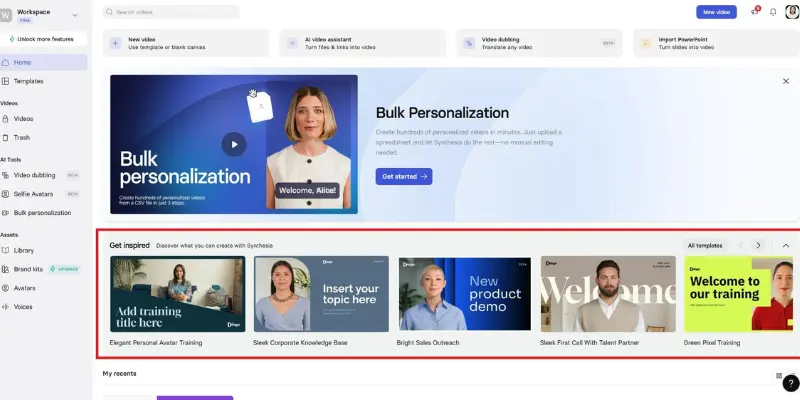
Creating a video on Synthesia generally follows five steps:
- Write or generate a script (a built-in AI assistant can draft one for you).
- Choose a template or start from a blank canvas.
- Select an avatar and a voice from the library.
- Add visuals, backgrounds, music, and branding elements.
- Generate the video and download it, or share it via a link.
The editor is scene-based rather than timeline-based, meaning each “slide” holds its own script, avatar, and voice settings, which makes updating a single section far faster than reopening a full timeline edit. If raw generation speed matters more to you than the avatar-first workflow, it’s worth seeing how newer, faster models like Wan AI handle short clips before you commit to a script-first platform like this one.
Synthesia AI Video Platform: Key Features
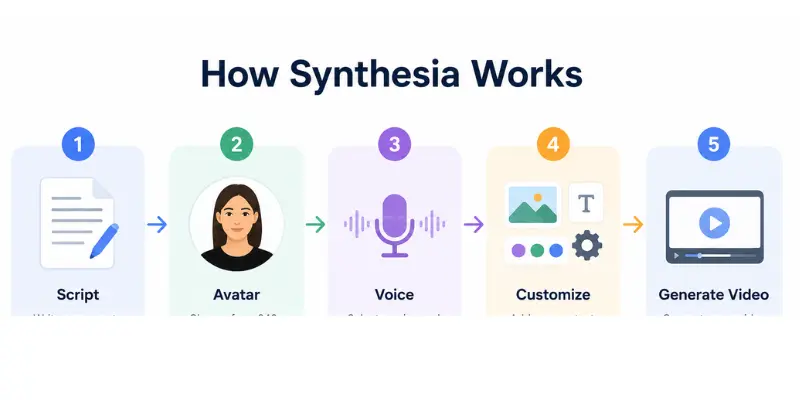
Here’s what you actually get inside the Synthesia software, depending on your plan:
- 240+ human avatars, including Express-2 avatars built for subtle facial micro-expressions
- AI Playground, a 2026 addition that gives every plan (including free) access to Google’s Veo 3.1 and OpenAI’s Sora 2 for short clip generation, drawing from the same shared credit pool as your avatar minutes
- 160+ languages and accents, plus automatic dubbing into dozens of them from a single script
- PPT, PDF, and URL-to-video conversion, useful for teams turning existing training material into video
- Voice cloning, available on higher-tier plans
- Custom avatars, built from a webcam clip or a studio-recorded session
- Built-in screen recorder for tutorial-style content
- A royalty-free media library sourced from Shutterstock and Icon8
- Auto-generated captions, branding kits, and analytics on higher plans
- SOC 2 and GDPR compliance, with ISO 27001 certification now in place as well
Compared to most text-to-video tools, this is a genuinely deep feature set the gap between Synthesia’s avatar library and rivals like Hedra, which takes a different technical route to expressive faces, is one of the main things every credible Synthesia AI review keeps circling back to.
Support-wise, there’s a persistent help widget in the dashboard that surfaces tutorials and contact options without forcing you to leave the editor, plus a self-serve library of courses (Synthesia calls this the Academy) that walks new users through scripting and avatar setup at their own pace. It’s not flashy, but it means you’re rarely more than a click away from an answer when something in the editor doesn’t behave the way you expect.
Is Synthesia AI Free?
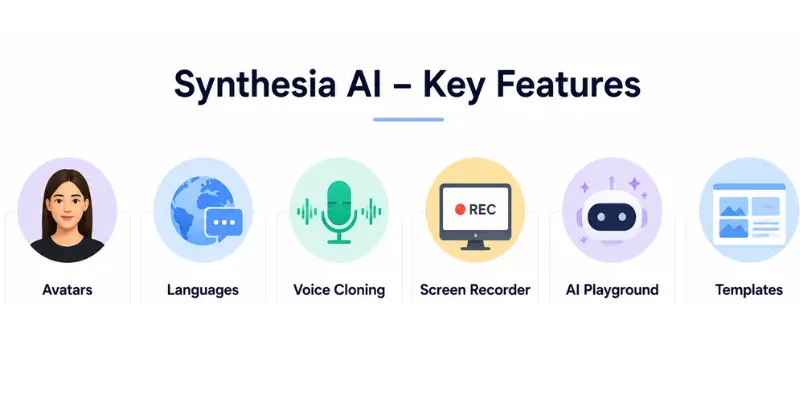
Technically yes, but the free tier is closer to a demo than a working plan. It gives you 9 avatars and roughly 3 minutes of video per month, with no credit card required to start. It’s enough to test avatar quality and voice realism, but not enough to produce regular content — if you’re mainly after quick, low-cost clips rather than avatar presenters, LTX Studio is worth a look for that narrower need. If you’re seriously evaluating this AI video maker app for ongoing use, you’ll want to budget for a paid tier fairly quickly.
Synthesia Pricing 2026: How Much Does Synthesia Cost?
Synthesia’s pricing structure has stayed fairly consistent, though promotional rates shift throughout the year, so it’s worth confirming current numbers on Synthesia’s own pricing page before you commit.
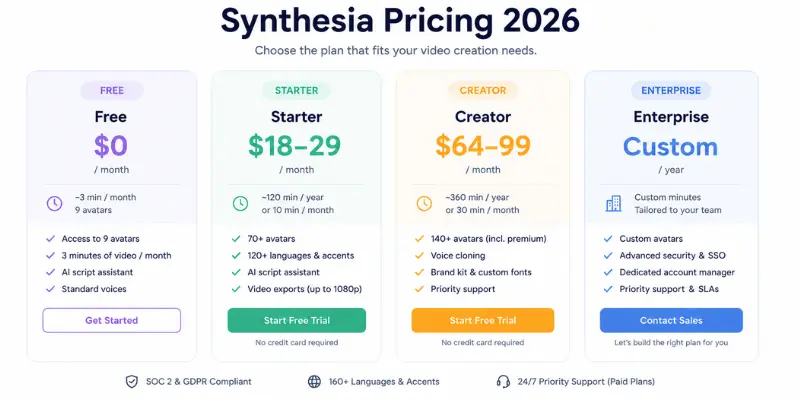
| Plan | Typical Price | Video Minutes | Best For |
| Free | $0 | ~3 min/month, 9 avatars | Testing avatar and voice quality |
| Starter | ~$18–29/month | 10 min/month | Solo creators, freelancers, occasional use |
| Creator | ~$64–89/month | 30 min/month | Marketers, small teams, branded content |
| Enterprise | Custom pricing | Unlimited | Large orgs, compliance, multilingual training at scale |
A few things worth knowing before you pick a tier:
- All AI features, including the new Playground clips, draw from a shared credit pool — heavy Playground use can eat into your avatar video minutes faster than expected.
- SCORM export and 1-click translation into 80+ languages are locked to Enterprise, which matters if you’re an L&D team planning to deploy training through an LMS.
- Studio-quality custom avatars are a separate paid add-on, priced well above the base subscription, and only available on annual plans.
- Annual billing typically saves 25–40% over the monthly rate, so if you’re using the platform consistently, annual billing pays for itself within a few months.
The jump from Starter to Creator is steep, and there’s no true mid-tier option — a gap several competitors, including HeyGen, have priced more aggressively around. Budget-conscious teams who don’t specifically need avatars often end up comparing this against something more template-driven like InVideo AI before deciding.
Is Synthesia Legit?
Yes — Synthesia is a legitimate, well-funded company, not some fly-by-night AI wrapper thrown together over a weekend. A few concrete trust signals back that up:
- It holds SOC 2 Type II, GDPR, and ISO 27001 certifications, which matter if you’re handling sensitive training or compliance content.
- It’s rated roughly 4.7 out of 5 on G2, based on well over 2,000 verified reviews one of the highest-rated platforms in its category.
- On Trustpilot, it holds a solid TrustScore across close to 1,800 customer ratings, though like most SaaS products at this scale the reviews there are more mixed than G2’s, with a noticeable cluster of complaints about billing surprises and slow support responses alongside plenty of praise for avatar quality.
- It raised over $180 million in funding and was valued north of $2 billion in its most recent round, backed by investors including Nvidia.
So if the question driving your search is “is Synthesia legit,” the honest answer is: the company and the technology are real and well-established. The more useful question is whether it’s legit for your specific use case, which the sections below should help answer.
Synthesia Reviews: What Real Users Actually Say
Pulling directly from G2 and Trustpilot sentiment data gives a clearer picture than any single Synthesia AI review can on its own.
What users consistently praise:
- Ease of use and a genuinely low learning curve
- Overall video and avatar quality
- How natural the lip-sync and voice delivery feel
- Speed of turning a script into a finished video
What users consistently flag as weak points:
- A smaller avatar selection than some newer competitors offer
- Occasional “AI limitations” — stiff gestures or repetitive phrasing in longer scripts
- Restricted customization on lower-tier plans
- Support response times that some Trustpilot reviewers describe as slow, particularly around automated content-review flags
That last point shows up often enough on Trustpilot that it’s worth flagging directly: a handful of reviewers describe frustration with the platform’s automated video-review system occasionally flagging compliant content, with resolution requiring a human follow-up. It’s not a dealbreaker for most buyers, but it’s a real pattern, not an isolated complaint.
Real Synthesia Case Studies: What the ROI Actually Looks Like
Marketing pages love the word “ROI,” so it’s worth grounding it in a few specific examples instead:
- A global L&D team used Synthesia to standardize compliance training across 30+ languages, cutting what used to be separate recording cycles for every region down to one master script with automated dubbing.
- An airline reported a sharp drop in phone support inquiries after replacing dense policy documents with short, avatar-led explainer videos for employee benefits.
- A payments company built four polished videos in under 48 hours for a campaign and saw a meaningful lift in booked meetings — the kind of turnaround that simply isn’t realistic with a traditional shoot.
- Several enterprise training teams have pointed to per-video cost savings in the thousands of dollars once you factor in what re-filming and re-editing used to cost every time a policy changed.
The pattern across all of these: the win isn’t really about how good the avatar looks on screen. It’s about not having to re-book a studio, a presenter, and an editor every time a script needs a small update.
Synthesia Pros and Cons
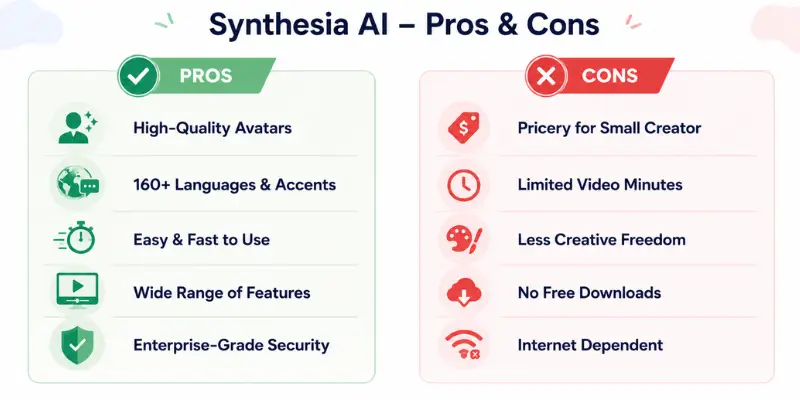
Pros
- Best-in-class avatar realism, especially with Express-2 technology
- Deep feature set: PPT-to-video, voice cloning, screen recording, and now AI Playground access to Veo 3.1 and Sora 2
- Enterprise-grade security and compliance
- Multilingual dubbing that genuinely simplifies global content production
- Strong, well-documented onboarding and tutorial library
Cons
- Free plan is too limited to properly trial the platform
- No mid-tier pricing option between Starter and Creator
- Key features (SCORM export, full translation) locked behind Enterprise
- Avatars can still read as slightly artificial in persuasion-heavy content like ads or sales videos
Synthesia vs HeyGen: Which Should You Choose?
The Synthesia vs HeyGen question comes up in nearly every AI avatar video comparison, and for good reason — they’re the two most direct competitors in the space.
| Factor | Synthesia | HeyGen |
| Best for | Training, compliance, internal comms | Marketing, social content, sales outreach |
| Avatar realism | Very strong, slightly more “corporate” | Slightly more natural/expressive on newer models |
| Pricing | Higher entry point | Generally more affordable at entry level |
| Stability | Very stable, fewer reported bugs | Occasional bugs reported by users |
| Multilingual depth | Very strong (160+ languages) | Strong, but Synthesia leads here |
The simplest way to decide: if your priority is operational scale and reliability for internal or training content, Synthesia AI video editing tends to win. If your priority is human-like delivery for outward-facing marketing, HeyGen usually edges it out.
Who Should (and Shouldn’t) Use Synthesia
Synthesia is strongest when the goal is explaining something clearly and updating it often — think onboarding, compliance training, internal announcements, and product education. Teams in this position tend to see the fastest return, mainly from cutting re-filming costs whenever a script changes.
It’s a weaker fit when the goal is persuasion rather than explanation. Sales videos, paid ad creative, and founder-led brand storytelling tend to perform better with real human delivery, since audiences pick up on artificial delivery quickly in contexts built around trust and emotion for that kind of cinematic, less presenter-driven content, something like Runway tends to fit the brief better anyway.
If you’re weighing this platform against a broader field of options, the AI video generator reviews we’ve put together break down how several tools stack up across those exact use cases.
Best Synthesia Alternatives to Consider
Synthesia isn’t the only serious option in this category. HeyGen remains the closest direct competitor for teams that want a more social, marketing-friendly avatar style, and several of the newer generation-model platforms mentioned throughout this piece are worth trying side by side before you settle on one subscription.
Conclusion
Synthesia earns its reputation as one of the most capable AI video platforms available, particularly for training, onboarding, and internal communication at scale. The avatar quality, multilingual depth, and enterprise-grade security make it a genuinely strong synthesia ai video creation app for organizations that need to produce a lot of explanatory content and update it often.
Where it comes up short is pricing flexibility and, for some buyers, avatar realism in situations that depend on emotional trust rather than clear information. If that’s your use case, it’s worth testing HeyGen alongside it before you commit to either platform.
For most teams asking whether this Synthesia AI review settles the “should I buy this” question: if your content is explanation-first and update-heavy, yes. If it’s persuasion-first, test both before you decide. And if you’re a freelancer or creator rather than a company, it’s worth checking whether AI video even fits into a realistic making money with AI plan before you pay for a subscription tier you won’t fully use.
Synthesia AI Review: Frequently Asked Questions
There’s a free plan, but it’s limited to about 3 minutes of video per month and 9 avatars, enough to test quality, not enough for regular production.
Yes. It’s a well-funded, SOC 2 and GDPR-compliant company with a strong G2 track record and a customer base that includes major global brands.
Paid plans start around $18–29/month for the Starter tier, scale to roughly $64–89/month for Creator, and go to custom pricing for Enterprise. Confirm current rates directly on Synthesia’s site, since promotions shift.
Synthesia tends to win for training and internal communication; HeyGen tends to win for marketing and social content. Neither is universally “better” it depends on your use case.
It’s Synthesia’s free library of tutorials and courses aimed at helping new users get comfortable with scripting, avatars, and the editor faster.
It refers to Synthesia’s user forums and social groups where customers share templates, workflow tips, and troubleshooting help outside of official support channels.
No — “Polsia” is simply a common misspelling that shows up in search when people are actually looking for Synthesia.
Both. Beyond avatars, Synthesia includes a proper scene-based editor with templates, backgrounds, music, captions, and a screen recorder, so it functions as a full video editing software rather than a one-trick avatar generator.
Generally yes. The template-driven workflow and AI script assistant mean you don’t need any prior editing background most first-time users publish a video without needing a tutorial.



- Be Respectful
- Stay Relevant
- Stay Positive
- True Feedback
- Encourage Discussion
- Avoid Spamming
- No Fake News
- Don't Copy-Paste
- No Personal Attacks
- Be Respectful
- Stay Relevant
- Stay Positive
- True Feedback
- Encourage Discussion
- Avoid Spamming
- No Fake News
- Don't Copy-Paste
- No Personal Attacks
