12 Best Runway AI Alternatives in 2026 (Free & Paid Tools Compared)
Published: 21 Jun 2026
The best Runway AI alternative in 2026 is Kling AI for most creators because it delivers excellent video quality, native audio generation, and significantly lower costs than Runway. Google Veo is a strong choice for short-form social content, while Pexo AI is ideal for creators who want scripting, voiceovers, and video generation in one workflow.
Runway has been one of the biggest names in the AI video generation for years, and for good reason. The output quality is genuinely impressive. But spend enough time using it and three problems start to show up. Credits disappear fast, the video comes out silent, and you are stuck using only Runway’s own models even when a different one might fit your shot better.
If any of that sounds familiar, you are exactly who this list of Runway AI alternatives is for. We compared the best options available right now, looking closely at actual cost per video, whether audio comes built in, and how each tool performs for different types of content. If you are still exploring the wider AI video generator space beyond just Runway specifically, that comparison covers more general purpose tools too. No tool here is perfect for everyone, but one of them is almost certainly a better fit for what you are trying to make.
How We Chose the Best Runway AI Alternatives
When evaluating the best Runway AI alternatives, we focused on the features that matter most to creators, marketers, and businesses using AI video generation tools in 2026. Rather than looking at marketing claims alone, we compared each platform based on real-world usability, output quality, pricing, and overall value.
| Our evaluation considered: |
|---|
|
We also reviewed recent platform updates, user feedback, and common workflows to identify where each tool performs best and which users are most likely to benefit from it.
Why Creators Are Looking Past Runway
Before jumping into the list, it helps to understand exactly what pushes people toward a Runway alternative. The complaints rarely come down to output quality. Runway’s newer models still produce strong, cinematic motion. The friction shows up elsewhere.
The first issue is cost per video. Runway’s pricing runs on a credit system, and the newer Gen-4.5 model costs around 12 credits for every second of footage. A simple five second clip burns through 60 credits. On the standard plan with 625 monthly credits, that works out to roughly ten finished videos a month. For anyone posting regularly or working on client projects, that ceiling arrives quickly.
The second issue is being locked into one ecosystem. Runway only gives you access to its own models. If a competitor’s model happens to handle a particular shot type better, whether that is realistic human motion, anime style content, or fast camera movement, you simply cannot use it inside Runway. You either compromise on quality or open a second tool, which defeats the point of picking one platform.
The third issue, and the one that surprises new users most, is audio. As of now, Runway still generates silent video. Every clip needs a separate pass for voice, music, or sound effects, which adds real time to a workflow that was supposed to save time in the first place.
None of this makes Runway a poor choice for every project. It means a meaningful number of creators now need a Runway alternative that fits a different budget, workflow, or output style, and that is exactly what the rest of this list covers.
Best Runway AI Alternatives Compared
| Tool | Best For | Native Audio | Starting Price | Multiple Models |
| Kling AI | Cinematic realism on a budget | Yes | Around $7 per month | No |
| Google Veo | Vertical and social content | Yes | Around $20 per month | No |
| Pika | Fast, stylized social clips | Limited sound effects | Free tier available | No |
| Hailuo AI | Realistic human motion | No | Around $10 per month | No |
| Luma Dream Machine | Free testing and concept work | No | Free tier available | No |
| Pexo AI | Finished, publish ready videos | Yes | Free tier available | Yes |
| Synthesia | Corporate and training videos | Yes, avatar voice | Around $22 per month | No |
| DomoAI | Anime style transformation | No | Free tier available | No |
| Vidu AI | Combining multiple reference images | No | Free tier available | No |
| OpenArt | Community driven creative work | No | Free tier available | No |
| Leonardo AI | Image first creative workflows | No | Free tier available | No |
| InVideo AI | Script based marketing videos | Yes | Free tier available | No |
Best Runway AI Alternatives in 2026
Here is where each of these Runway alternatives actually shines, and where it falls short.
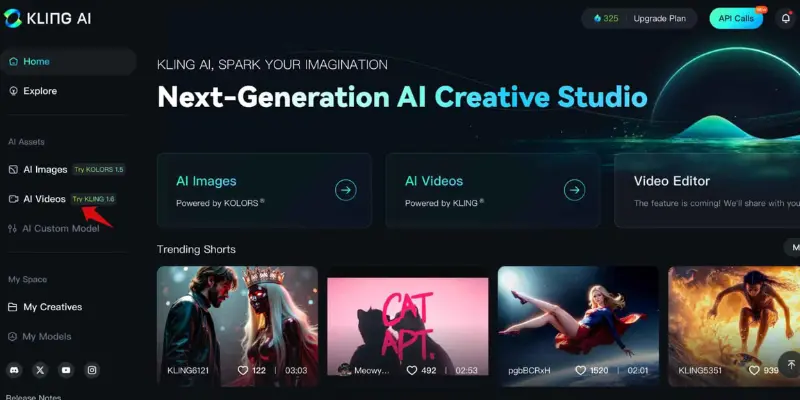
Kling AI: Best for Cinematic Realism on a Budget
Kling, built by Kuaishou, has moved from a relative unknown to one of the strongest names in AI video generation in a short time. The newest version scored at the top of several independent video generation benchmarks in early 2026, ahead of both Google’s Veo and Runway’s own Gen-4 line.
What makes Kling stand out beyond raw quality is the price per second. Where Runway can cost upward of a dollar for a few seconds of footage once you calculate real credit usage, Kling’s effective cost sits closer to four cents per second on its Pro plan. That difference adds up fast for anyone making more than a handful of clips a month.
Kling also generates audio natively, including lip sync support, and keeps character appearance consistent across multiple clips better than most competitors at this price point. The one real downside is speed during busy hours. Queue times can stretch past ten minutes, occasionally longer, when server demand spikes.
Pros: Top tier visual quality. Native audio with lip sync. Strong value per second of footage. Reliable character consistency across scenes.
Cons: Render queues can run long during peak hours. Locked into Kling’s own model, same limitation Runway has.
Best for: Filmmakers and creators who care most about visual quality and don’t mind occasional wait times. If Kling alone doesn’t cover everything you need, there are other Kling AI alternatives worth comparing too.
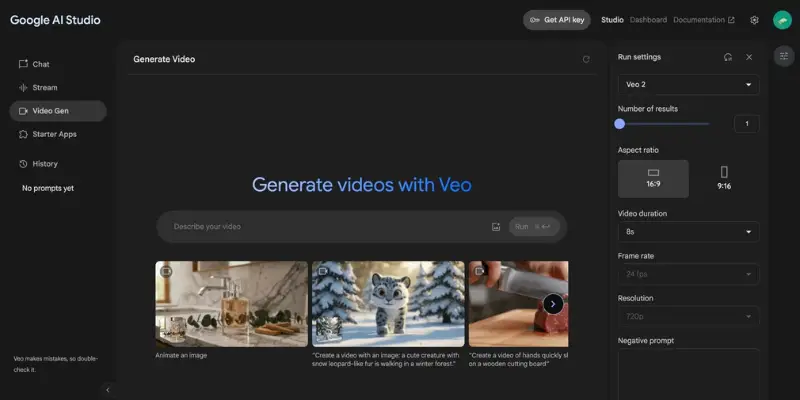
Google Veo: Best for Vertical and Social Content
Veo’s biggest strength shows up the moment you need clean, high resolution vertical video. Reels, TikTok, and YouTube Shorts content made with Veo tends to come out polished with realistic lighting and physics, and audio generates automatically alongside the visuals.
The tradeoff is control. Veo gives you far less say over specific camera movement or shot composition compared to Runway’s more granular settings. The free tier also throttles download quality, so testing the full output without paying takes some patience.
Pros: Excellent vertical video quality. Native audio generation. Strong realism in lighting and motion physics.
Cons: Limited camera and composition control. Free tier downloads are restricted in quality.
Best for: Social media creators and marketers focused on short, vertical formats.
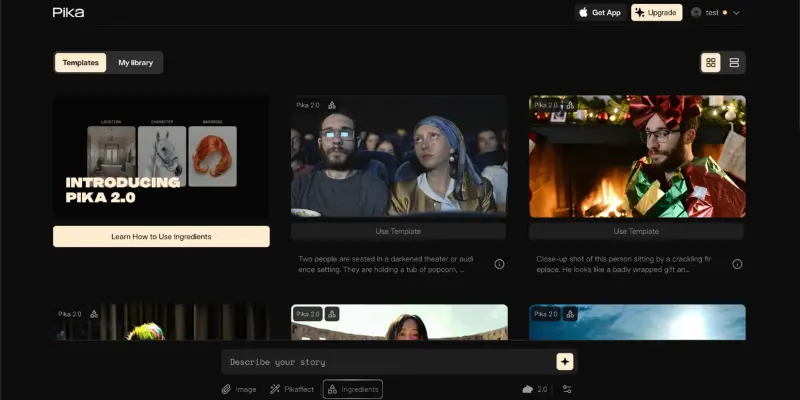
Pika: Best for Fast, Stylized Social Clips
Pika takes a completely different approach than Runway by leaning into fun, stylized effects rather than photorealism. Its effect library lets you crush, melt, inflate, or otherwise transform a clip in ways most serious cinematic tools don’t even attempt. Generations typically finish in under thirty seconds, which makes it genuinely fast to iterate.
The compromise is fine detail. Text to video output on Pika trails behind Runway and Veo when judged purely on realism, and the free tier caps out around ten generations a day with no API access for anyone building automated workflows.
Pros: Unique stylized effects unavailable elsewhere. Very fast generation time. Beginner friendly interface.
Cons: Lower fidelity than Runway or Veo on realistic footage. Free tier limited to about ten daily generations.
Best for: TikTok creators and social managers who value speed and personality over cinematic polish.
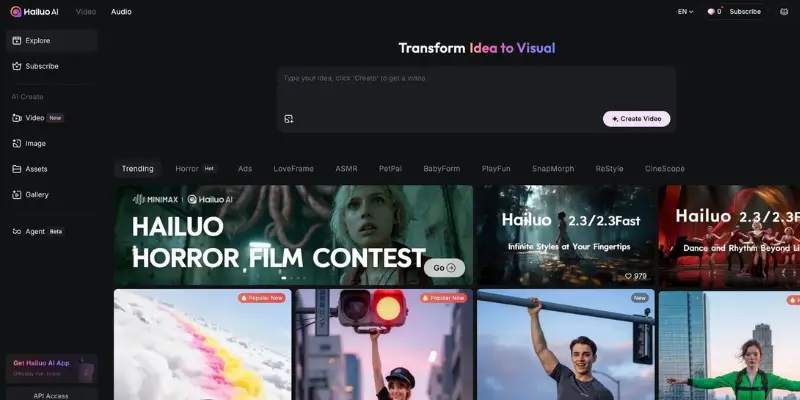
Hailuo AI: Best for Realistic Human Motion
Hailuo, developed by MiniMax, built its reputation specifically on how well it handles human movement and facial expression. Independent testing puts its visual quality close to Google Veo, but at a noticeably lower price point.
The detail that sets Hailuo apart is physics simulation. Hair, fabric, smoke, and flowing water all move in ways that look genuinely natural rather than artificially smooth, which is exactly the kind of detail that breaks immersion when handled poorly. The platform also supports subject reference inputs, letting you keep a character consistent across multiple generated scenes.
Hailuo offers tiered models too. The standard 2.3 model prioritizes maximum quality, a faster variant trades a little fidelity for speed during batch work, and the older 02 model remains available for simpler, reliable motion needs.
Pros: Industry leading human motion and expression. Strong physics simulation for fabric and fluid. Multiple model tiers for different speed needs. Competitive pricing.
Cons: No native audio generation. Fewer total features outside of motion quality.
Best for: Creators who need realistic character performance without paying premium prices. Those who want to dig deeper into how it stacks up against similar tools can look at other Hailuo AI alternatives too.
Luma Dream Machine: Best Free Option for Testing Ideas
Luma’s free tier is genuinely generous compared to most competitors, which makes it the natural starting point for anyone who wants to experiment with AI video before spending any money. Output quality won’t match a paid plan from Kling or Veo, but for early concept testing or simply learning how prompting works, the free credits go a long way.
Pros: Generous free tier. Lightweight and easy to learn. Good for early concept and prompt testing.
Cons: Output quality trails paid competitors. No native audio support.
Best for: Beginners and hobbyists testing AI video generation for the first time without spending money. Anyone who outgrows Luma’s free tier can compare other Luma AI alternatives for the next step up.
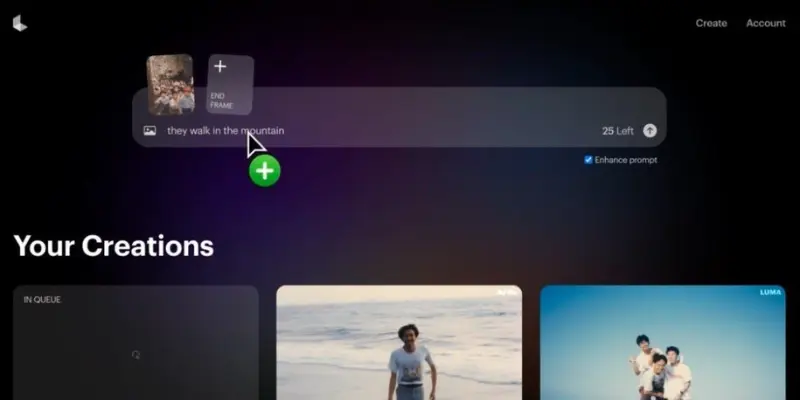
Pexo AI: Best for Finished, Publish Ready Videos
Most tools on this list generate a raw clip and leave the rest of the work to you. Pexo takes a different path by handling the entire process in one flow, including scripting, visuals, voiceover, and basic editing, starting from a plain language description of what you want.
The platform pulls from multiple underlying models, including Kling and other leading systems, rather than locking you into a single one the way Runway does. For marketers who need product videos or social content built quickly without learning prompt engineering, this conversational approach removes a lot of the usual friction. A free tier is available to test the workflow before committing to a paid plan.
Pros: Combines script, voiceover, and visuals in one workflow. Pulls from multiple AI models instead of locking you into one. Beginner friendly conversational interface. Free tier to start.
Cons: Less granular creative control than Runway for advanced users. Shorter maximum clip length per single generation.
Best for: Marketers and content creators who want a finished video without piecing together multiple tools.

Synthesia: Best for Corporate and Training Videos
Synthesia solves a completely different problem than Runway. Instead of cinematic clips, it specializes in avatar based presenter videos, the kind used for employee training, onboarding, and internal company communication. The platform supports well over two hundred avatars and more than one hundred fifty languages, with export options built for learning management systems.
If your use case involves a person speaking to camera in a professional setting, Synthesia handles that better than any cinematic AI video tool could. For creative or narrative content, it is simply the wrong tool for the job.
Pros: Huge library of avatars and languages. Built for corporate and training use cases. Export formats designed for LMS platforms.
Cons: Not suited to cinematic or narrative content. Pricing sits higher than most consumer tools.
Best for: HR teams, training departments, and businesses producing avatar led internal content.
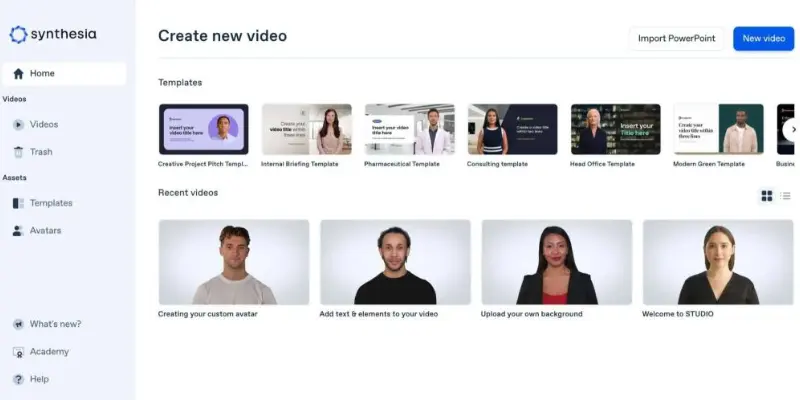
DomoAI: Best for Anime and Stylized Transformation
DomoAI focuses on turning ordinary photos, video clips, or text prompts into anime style or artistic output, with more than thirty distinct visual styles to choose from. The platform aims squarely at accessibility, letting the AI handle motion and timing while you focus on the creative direction rather than technical settings.
This makes DomoAI a strong fit for creators building stylized social content, particularly anime focused channels, where Runway’s more realistic output style isn’t actually what the audience wants to see.
Pros: Wide range of artistic and anime styles. Simple, accessible workflow. Free first video to test capabilities.
Cons: Less suited to realistic or cinematic footage. Smaller feature set than full production platforms.
Best for: Creators building anime style or stylized social content rather than realistic video.
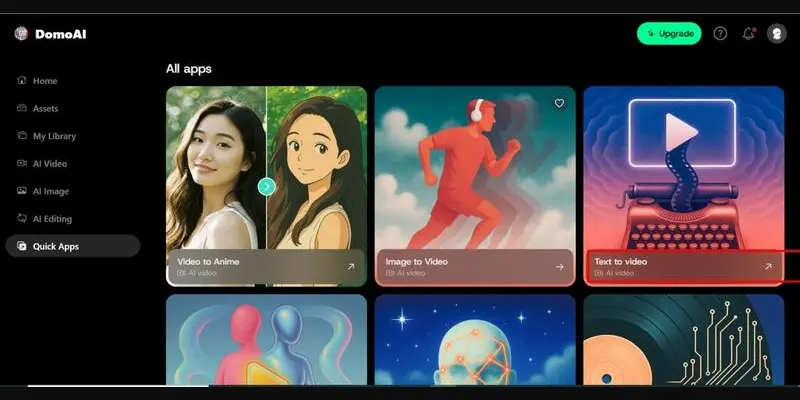
Vidu AI: Best for Combining Multiple Reference Images
Vidu’s standout feature is something most competitors don’t offer at all. Its reference to video tool lets you upload up to seven separate images, and the AI combines them into one cohesive video while keeping visual consistency across the whole clip. This solves a real problem for creators who need a specific character, product, or setting to appear accurately rather than approximated from a text description alone.
Pros: Genuinely unique multi image reference tool. Stable, realistic motion output. Built in sound effect generation.
Cons: Pricing details are less transparent than competitors. More complex workflows take time to set up properly.
Best for: Creators who need precise visual consistency built from multiple reference images.
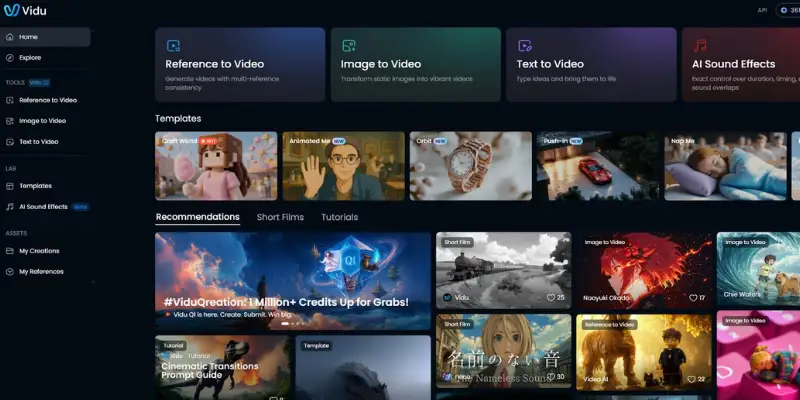
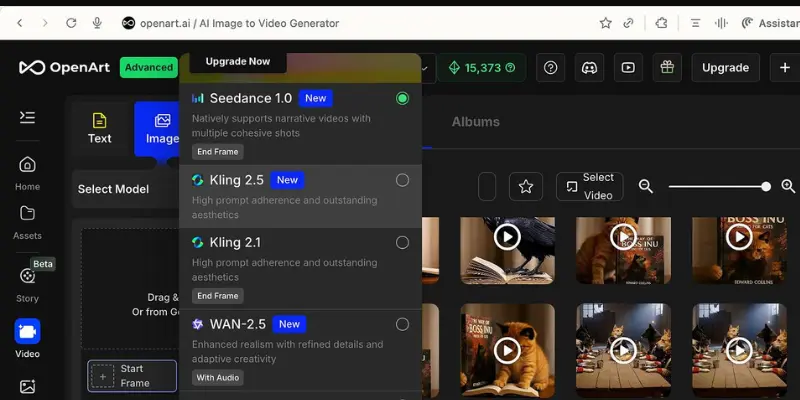
OpenArt: Best for Community Driven Creative Work
OpenArt began as an image generation platform and expanded into video, giving users access to more than one hundred different underlying AI models for varied artistic styles. The built in community feature lets you browse and learn from other people’s generations, which speeds up the learning curve considerably for newcomers.
Pros: Massive selection of underlying AI models. Active creative community for inspiration. Useful editing tools like inpainting and object removal.
Cons: Customization can feel restricted compared to dedicated video tools. Requires a stable connection and decent hardware.
Best for: Creators who want to explore many different visual styles and learn from a shared community.
Leonardo AI: Best for Image First Creative Workflows
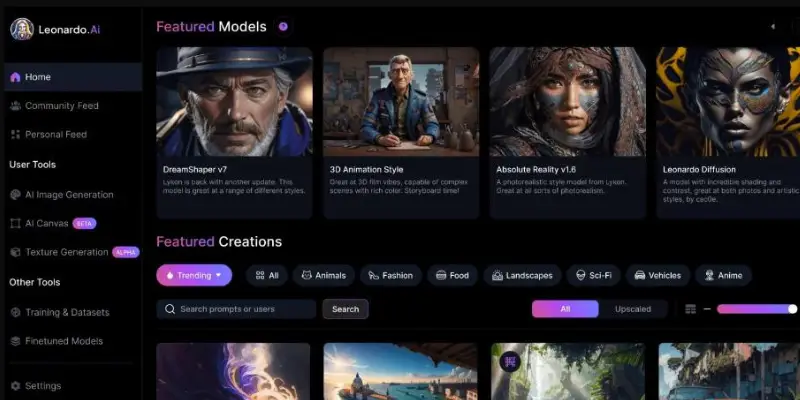
Leonardo built its reputation on image generation before expanding into video, and that history shows. The platform offers strong fine tuning control over art style, aspect ratio, and resolution, along with a real time canvas for direct editing. Its video tool transforms existing images and text into short motion scenes rather than generating long form footage from scratch.
Pros: Strong control over art style and image fine tuning. Real time canvas editing. Good free tier to start.
Cons: Motion generation can feel random and need manual adjustment. Credit system gets restrictive for heavy use.
Best for: Creators who care more about image quality and want video as a secondary feature.
InVideo AI: Best for Script Based Marketing Videos
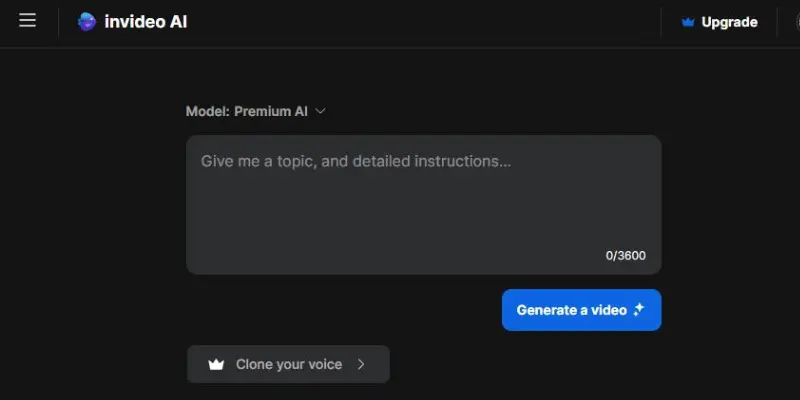
InVideo works from a script or topic rather than a single prompt, building a complete video using stock footage, AI voiceover, and automatic captions in one pass. This makes it less about generating a single cinematic clip and more about producing a finished marketing or explainer video ready to publish.
Pros: Builds a full video from a script automatically. Includes voiceover and captions out of the box. Strong stock media library included.
Cons: Less suited to purely cinematic, AI generated visuals. More complex than tools built for single clip generation.
Best for: Marketers and businesses who need complete videos built from a script rather than raw generated clips. For a closer look at how it compares with similar script based tools, the full InVideo AI alternative piece goes further into that specific category.
Which Runway AI Alternative Is Right for You?
The right Runway alternative depends entirely on what you are actually trying to make.
If cinematic quality is the priority and you don’t mind occasional wait times, Kling AI delivers the strongest visual output per dollar spent right now. If your work is mostly vertical social content, Google Veo produces the cleanest results for that specific format. Creators who want speed and personality over realism should look at Pika, while anyone needing genuinely natural human movement will get more value from Hailuo.
If you want one tool to handle the entire process from script to finished video without learning prompt engineering, Pexo AI removes the most friction. Corporate teams making training content should skip cinematic tools entirely and go straight to Synthesia, which is purpose built for that exact need.
For someone who finds even these alternatives a bit much and just wants to turn a single image into a short clip with minimal setup, some simpler AI video tools may be a better fit. Platforms focused on quick image-to-video generation often require less configuration and a shorter learning curve. Creators looking for a simpler image-to-video workflow may also want to explore some MotionMuse AI alternatives, many of which focus on speed, ease of use, and quick content creation rather than full cinematic scene generation.
For teams producing video at real volume, being locked into a single model the way Runway forces you to be becomes a genuine limitation over time. Platforms that pull from multiple underlying models give you the flexibility to match the right tool to each specific shot instead of compromising every time.
One thing worth keeping in mind once you start generating clips regularly: raw AI video output often needs a cleanup pass before it looks fully polished, especially older or lower resolution source images run through these models. If a clip comes out softer or noisier than expected, running it through a dedicated video upscaler afterward can sharpen detail and clean up artifacts that the generation model left behind.
Whichever direction fits your workflow, the AI video space in 2026 offers enough Runway AI alternatives that sticking with one tool by default rarely makes sense anymore. Test the free tier of two or three options from this list, compare the actual output on your own footage, and let real results guide the decision.
Conclusion
Runway remains one of the most recognizable AI video generators, but it is no longer the only serious option. Depending on your budget, workflow, and content style, several alternatives now offer better value, built-in audio, or more flexibility than staying inside a single ecosystem.
For most creators, **Kling AI** is the best overall Runway AI alternative thanks to its strong video quality, native audio support, and lower cost per generated clip. **Google Veo** is a great choice for social media content, while **Pexo AI** stands out for users who want scripting, voiceovers, and video generation in one streamlined workflow. If you’re just getting started, tools like **Luma Dream Machine** and **Pika** provide an easy way to experiment without a large upfront investment.
The best choice ultimately depends on what you create. Filmmakers, marketers, businesses, and social media creators all have different needs, which is why no single platform is perfect for everyone. The good news is that today’s AI video landscape offers far more flexibility than it did just a year ago.
Instead of choosing a tool based on popularity alone, test a few options from this list and compare the results on your own projects. In many cases, you’ll find that the right Runway AI alternative delivers the features you need at a lower cost and with a workflow that fits your creative process better.
Frequently Asked Questions
Yes. Luma Dream Machine offers one of the most generous free tiers among Runway AI alternatives for testing video generation. Pika and Pexo AI also provide free credits to get started, though free tiers typically include watermarks or limited monthly generations.
Pexo AI and InVideo AI both work well for marketing content, since they handle scripting, voiceover, and visuals together rather than producing a single raw clip that needs further editing.
Kling AI currently leads most independent video generation benchmarks, with Google Veo close behind for vertical and social formats specifically.
Kling AI, Google Veo, Pexo AI, Synthesia, and InVideo AI all generate audio alongside video. Pika includes basic sound effects. Hailuo, Luma, DomoAI, Vidu, OpenArt, and Leonardo currently produce silent video by default.
Most paid plans across these tools permit commercial use, including Kling, Veo, Pexo AI, and Synthesia. Always confirm the specific licensing terms on each platform before delivering generated content to a paying client.
Runway’s credit system charges based on seconds of generated footage, and newer models consume credits quickly. A short five second clip on Gen-4.5 can use sixty credits, which limits a standard monthly plan to roughly ten finished videos. This is exactly why most Runway AI alternatives on this list offer a noticeably lower cost per second of finished footage.




- Be Respectful
- Stay Relevant
- Stay Positive
- True Feedback
- Encourage Discussion
- Avoid Spamming
- No Fake News
- Don't Copy-Paste
- No Personal Attacks
- Be Respectful
- Stay Relevant
- Stay Positive
- True Feedback
- Encourage Discussion
- Avoid Spamming
- No Fake News
- Don't Copy-Paste
- No Personal Attacks
