19 Best MotionMuse AI Alternatives in 2026 – Sites Like MotionMuse.ai (Free & Paid)
Published: 14 May 2026
If MotionMuse AI is not giving you the results you expected, you are not alone. Many creators are now searching for the best MotionMuse AI alternatives that offer more control, higher quality, and flexible pricing. In this guide, we will explore 19 tools in total — 14 general AI video tools and 5 additional options for creators who need more creative freedom.
Some of these platforms are also competing among the best AI video generators in 2026 because of their cinematic quality, realism, and faster rendering speeds. Whether you are a beginner, content creator, or marketer, you will find the right MotionMuse alternative based on your needs.
| Best Overall | Kling AI | Realistic motion for Reels & TikTok |
| Best Free | Unlucid AI / Hailuo AI | Daily free credits |
| Best Pro | Runway ML | YouTube & filmmaking quality |
| Cinematic | Luma AI | Film-style storytelling |
| Beginner | Pika Labs | Fast & simple creation |
Why Creators Are Switching from MotionMuse AI in 2026
If you’re here, MotionMuse likely hit one of these walls. Here’s the quick fix before we go into details.
| Why you’re leaving MotionMuse | Best alternative for this | Free option? |
| Videos look blurry or unnatural | Kling AI or Google Veo 3.1 | Limited free credits |
| Credits run out too fast | Unlucid AI or Hailuo AI | Yes — 3/day free |
| No control over camera or motion | Runway ML | Free plan available |
| Too many content restrictions | Stable Diffusion (self-hosted) | Fully free |
| Too slow for social media | Pika Labs | Free with watermark |
Many creators start with MotionMuse because it’s easy to use. But before switching, many users question whether MotionMuse is even legit and that concern is completely valid. As you grow, it can start to feel a bit limited. In 2026, AI video tools have improved a lot, and users now expect more control, better quality, and fair pricing. That’s why many people look for MotionMuse AI alternatives to level up their content. Many of these tools offer more creative freedom with fewer limits, which is why they are often seen as unrestricted AI video generators.
Here are the main reasons why creators are moving on:
- Better Video Quality: Let’s face it blurry videos don’t go viral. Creators are switching to other tools because they want sharp, realistic, and cinematic animations that look like real movies, not just moving photos.
- Saving Money: MotionMuse can get expensive quickly, and those monthly credits disappear fast. People start searching for free MotionMuse alternatives to get more videos for every dollar they spend. This is also one of the biggest reasons many creators compare MotionMuse AI pricing with other AI video tools before choosing a long-term plan
- More Control over the Action: MotionMuse often decides the movement for you. Other tools give you the “steering wheel,” letting you pick exactly how the camera moves or how a character walks.
- Fewer Content Rules: Some platforms are too strict with what you can create. Advanced users prefer alternatives that offer more creative freedom and fewer restrictions on their ideas.
Faster Results: Nobody likes waiting for hours. New AI models now render videos in seconds, helping you post your Reels, TikToks, and Shorts faster than your competitors.
Best MotionMuse AI Alternatives – Free & Paid (Tested in 2026)
If you’re ready to move beyond MotionMuse, here are the best MotionMuse AI Alternatives currently leading the market. We’ve tested these tools based on their video quality, free options, and unique features to help you find the perfect fit for your next project.
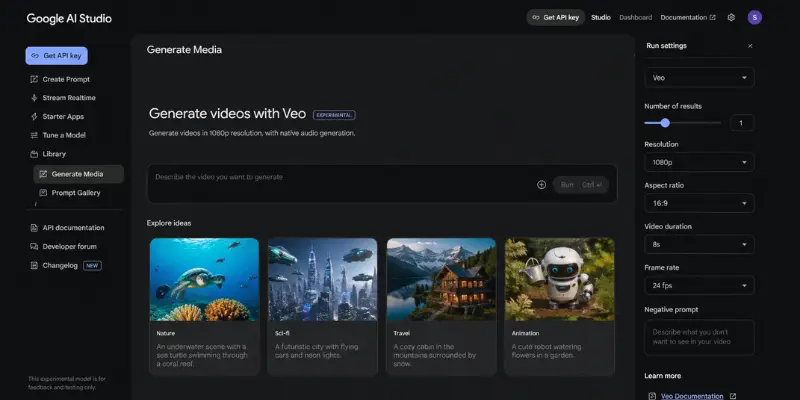
Google Veo 3.1: The Quality Benchmark
Google Veo 3.1 stands out as one of the most advanced AI video tools in 2026. It doesn’t just generate visuals it actively creates complete cinematic videos with synchronized audio, background music, and sound effects. Everything is automatically aligned, making it a powerful choice for creators who want professional-quality content without extra editing work.
Key Features:
- Cinematic 1080p to 4K video generation
- Built-in AI audio, music, and sound effects
- Highly realistic scene creation
- Seamless integration with Google AI Studio
Free or Not:
You can access limited features for free through Google AI Studio, but full capabilities require a paid plan.
Best for : Cinematic + audio videos
Comparison with MotionMuse:
When you compare it with MotionMuse, the difference is huge. MotionMuse only generates silent clips, while Google Veo 3.1 delivers complete videos with sound, music, and cinematic quality. For creators in the US looking for high-end content, Veo is clearly ahead.
Pros and Cons
| pros |
|---|
|
| Cons |
|---|
|
Seedance 2.0: Best for Realistic Physics
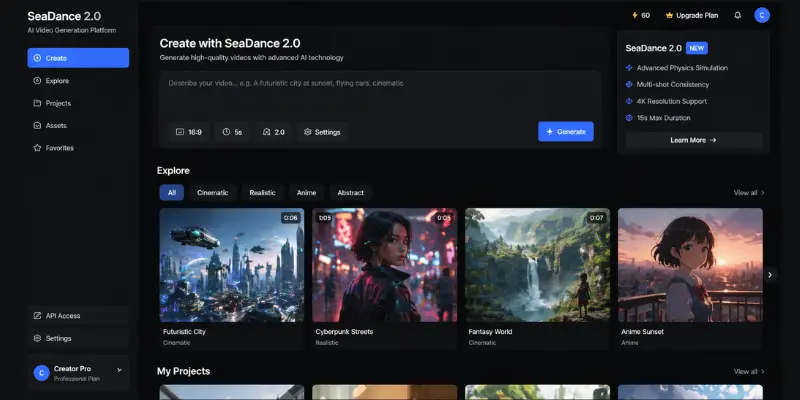
Seedance 2.0, developed by ByteDance (the company behind TikTok), focuses on real-world physics and motion accuracy. It creates videos where movement feels natural, realistic, and physically correct perfect for creators who want lifelike results.
Key Features:
- Advanced physics-based motion simulation
- Realistic lighting and shadow effects
- High-quality 15-second video generation
- Dynamic object movement and interaction
Free or Not:
Access is currently limited and mostly restricted to enterprise or corporate users.
Best for : Realistic physics motion
Comparison with MotionMuse:
MotionMuse often produces basic or slightly artificial motion. Seedance 2.0 takes it further by simulating real-world physics like flowing fabric, natural water movement, and realistic camera motion. For US-based creators focusing on realism, Seedance is a major upgrade.
Pros and Cons
| Pros |
|---|
|
| Cons |
|---|
|
OpenAI Sora 2 Pro: The Narrative King
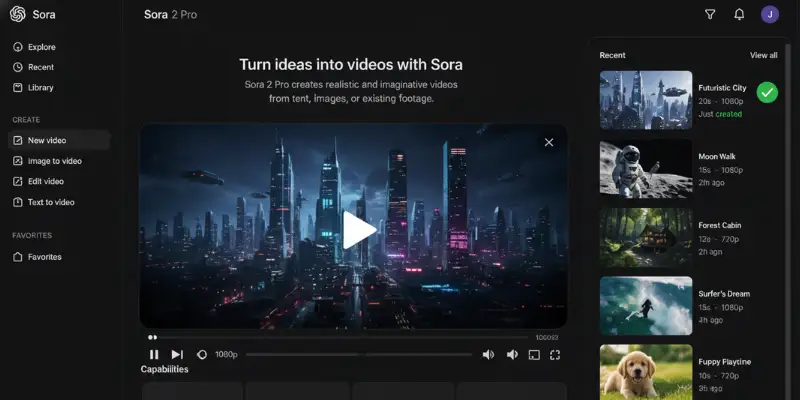
OpenAI Sora 2 Pro is built for creators who want to tell stories, not just generate clips. It creates full cinematic sequences with connected scenes, making it one of the strongest AI video tools for storytelling in 2026.
Key Features:
- Up to 25-second cinematic video generation
- Strong narrative flow between scenes
- High-resolution output
- Advanced prompt understanding for storytelling
Free or Not:
Sora 2 Pro is available only for ChatGPT Plus and Pro users, making it a premium tool.
Best for : Story-based long scenes
Comparison with MotionMuse:
MotionMuse is limited to short 3–5 second clips. Sora 2 Pro goes far beyond that by creating complete story-driven scenes with cinematic flow. For US creators, YouTubers, and filmmakers, this makes it a powerful storytelling engine.
Pros and Cons
| Pros |
|---|
|
| Cons |
|---|
|
Kling AI : The king of Realism
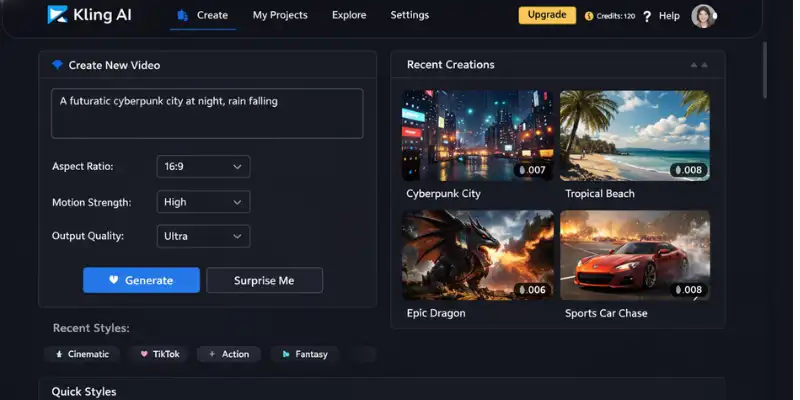
Kling AI is one of the top MotionMuse AI alternatives in 2026. It creates ultra-realistic and cinematic videos that are widely used for TikTok and Instagram Reels. Many creators prefer it for its high-quality and natural motion results.
Compared to MotionMuse AI, Kling AI offers better realism, smoother animation, and more stable output. This makes it a strong choice for fast and high-quality AI video creation.
Key Features
- Ultra-realistic AI video generation
- Strong character consistency
- Viral short-form video creation (Reels/TikTok)
- High motion quality
Free vs Paid
- Limited free credits
- Paid plan for high-quality & longer videos
Best for : Viral short content / Social media creators
vs MotionMuse
Much more realistic and stable than motionmuse ai
Better for viral content creation
Pros and Cons
| pros |
|---|
|
| Cons |
|---|
|
Many creators improve output quality significantly by using structured MotionMuse AI prompts designed for cinematic motion and realistic scenes.
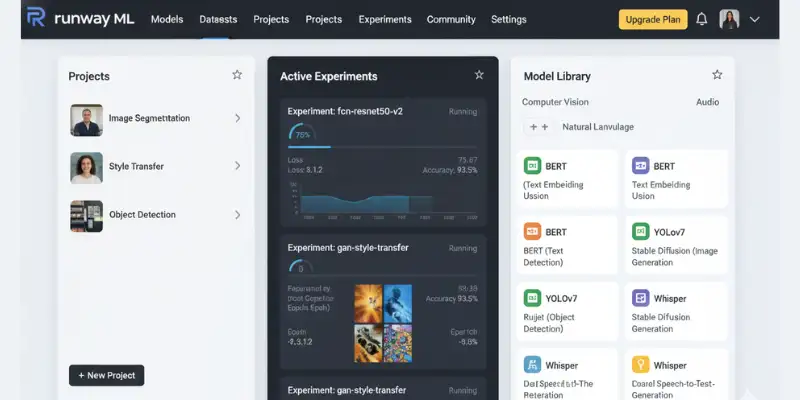
Runway ML : The Professional Choice
Runway ML is a professional-level AI video creation platform designed for filmmakers, editors, and advanced content creators. It provides cinematic video generation with powerful editing tools and Gen-3 AI models. Users can create high-quality videos suitable for YouTube, advertisements, and professional projects. When compared to MotionMuse AI, Runway ML is significantly more advanced and flexible, making it one of the strongest alternatives in the AI video industry.
Key Features
- Cinematic AI video generation
- Advanced editing tools (Gen-3 models)
- Professional-grade outputs
Free vs Paid
- Free plan available (limited credits)
- Paid plan for HD + unlimited usage
Best for : Professional / YouTube/Filmmakers
vs MotionMuse
Runway is far more professional and powerful
MotionMuse is easier but less advanced
Pros and Cons
| Pros |
|---|
|
| Cons |
|---|
|
Pika Labs : Best for Speed & Ease
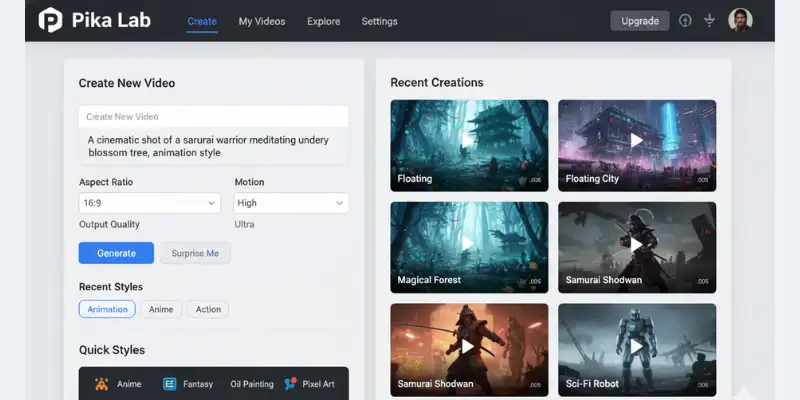
Pika Labs is a fast and beginner-friendly MotionMuse AI alternative in 2026. It helps users create short videos from simple text prompts within seconds. This makes it a great tool for TikTok, Instagram Reels, and other social media content.
Compared to MotionMuse AI, Pika Labs is much easier to use and more focused on speed. It is a better choice for beginners who want quick and simple short-form video creation without complex settings.
Key Features
- Fast AI video generation
- Simple text-to-video interface
- Short social media clips
Free vs Paid
- Free plan with watermark
- Paid removes limits & watermark
Best for : Beginners / Reel creators
vs MotionMuse
Easier and faster than MotionMuse
Slightly better for short content
Pros and Cons
| Pros |
|---|
|
| Cons |
|---|
|
Luma AI (Dream Machine) : Cinematic Storytelling
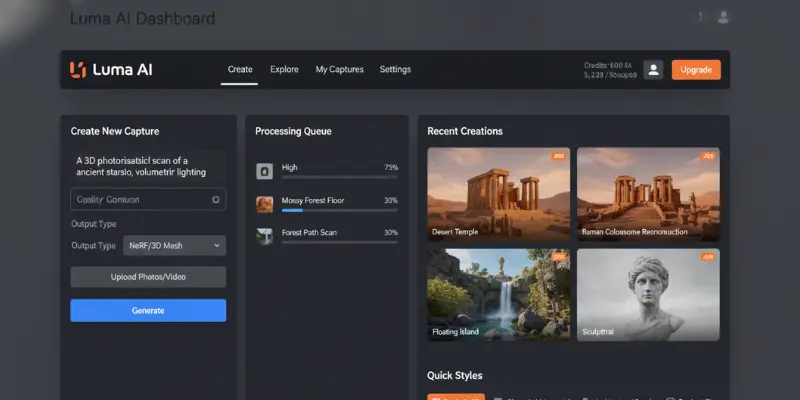
Luma AI, also known as Dream Machine, is a powerful AI tool focused on cinematic and realistic video generation. It is popular for creating smooth camera movements and visually stunning scenes that look almost film-like. Many creators use it for storytelling and creative video projects. In comparison to MotionMuse AI, Luma AI delivers more natural motion and higher cinematic quality, making it a preferred choice for visual storytelling.
Luma AI focuses on cinematic storytelling with smooth motion and realistic camera movements.
Key Features
- Smooth cinematic motion
- Realistic camera movement
- High-quality visuals
Free vs Paid
- Free tier available (limited)
- Paid unlocks HD exports
Best for : Cinematic storytelling
vs MotionMuse
Much more cinematic and realistic
MotionMuse feels more template-based
Pros and Cons
| Pros |
|---|
|
| Cons |
|---|
|
Vidu AI
Vidu AI is a new and fast-growing MotionMuse AI alternative in 2026. It helps users create creative and cinematic-style videos in a simple way. Many people are using it to try new ideas and make unique video content.
Compared to motionmuse.ai, Vidu AI is more experimental and still improving. It is a good choice for users who want to explore new tools and create different styles of videos.
Key Features
- New generation AI video tool
- Creative cinematic outputs
- Experimental features
Free vs Paid
- Limited free access
- Paid for full features
Best for : Creative experiments / Early adopters
vs MotionMuse
More advanced but less stable
Good future alternative
Pros and Cons
| Pros |
|---|
|
| Cons |
|---|
|
Hailuo AI
Hailuo AI is a budget-friendly AI video tool designed for beginners who want simple text-to-video generation
Key Features
- Text-to-video generation
- Budget-friendly AI tool
- Simple interface
Free vs Paid
- Free plan available
- Paid unlocks better quality
Best for : Budget beginners
vs MotionMuse
Similar level but more budget-friendly
Better free access than MotionMuse
Pros and Cons
| Pros |
|---|
|
| Cons |
|---|
|

Unlucid AI
Unlucid AI is a creative AI video tool used for generating unique and artistic content. It is popular among users who want experimental and visually different results. It works well for fun and creative video ideas.
Key features:
- Text-to-video generation
- Pre-made templates for social media
- Quick export options
- AI-powered animations
Free or Not:
Limited free plan with watermarks; paid plans remove restrictions
Best for : Free daily video
Compared to MotionMuse:
- Faster rendering
- Fewer content restrictions
- Some prefer MotionMuse for simpler UI
Pros & Cons
| Pros |
|---|
|
| Cons |
|---|
|
If Unlucid AI fits your needs, you can also compare it with other tools like Vidu AI, MotionMuse, and PixVerse in the best Unlucid AI alternatives comparison to see which one works better for you.
Domo AI
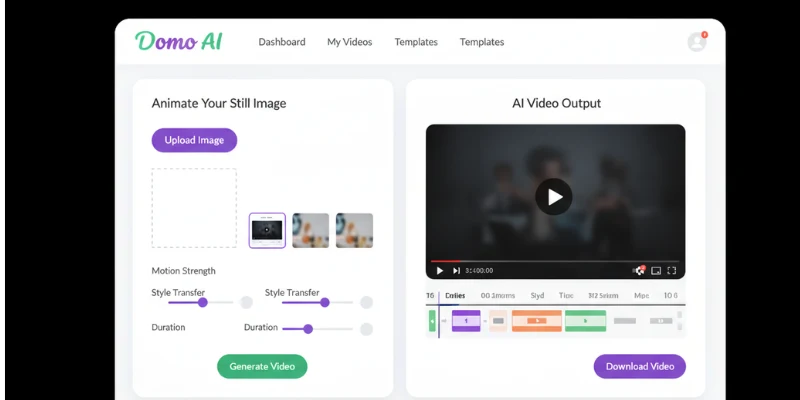
Domo AI is a creative tool that converts images into animated and video-style content. It is popular among digital artists and social media creators. It helps turn simple visuals into moving scenes.
Key features:
- Image-to-video AI
- Animation templates
- Quick video exports
- Easy-to-use app interface
Free or Not:
Limited free plan; full features require subscription
Best for: Image-to-video ads
Compared to MotionMuse:
- Offers app version
- More visual customization than MotionMuse
Pros & Cons
| pros |
|---|
|
| Cons |
|---|
|
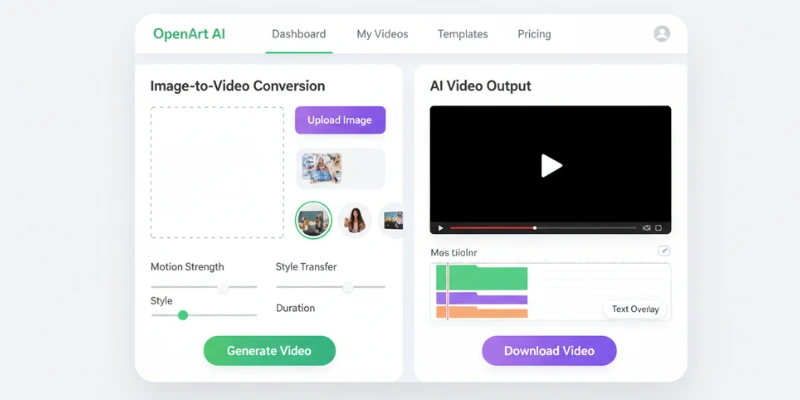
OpenArt AI
OpenArt AI is a platform for generating images and creative visuals using text prompts. It is used by designers and creators for quick artwork generation. It is helpful for creative projects and ideas.
Key features:
- Image-to-video generation
- Multiple AI filters
- Export for social media
Free or Not:
Free plan with limits; subscription unlocks full features
Who it is best for:
- Artists creating short animated videos
- Beginners exploring AI animations
Compared to MotionMuse:
- OpenArt is easier for image-to-video
- MotionMuse has more professional templates.
Pros & Cons
| Pros |
|---|
|
| Cons |
|---|
|
Hunyuan Video
Hunyuan Video is an AI video generation tool that creates realistic and cinematic videos from text or images. It is used for creative storytelling and modern video production. It is becoming popular for high-quality AI video creation.
Key features:
- ai video generator workflow
- Fast rendering
- Text-to-video templates
Free or Not:
Limited free access; subscription needed for full features
Best for : Business videos
Compared to MotionMuse:
- Tencent Hunyuan focuses on enterprise-grade output
- MotionMuse is better for casual users.
Pros & Cons
| Pros |
|---|
|
| Cons |
|---|
|

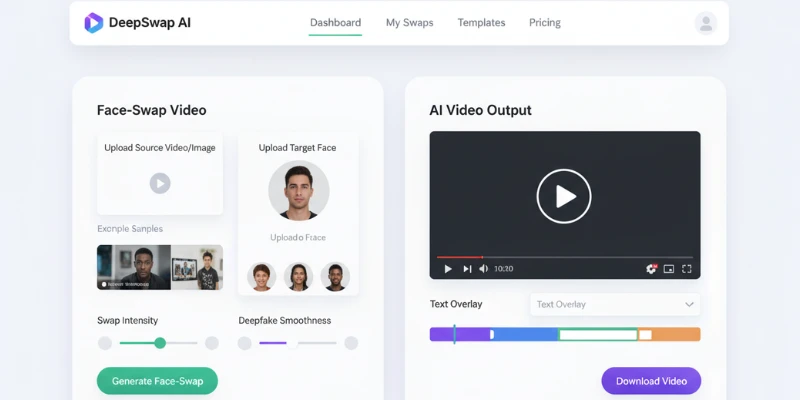
DeepSwap AI
DeepSwap AI creates face-swap and deepfake videos using AI.
Key features:
- Face-swap videos
- AI-powered deepfake generator
- Free trial for basic use
Free or Not:
Limited free plan; paid required for full features
Best for : Face-swap videos
Compared to MotionMuse:
- MotionMuse does not offer deepfake tools
- DeepSwap specializes in face-swap content
Pros & Cons
| pros |
|---|
|
| Cons |
|---|
|
What Tools Are Similar to MotionMuse AI?
If you are looking for tools that work just like MotionMuse but with better results, these four are the closest match in terms of style, simplicity, and output quality.
Kling AI : Kling AI is the most similar to MotionMuse in terms of short-form video creation, but it produces far more realistic and smoother results. It is widely used for TikTok and Instagram Reels. If MotionMuse feels basic to you, Kling AI is the natural next step.
Runway ML : Runway ML works like MotionMuse but is built for creators who need more control. It gives you advanced editing tools, Gen-3 AI models, and professional-grade output. It is a good fit for YouTubers and filmmakers who have outgrown MotionMuse.
Pika Labs : Pika Labs is very similar to MotionMuse in terms of ease of use. You type a prompt and get a video within seconds. The main difference is speed Pika is faster and works better for quick social media content without any complex settings.
Luma AI : Luma AI, also called Dream Machine, is similar to MotionMuse but focuses more on cinematic quality. If you want smooth camera movements and film-like visuals instead of basic animated clips, Luma AI is the better choice.
MotionMuse AI vs Other AI Video Tools
MotionMuse vs Kling AI
| Feature | MotionMuse AI | Kling AI |
| Video realism | Basic motion | Ultra-realistic |
| Best for | Quick clips | Viral Reels/TikTok |
| Free plan | Limited | Limited credits |
| Output quality | Decent | Much higher |
| Beginner friendly | Yes | Yes |
Kling AI wins for realism and output quality. MotionMuse is easier to start with, but Kling usually delivers better results for social media content. That is why many creators compare MotionMuse AI vs Kling AI before choosing a platform for Reels, TikTok videos, and realistic AI visuals
MotionMuse vs Runway ML
| Feature | MotionMuse AI | Runway ML |
| Video quality | Standard | Cinematic / Professional |
| Editing tools | Basic | Advanced (Gen-3) |
| Best for | Beginners | YouTubers, Filmmakers |
| Free plan | Limited | Limited credits |
| Learning curve | Easy | Moderate |
Runway ML is significantly more powerful. MotionMuse is good for quick content, but Runway is the right choice when quality actually matters.
MotionMuse vs Pika Labs
| Feature | MotionMuse AI | Pika Labs |
| Speed | Fast | Very fast |
| Ease of use | Simple | Very simple |
| Best for | Short clips | TikTok / Reels |
| Free plan | Limited | Free with watermark |
| Output style | Standard | Creative & stylized |
Both tools are beginner-friendly. Pika is faster and gives more creative output. MotionMuse feels more structured, but Pika gives you more variety in style.
Best NSFW AI Video Alternatives to MotionMuse
This section is for creators who want more creative freedom and fewer content limits. If you are looking for general AI video tools, check the main list above
SoulGen
SoulGen is used for creating stylized characters and short AI videos with more creative freedom. It supports image-to-video generation and gives users control over visual style and character design. Free credits are available for new users.
PromptChan
PromptChan is popular for anime-style and creative content. It works mainly through text prompts and is very beginner-friendly. It does not support image-to-video but is a strong option for prompt-based creative visuals.
Seduced AI
Seduced AI focuses on detailed character creation and personalized AI scenes. It supports image-to-video generation with strong customization options. A paid subscription is required for full access.
FunFun AI
FunFun AI is a lighter option in this category. It focuses on fun and stylized short animations. It is easy to use and has a free version available for basic content creation.
Stable Diffusion
Stable Diffusion is the most powerful option here. It is fully open-source, runs offline, and has no content filters when self-hosted. It gives complete control over output but requires technical setup and good hardware.
Note: These tools are intended for adult creators who are aware of platform guidelines. Always check the terms of service before publishing content made with these tools.
AI Video Tools Comparison Table (SEO + Ranking + Free vs Paid + Use Cases)
This updated list now includes the latest AI video models like Google Veo, Sora, and Seedance released in 2026.
| Tool | Demand | Access Type | Starting Price | Free Credits | Best For |
| Google Veo 3.1 | 🔥 Very High (Latest Trend) | Limited Free + Paid | Free (limited) | ~2-3/day | Cinematic videos with audio |
| Seedance 2.0 | 🔥 Very High (Trending) | Limited Free + Paid | Enterprise only | None | Realistic motion scenes |
| OpenAI Sora 2 Pro | 🔥 Very High (Top Demand) | Paid (Limited Access) | $20/mo | None | Story-based long videos |
| Kling AI | 🔥 Very High | Limited Free + Paid | $9.99/mo | Limited credits | Viral short videos |
| Runway ML | 🔥 Very High | Free + Paid | $12/mo | Limited | Professional videos, YouTube |
| Pika Labs | ⭐ High | Free + Paid (watermark) | $8/mo | Limited | Beginner-friendly short videos |
| Luma AI | ⭐ High | Limited Free + Paid | $29.99/mo | ~5/day | Cinematic storytelling |
| Hailuo AI | ⭐ Medium | Free + Low-cost Paid | Free/Low cost | Limited | Budget video creation |
| Vidu AI | ⭐ Growing Fast | Limited Free + Paid | $9.99/mo | 2-5/day | Experimental creative videos |
| Unlucid AI | ⭐ Medium | Free + Paid | Free+ | 3/day | Social media content |
| SoulGen | ⭐ Medium | Free + Paid | $9.99/mo | Limited | Avatar & fantasy videos |
| PromptChan | ⭐ Low–Medium | Mostly Free | Free | Limited | Prompt-based content |
| FunFun AI | ⭐ Low | Free | Free | Limited | Fun short videos |
| Seduced AI | ⭐ Niche | Paid + Limited Free | $12.99/mo | Trial only | Niche creative use |
| Domo AI | ⭐ Medium | Free + Paid | $9.99/mo | Limited | Visual ads & content |
| DeepSwap AI | ⭐ Medium | Free + Paid | $9.99/mo | Limited | Face swap videos |
| OpenArt AI | ⭐ Medium | Free + Paid | $9.99/mo | Limited | Creative visuals |
| Stable Diffusion | 🔥 Very High | Free (open-source) | Free | Unlimited | Advanced AI creation |
| Hunyuan Video | ⭐ Growing Fast | Limited Free + Paid | Free/Paid | Limited | Business & cinematic videos |
Updated Key Insights
- Best for cinematic + audio videos: Google Veo 3.1
- Best for realistic motion physics: Seedance 2.0
- Best for storytelling videos: OpenAI Sora 2 Pro
- Best for viral content: Kling AI
- Best for professional editing: Runway ML
- Best free powerful option: Stable Diffusion
Updated Quick Recommendation
- Viral short content → Kling AI
- Professional YouTube videos → Runway ML
- Cinematic videos with sound → Google Veo 3.1
- Story-based videos → OpenAI Sora 2 Pro
- Full control (free) → Stable Diffusion
MotionMuse vs Unlucid AI
| Feature | MotionMuse AI | Unlucid AI |
| Ease of use | Simple and stable | Experimental but less consistent |
| Pricing | Paid + limited free use | Free credits available |
| NSFW video support | Limited or restricted | More flexible for NSFW content |
| Image-to-video quality | More stable and cleaner output | Less consistent quality, sometimes glitchy |
| Speed | Fast and reliable | Varies depending on load |
| Best for | Regular AI video creation | Experimental and NSFW-style content |
Which is better for NSFW video: MotionMuse or Unlucid AI?
MotionMuse AI gives more stable and clean video results, but it has more limits on NSFW content. Unlucid AI is more flexible for NSFW-style generation, but its video quality is less consistent. If you want better quality, choose MotionMuse, but if you want more freedom, Unlucid AI is better.
Best Free MotionMuse Alternatives with Daily Credits (No Subscription Needed)
MotionMuse also offers limited free usage, but daily credits vary depending on usage and availability. If you want free tools like MotionMuse, many options give daily credits so you can create videos without paying. These tools are useful for beginners and for testing ideas before upgrading to a paid plan.
Here are some popular options with daily limits:
| Tool | Free Plan | Daily Credits |
| Unlucid AI | Yes | 3 videos per day |
| Pixverse | Yes | Limited daily credits |
| Vidu AI | Yes | 2–5 videos per day |
| MotionMuse | Yes | Limited daily use |
These tools are a good choice if you want to create AI videos for free. Keep in mind that daily credits reset every day, so you can come back and generate more videos without paying.
SoulGen vs MotionMuse vs PromptChan — NSFW Video Comparison
Before choosing a tool, it helps to see how each one performs in real use. These platforms are different in style, control, and content freedom. This comparison will help you decide which tool fits your needs.
| Feature | MotionMuse AI | SoulGen | PromptChan |
| Ease of use | Simple interface | Easy for beginners | Very beginner-friendly |
| Content type | General AI video | Character-focused content | Images and short videos |
| Free access | Limited credits | No full free plan | Free tier available |
| Customization | Basic controls | Strong character control | High prompt-based control |
| Speed | Fast generation | Moderate speed | Fast generation |
| Watermark | Possible on free plan | Depends on plan | Sometimes on free tier |
| Best for | Quick AI videos | Personal character creation | Creative NSFW-style content |
Reddit on MotionMuse AI — What Real Users Actually Say
When people talk about MotionMuse and other sites like motionmuse ai, Reddit discussions show mixed but honest feedback from real users.
- Pros users mention
Many users like the fast results, easy interface, and simple workflow for short AI videos. It is often seen as beginner-friendly for quick content creation. - Cons users complain about
Some users mention credit limits, short video length, and needing better control over output quality. A few also feel pricing can get restrictive over time. - Alternatives Reddit recommends
Popular suggestions include Kling AI, Runway ML, and Luma AI for better quality and more control. Some also prefer Pika for creative experiments and faster testing. - Overall opinion
Most users say MotionMuse is good for quick tasks, but they switch when they need more freedom or longer videos. If you want the full picture, MotionMuse AI has been reviewed in detail
This is why many creators explore sites like motionmuse ai to find tools that match their workflow better.
Sites Like MotionMuse for Different Needs
Here are simple motionmuse alternative options to help you choose the right tool for your needs.
Each option is based on different use cases like beginners, free users, or advanced creators.
Pick the one that matches your goal, budget, and content style.
- For beginners : If you are new, try easy tools like unlucid ai, Pika Labs, or Hailuo AI. They are simple and give fast results.
- For free users: If you want free access, Stable Diffusion and Unlucid AI are good motionmuse alternative choices. They help you create without high cost.
- For NSFW creators: Some users prefer SoulGen or Seduced AI as a motion muse alternative for more flexible content and fewer limits.
For interactive story-based creation, you can explore the best AI Dungeon alternatives, covering roleplay tools with and without content filters
- For cinematic videos : If you want movie-style quality, Pika Labs, Runway ML, and Luma AI work well for smooth and high-quality videos.
These motionmuse alternative tools help users pick the right platform based on their goal, budget, and creative style.
Conclusion
Choosing the right MotionMuse AI alternative comes down to one thing: what do you want to create today? While MotionMuse is a decent starting point for beginners, the AI video world in 2026 offers so much more power, realism, and creative freedom.
My Personal Recommendation:
- If you are just starting out and want something easy with free credits, go with Unlucid AI or SoulGen. They are super user-friendly and let you experiment without any stress.
- If you are a serious YouTuber or filmmaker, don’t settle for less—Runway ML and Kling AI are the absolute best for that high-end cinematic look.
- If you want total control with zero costs (and have a powerful PC), Stable Diffusion is the king of unrestricted creativity.
Don’t just stick to one tool! The best way to find your favorite is to use those free credits and see which interface feels right for you. Go ahead, try these free MotionMuse alternatives, and start creating videos that actually stand out. Happy creating, and have fun experimenting with these powerful tools!
Faqs
MotionMuse AI is an online tool that uses artificial intelligence to create animated videos from simple text. You just type your idea, and it turns it into moving visuals automatically. It is mainly used for social media videos, short clips, and creative content, making video creation fast and easy even for beginners.
The best alternative depends on your goal. If you want professional, cinematic quality, Runway ML and Kling AI are the top choices. For beginners who want something quick and easy, Pika Labs or Unlucid AI work best.
Yes! Tools like Unlucid AI, SoulGen, and Hailuo AI offer free credits or trials. If you are tech-savvy, you can use Stable Diffusion for free on your own computer without any watermarks or limits.
The best beginner-friendly tools are Unlucid AI and SoulGen because they are easy to use and offer free credits.
Absolutely. Many YouTubers use tools like Runway and Luma AI to create high-quality B-roll and shorts. As long as your content is original and follows YouTube’s AI disclosure rules, you can monetize it easily.
On Reddit, many creators recommend Kling AI for its realism and Runway for its professional editing features. Most users suggest trying a few tools with free credits before picking a favorite.
The best MotionMuse alternative for NSFW content is SoulGen because it supports image-to-video and gives more control over results. Seduced AI is another strong option for deeper customization, while PromptChan is simpler but mostly limited to image-based content.
Yes, MotionMuse is generally safe for use. It follows basic privacy rules and does not openly share user content. Still, users should always read the policy before uploading personal or sensitive material.
MotionMuse is more structured but comes with limits and credits. Unlucid AI gives more freedom for free users but may need more setup. The better choice depends on whether you want ease (MotionMuse) or flexibility (Unlucid AI).
There are many motionmuse alternative platforms like Pika Labs, Hailuo AI, Runway ML, and Luma AI. Each tool focuses on different needs such as simple videos, cinematic quality, or creative freedom.
Some of the best uncensored AI video generators like MotionMuse include tools such as Stable Diffusion (self-hosted), Hunyuan Video, and Seduced AI. These platforms are known for offering more creative freedom with fewer content limits compared to standard AI video tools.





Great comparison. I like that it looks beyond simple “best tool” rankings and explains where each MotionMuse alternative actually fits, especially around motion quality, control, and creator workflows. Seedance 2.0 stood out to me as a strong option for realistic movement and short-form visual ideas, particularly when the goal is to make AI video feel less stiff and more production-ready.
https://www.jxp.com/seedance/seedance-2-pro