Best Cursor AI Alternatives in 2026 (Free, Open Source & Better Options)
Published: 24 Feb 2026
Feeling confused about whether you should switch from Cursor or keep using it? You are not alone. Many developers are comparing tools, checking prices, and wondering if something better exists. In this guide, we will explore the best Cursor AI Alternatives, compare their features, pricing, and flexibility, and help you choose the right tool for your coding workflow. By the end, you will have a clear direction and more confidence in your decision
Why Developers Are Looking for Cursor AI Alternatives
Many developers are asking hard questions. They want clear answers before choosing a coding tool. They ask, is Cursor the best AI IDE? They also wonder, is Cursor AI worth it? and is Cursor AI free? Some developers love it and use it daily. Others are searching for cursor ai competitors because they want better pricing, more features, or more control. So why are people exploring other options? Let’s break it down in simple words.
Pricing Concerns
Money matters. Every developer thinks about cost before choosing a tool. One common question is, is Cursor AI free? Yes, it offers a free plan. But the free version has limits. You can hit usage caps quickly. Many advanced features need a paid plan.
Because of this, some developers start looking at cursor AI Alternatives. They compare features and pricing. They ask, is there something better than Cursor AI for the same price?
Real example:
A freelance developer shared that the monthly cost felt high for daily coding work. He moved to a cheaper tool that gave similar AI help.
If you are a student or beginner, price matters even more. You want real value for your money, right? That is why many people explore cursor ai competitors before making a final choice.
Closed Source Concerns
Cursor AI is closed source. This means the public cannot see or edit its code.
Some developers prefer open-source tools. Why?
- They can check how the system works.
- They trust it more.
- They can improve or customize it.
Because of this, many users search for cursor ai alternatives that offer more transparency. Developers who care about control and security often test open-source cursor ai competitors first.
If you value freedom and flexibility, this can be a big reason to switch.
Model Limitations
AI tools are helpful, but they are not perfect. Cursor AI also has limits.
Sometimes:
- Code suggestions are not fully accurate.
- Long prompts confuse the system.
- Large projects may slow it down.
This makes developers ask again, is there something better than Cursor AI? They start comparing different cursor ai alternatives to see which tool performs better.
Some competitors use stronger AI models. Others give better debugging support. So smart developers test a few tools before deciding.
Reddit Discussions Summary
If you read cursor alternatives on reddit threads, you will see mixed opinions. Many developers openly share their experience.
Some users say:
- It saves time.
- It feels smooth inside the IDE.
Others say:
- It is expensive.
- It has feature limits.
- There are better tools available.
A common question people ask is, is Cursor AI worth it? The answer depends on your needs. If you want simple AI support inside your editor, it works well. But if you want lower pricing or more advanced control, you may prefer other cursor ai competitors.

Quick Comparison Table – Best Alternatives to Cursor AI
If you are searching for a cursor IDE alternative, this table will help you fast. It compares the most popular tools like Cursor side by side. You can quickly spot the best free AI code editors or even an open source cursor alternative based on your needs.
| Tool | Free Plan | Open Source | IDE Type | Best For | Pricing |
| Continue | Yes | Yes | VS Code Extension | Open-source lovers | Free |
| Codeium | Yes | No | VS Code / JetBrains | Students & daily coding | Free / Paid |
| Tabnine | Limited | No | VS Code / JetBrains | Team projects | Free / Paid |
| replit ghostwriter | Limited | No | Browser IDE | Web developers | Paid |
| CodeGeeX | Yes | Yes | VS Code / JetBrains | Multi-language support | Free |
How to Use This Table
- Want the best free AI code editors? Check tools with a full free plan.
- Want an open source cursor alternative? Look for “Yes” under Open Source.
- Need something close to Cursor’s workflow? These are strong tools like Cursor that work inside popular IDEs.
Every developer has different needs. Some want free tools. Some want full control. Others want team features.
Top Cursor AI Alternatives
Developers searching for cursor ai alternatives have many good options. Some tools offer better AI models, lower costs, or open-source flexibility. Let’s explore the top choices so you can pick what works best for your workflow.
GitHub Copilot (Microsoft)
github copilot is a popular AI coding assistant. It integrates easily with VS Code and other major IDEs. Many developers compare cursor vs Copilot to decide which tool is more helpful.
Copilot offers smart code suggestions. It can complete lines or entire functions. This saves time and reduces mistakes. Beginners and professionals both find it useful.
Some developers ask, “GitHub Copilot vs Cursor vs Windsurf which one is better for my projects?” Copilot is praised for its reliability and speed. Paid plans are available, but students can try it for free.
If you want a tool that works inside a familiar IDE and improves productivity, Copilot is one of the strongest cursor ai alternatives.
Windsurf AI
Windsurf AI is lightweight, fast, and web-based. Developers often compare Windsurf vs Cursor because they want flexibility and lower costs.
It supports many programming languages and frameworks. Windsurf works well for prototyping or smaller projects. Some parts of the tool are open source, which gives developers more control.
Pricing is reasonable. It has a free plan with basic features and paid options for advanced functionality. Reddit threads often discuss cursor vs Windsurf vs Claude Code, helping developers choose the right tool.
For quick coding projects or learning AI-assisted coding, Windsurf is a strong option among cursor ai alternatives.
Replit AI
Replit AI runs fully in the browser, so there is no installation needed. Many developers compare Replit vs Cursor or Replit Agent vs Cursor to find the fastest solution.
It helps with debugging, code suggestions, and multi-language support. Beginners love it because they can start coding in seconds. Pro users get more advanced AI assistance and features.
Replit AI is ideal for web developers and students who want a simple, all-in-one solution. It is also a strong cursor AI competitor for anyone who prefers online IDEs.

Tabnine
Tabnine is a multi-IDE AI code completion tool. Developers often look at Tabnine vs Cursor when searching for the best cursor alternative.
It offers fast suggestions, works offline with a pro plan, and integrates with multiple IDEs. Tabnine is lightweight and reliable. It helps teams and individual developers save time while coding.
Free plans are limited, but the paid plan gives advanced AI assistance. Tabnine is perfect for developers who need an AI tool that works offline and across different environments.
Aider (Open Source)
Aider is fully open source, making it ideal for developers who prefer transparency. Many compare Aider vs Cursor when exploring open source cursor alternatives.
Developers can customize Aider to fit their workflow. It works with multiple IDEs and languages. Since it’s open source, anyone can check the code and make improvements.
The tool is free to use, making it an attractive option for students and developers who dislike closed-source tools. Aider is one of the best cursor ai alternatives for those who want full control.

Qodo
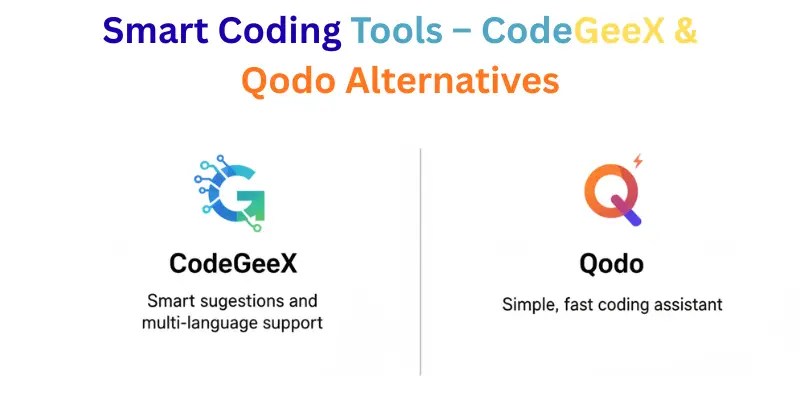
Qodo is a newer AI coding tool with a simple interface. Many developers compare Qodo vs Cursor when looking for tools like Cursor.
It supports multiple programming languages and offers real-time suggestions. Qodo has a free trial and paid plans for advanced features.
Reddit and developer forums often mention Qodo as a strong cursor AI competitor for those looking for simplicity, speed, and multi-language support.
Cline
Cline is a fully open-source coding AI. Many developers compare Cline vs Cursor when searching for an open source alternative to Cursor.
It works in multiple IDEs and can be customized to fit any workflow. Developers who value transparency and control often choose Cline.
It is free to use, and the community contributes improvements constantly. For anyone looking for cursor ai alternatives with complete freedom, Cline is a top choice.
Open Source Cursor AI Alternatives
Many developers wonder, “Is Cursor open source?” The answer is no. Cursor ai is closed source, so the cursor source code is not publicly available. If you want more control and flexibility, you need an open source cursor alternative.
Two of the best open source alternatives to Cursor are Aider and Cline. These tools give you transparency, customization, and full AI support.
Aider
Aider is a fully open source cursor tool. It is free and works with many IDEs.
- Developers can see and modify the cursor source code
- Supports multiple programming languages
- Offers AI suggestions like Cursor
Many developers prefer Aider over Cursor because it is open, flexible, and customizable. For anyone looking for an open source alternative to Cursor, Aider is a top choice.
Cline
Cline is another strong open source cursor alternative.
- Free and fully open source
- Works across multiple IDEs
- Flexible and customizable for different workflows
Cline is ideal for developers who need transparency. You can inspect the cursor source code and adjust it to fit your workflow.
Why Choose Open Source Cursor Tools
Using an open source cursor alternative like Aider or Cline gives you:
- Transparency: Check and modify the code anytime
- Flexibility: Customize features to your workflow
- Cost-effectiveness: Free or very low-cost
For developers asking, “Is Cursor open source?”, these tools solve the problem. They give the benefits of Cursor AI while keeping everything open.
Free Cursor AI Alternatives
Many developers look for a cursor ai free alternative. Some want a free alternative to Cursor just to try AI coding. Others want long-term tools without paying. Let’s break these into two categories: Completely Free and Free with Limits.
Completely Free
These tools are fully free. They provide AI coding help without requiring any payment.
Aider
- Open source and fully free
- Works with multiple IDEs
- Great for developers who want a cursor alternative free
Cline
- Free and customizable
- Supports multiple programming languages
- Ideal for those seeking a fully free cursor AI tool
CodeGeeX
- Free plan available
- Provides smart code suggestions for multiple languages
- Works in VS Code and JetBrains IDEs
Completely free tools are best for students, beginners, or anyone testing AI coding without cost.
Free with Limits
These tools offer free plans but have restrictions on usage or features.
GitHub Copilot
- Free trial for students
- Paid plan required for full access
- Good for testing AI in VS Code
Tabnine
- Free limited plan available
- Advanced features require pro subscription
- Works offline with pro plan
Replit AI
- Free tier available with usage limits
- Pro subscription unlocks advanced AI suggestions
- Works fully in browser
Free-limited tools are good if you want to test AI coding before upgrading. They can act as a cursor pro free option for short-term use.
Why Choose Free Cursor AI Alternatives
- Try AI coding without spending money
- Compare features of multiple tools before deciding
- Some fully free tools also give open-source benefits
If you are searching for a cursor AI free alternative, these options cover both fully free and limited free plans. This makes it easier to choose the right tool for your workflow.
Cursor vs Competitors (Head-to-Head)
Many developers compare Cursor with other AI coding tools before deciding. If you are exploring cursor ai alternatives, these head-to-head comparisons help you see which tool works best for your workflow.
Cursor vs Windsurf
Windsurf is web-based and lightweight. Developers often ask, “Cursor vs Windsurf?”
- Windsurf supports multiple languages and fast prototyping
- Cursor works inside VS Code and has smoother AI completions
- Windsurf is cheaper for short projects; Cursor has more integrations
Some Reddit threads also compare Cursor vs Windsurf vs Claude Code. For flexible and lightweight coding, Windsurf is a strong cursor ai alternative.
Cursor vs Copilot
GitHub Copilot integrates directly with VS Code. Many developers ask, “Cursor vs Copilot?”
- Copilot predicts code lines quickly
- Cursor provides inline suggestions and debugging tips
- Students get Copilot free; professionals pay for the full plan
For developers who prioritize IDE integration and speed, Copilot is a top cursor ai alternatives.
Cursor vs Tabnine
Tabnine works with multiple IDEs and supports offline AI code completion. Developers often compare Cursor vs Tabnine for productivity.
- Tabnine is lightweight and fast
- Cursor offers more advanced AI prompts
- Tabnine’s free plan is limited; pro unlocks offline usage
Tabnine is a good cursor ai alternatives for those needing offline support and multi-IDE flexibility.
Cursor vs Replit
Replit AI runs in the browser and is easy for beginners. Developers compare Cursor vs Replit for convenience and speed.
- Replit works without installation
- Cursor integrates directly with desktop IDEs
- Free plan available, paid plan unlocks full features
For learning or web development, Replit is a simple cursor ai alternatives.
Cursor vs Aider
Aider is fully open source and customizable. Developers ask, “Cursor vs Aider?”
- Aider gives full access to its cursor source code
- Cursor is closed source but easier to set up
- Aider is free; Cursor may require paid plans for full features
For transparency and customization, Aider is a top open source cursor ai alternative.
Is Cursor AI the Best AI IDE?
Many developers wonder whether Cursor AI is truly the best AI IDE, or if there are better Cursor AI alternatives available. The answer depends on your priorities: speed, flexibility, pricing, or open-source options.
How Good Is Cursor AI?
Cursor AI performs well for most coding tasks. Its strengths include:
- Fast and accurate code suggestions
- Context-aware completion for multiple languages
- Easy integration with popular editors
However, for larger projects or specific customization needs, some Cursor AI alternatives might offer better flexibility.
Is Cursor AI Worth It?
Whether Cursor AI is worth it depends on your workflow:
Pros
- Reduces repetitive coding tasks
- Simple setup and intuitive interface
- Paid plans offer premium features
Cons
- Pricing can be high for extended use
- Closed-source nature limits customization
- Free or open-source Cursor AI alternatives may provide similar features
What Model Does Cursor Use?
Cursor AI uses a proprietary large language model optimized for coding. It understands code logic, context, and developer intent. Knowing this helps you compare Cursor AI alternatives based on:
- Accuracy for complex coding tasks
- Speed of suggestions
- Support for multiple languages
Which AI Does Cursor Use Internally?
The AI in Cursor is specifically designed for code, unlike some Cursor AI alternatives that may focus on general AI or natural language processing. This makes it intuitive for coding, but some alternatives might excel in specific programming languages or workflows.
Verdict: Is Cursor AI the Best AI IDE?
Cursor AI is a strong option, but it’s not the universal best.
- For developers who need open-source or free solutions, exploring Cursor AI alternatives is recommended.
- For complex, large-scale projects, some alternatives provide more flexibility.
- If you want quick setup and effective code suggestions, Cursor AI can still be worth trying.
Cursor AI is one of the top AI coding assistants, but checking other Cursor AI alternatives ensures you find the best fit for your needs.
What to Look for in a Cursor IDE Alternative
When choosing a Cursor IDE alternative, you want a tool that saves time, improves coding, and fits your workflow. Here’s a simple checklist to guide your choice. These points help you pick the best cursor model for coding and the right AI coding assistant Cursor replacement.
Checklist for Choosing the Right Tool
Model Quality
- Look for accurate and fast code suggestions.
- A strong AI model can save time and reduce mistakes.
- Ask yourself: Does this tool match the best cursor model for coding?
Context Window
- Check how much code the AI can see at once.
- Larger context windows help the AI understand your project better.
- Important for long files or large projects.
Open Source or Not
- Decide if you want transparency.
- Open-source tools let you check and customize the code.
- Examples: Aider, Cline are open source cursor alternatives.
Pricing
- Some tools are free, some paid, some have limits.
- Consider your budget. Free tools can work for learning or small projects.
- Paid plans may give advanced features and faster suggestions.
IDE Integration
- Make sure the tool works with your preferred IDE.
- Some tools work in VS Code, JetBrains, or browser IDEs.
- Good integration improves workflow.
Agent Mode
- Some AI tools work as a cursor coding agent.
- They can run commands, debug, and assist automatically.
- Check if the AI coding assistant Cursor features are supported.

Conclusion
In this guide, we explored the best Cursor AI Alternatives you can try right now. We looked at their features, pricing, strengths, and who they are best for. Whether you want better coding support, more control, or a budget-friendly option, there is something here for you.
My personal advice? Don’t just stick to one tool. Test two or three options and see which one fits your workflow. The right choice can save you time, reduce stress, and make your work smoother. Picking the right tool really matters, guys.
I hope this guide helped you find the perfect fit. Stay tuned, buddies, and keep learning
The best Cursor AI Alternatives include tools like GitHub Copilot, Tabnine, Replit, Aider, and Cline. Some are paid, some are free, and some are open source. The right choice depends on your budget and coding needs. Always test a tool before using it daily.
Yes, there are free Cursor AI Alternatives. Tools like Aider and Cline are fully free and open source. Some other tools offer limited free plans. Free options are great for students and beginners
Aider and Cline are popular open-source Cursor AI Alternatives. They allow you to check and modify the source code. This gives you more control and transparency. Developers who value flexibility often prefer these tools.
Some Cursor AI Alternatives may offer better pricing, open-source access, or different features. Cursor works well for many developers. But alternatives can be better depending on your workflow. It really depends on what you need most.
Many Cursor AI Alternatives work directly inside VS Code. GitHub Copilot, Tabnine, and CodeGeeX are good examples. They integrate easily and improve productivity. This makes switching simple.



- Be Respectful
- Stay Relevant
- Stay Positive
- True Feedback
- Encourage Discussion
- Avoid Spamming
- No Fake News
- Don't Copy-Paste
- No Personal Attacks
- Be Respectful
- Stay Relevant
- Stay Positive
- True Feedback
- Encourage Discussion
- Avoid Spamming
- No Fake News
- Don't Copy-Paste
- No Personal Attacks
