AI Video Generator Reviews 2026: I Tested 11 Tools So You Do Not Have To


Published: 28 Jun 2026


AI video generators have improved rapidly over the past year, but choosing the right one is still difficult. Every platform promises cinematic videos, faster rendering, and better AI models, yet their real strengths vary depending on your workflow. These AI video generator reviews are designed to help you cut through the marketing claims and compare what each platform actually offers.

This guide compares 11 of the most popular AI video generators based on features, pricing, output quality, ease of use, free plans, and community feedback, making it easier to choose the right tool for your creative needs.

Quick Comparison Table 

AI Video GeneratorBest ForOverall Rating
Kling AIBest Overall9.0/10
Luma Dream MachineCinematic Videos8.8/10
PixVerse AICreative & Anime Videos8.6/10
PikaSocial Media Content8.2/10
SoraPhotorealistic Videos8.1/10
MotionMuse AIImage-to-Video7.9/10
Runway MLMotion Control7.8/10
InVideo AIMarketing Videos7.6/10
Hailuo AIBest Free Option7.5/10
CapCut AIMobile Video Editing7.2/10

How I Compared These AI Video Generators 

Not every AI video generator is built for the same purpose. Some focus on realistic motion, while others prioritize speed, creative effects, or marketing workflows. That is why these AI video generator reviews compare each platform using the factors that matter most to creators instead of relying on feature lists alone.

Rather than judging a tool based on a single capability, I evaluated how well each platform balances video quality, ease of use, pricing, free plan value, and overall creator experience. I also considered publicly available product information, platform capabilities, recent updates, and common feedback from creator communities to provide a balanced comparison.

Evaluation Criteria

  • Video Quality – How detailed, realistic, and visually appealing the generated videos are.
  • Motion Quality – Whether people, objects, and camera movements appear smooth and natural.
  • Ease of Use – How easy it is for beginners and experienced creators to use the platform.
  • Generation Speed – How quickly videos are produced after submitting a prompt.
  • Free Plan – Whether the free version provides enough features to meaningfully explore the platform.
  • Pricing & Value – How well the available features justify the subscription cost.
  • Best Use Case – The type of creator or project each tool is best suited for.

These AI video generator reviews are designed to help you compare the strengths, limitations, and overall value of today’s leading AI video generators, making it easier to choose the right platform for your creative workflow.

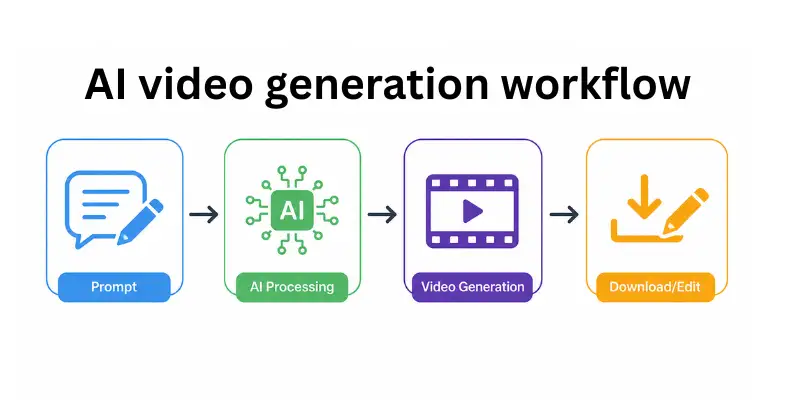
AI video generation workflow diagram

Who Should Read These AI Video Generator Reviews?

These AI video generator reviews are designed for anyone looking to choose the right AI video creation tool. Whether you are a YouTuber creating engaging content, a social media creator producing short-form videos, a marketer building promotional campaigns, or a business owner creating product videos, this guide can help you compare the available options. It is also useful for agencies, freelancers, beginners exploring AI video tools for the first time, and AI enthusiasts who want an unbiased comparison of the latest platforms before investing in a subscription.

AI Video Generator Reviews: 11 Tools Tested and Ranked

MotionMuse AI

MotionMuse AI is designed primarily for image-to-video generation, helping creators transform still images into animated videos with minimal effort. Instead of offering a complete ai video production suite, it focuses on delivering a straightforward workflow for animating artwork, portraits, product images, and AI-generated visuals.

Its simple interface makes the platform approachable for beginners, while its image animation capabilities make it a useful option for creators producing short-form content for social media, marketing, or personal projects.

Quick Verdict

Rating: 7.9/10

Best for image-to-video animation and AI character videos. A beginner-friendly platform that focuses on simplicity rather than advanced editing controls.

Key Features

  • Image-to-video animation
  • AI-powered character motion
  • Browser-based workflow
  • Fast rendering for short videos
  • Multiple export formats
  • Simple interface with minimal setup

Pricing

  • Free plan with limited generations
  • Paid plans offer additional credits
  • Monthly subscription options
  • Premium plans provide faster processing and higher usage limits

Best For

Creators who want to animate AI-generated artwork, portraits, illustrations, product images, and digital designs without using complex editing software. Users comparing similar image animation platforms often review MotionMuse AI alternatives to find additional features, pricing options, or creative controls.

What I Liked

  • Very simple image-to-video workflow
  • Easy to learn for beginners
  • Good animation quality from high-resolution images
  • Fast rendering for short videos
  • Suitable for social media content

What Could Be Better

  • Fewer editing controls than larger AI video platforms
  • Not ideal for longer videos
  • Character consistency can vary between generations
  • Free plan has usage limits

Overall Verdict

MotionMuse AI is a solid option for creators whose workflow centers on animating existing images rather than generating videos entirely from text prompts. Its simplicity, quick setup, and focus on image animation make it a practical choice for beginners and casual creators looking to produce engaging short videos.

Kling AI

Kling AI has become one of the most talked-about AI video generators because of its ability to create realistic motion and high-quality image-to-video results. Compared with many other platforms, it consistently stands out for smooth character movement, detailed visuals, and an interface that is easy for beginners to understand.

Recent updates have also made Kling more competitive by improving motion quality, generation speed, and prompt understanding. These improvements have helped it become a popular choice for creators producing social media videos, product showcases, and short cinematic clips.

Quick Verdict

Rating: 9.0/10

Best for realistic motion and image-to-video generation. With daily free credits and competitive pricing, Kling AI offers one of the best overall experiences for both beginners and experienced creators.

Key Features

  • Text-to-video and image-to-video generation
  • Motion intensity controls for smoother animations
  • Multiple aspect ratios for different social platforms
  • High-quality image-to-video conversion
  • Daily free credits for regular use
  • Fast cloud-based video generation

Pricing

  • Free plan with daily refreshing credits
  • Standard plan starts at around $9.99 per month
  • Pro plans available for additional credits and faster generation
  • Subscription-based pricing

Best For

Creators producing realistic human motion, product videos, lifestyle content, and high-quality image-to-video projects. It is also a strong option for creators looking for better motion quality than many competing platforms. Those comparing similar image-to-video tools often explore motionmuse ai alternatives alongside Kling before choosing a platform.

What I Liked

  • Excellent motion quality compared with most AI video generators
  • Daily free credits make it easy to explore the platform
  • High-quality image-to-video results
  • Strong prompt understanding across different video styles
  • Competitive pricing for the features included

What Could Be Better

  • Advanced editing controls are not as extensive as Runway ML
  • Longer videos require higher-tier subscription plans
  • Some complex prompts may require multiple generations for the best results
  • No built-in storyboard or multi-scene workflow

Overall Verdict

Kling AI remains one of the strongest choices for creators who want realistic AI-generated videos without paying premium prices. Its combination of motion quality, image-to-video performance, generous free plan, and ease of use makes it one of the best all-around AI video generators available in 2026.

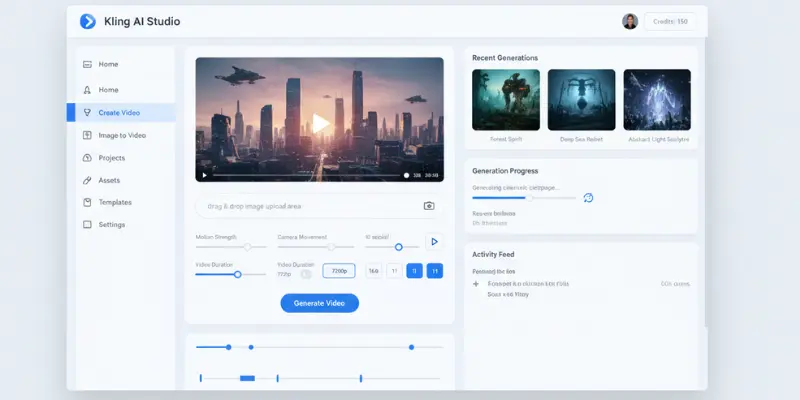
Kling AI video generator dashboard

PixVerse AI

PixVerse AI has become a popular choice for creators who want visually appealing AI videos without spending hours learning advanced editing tools. It focuses on fast video generation, creative styles, and an interface that is easy to navigate, making it suitable for both beginners and experienced creators.

One of PixVerse’s biggest strengths is its variety of visual styles. Whether you want cinematic scenes, anime-inspired videos, or eye-catching social media content, the platform offers enough flexibility to create different types of AI-generated videos while keeping the workflow simple.

Quick Verdict

Rating: 8.6/10

Best for creative AI videos, anime-inspired content, and fast text-to-video generation. A great balance between ease of use, creative flexibility, and generation speed.

Key Features

  • Text-to-video and image-to-video generation
  • Multiple visual styles, including cinematic and anime
  • Camera movement and motion controls
  • Fast cloud-based video generation
  • Multiple aspect ratios for social media platforms
  • Beginner-friendly interface

Pricing

  • Free plan with limited daily credits
  • Paid plans start at around $10 per month
  • Higher tiers include faster generation and more credits
  • Subscription-based pricing

Best For

Creators producing TikTok videos, Instagram Reels, YouTube Shorts, gaming content, and anime-style animations. Users comparing similar creative platforms often explore PixVerse AI alternatives before deciding which tool offers the best balance of features and pricing.

What I Liked

  • Fast video generation
  • Wide range of creative visual styles
  • Easy interface with very little learning curve
  • Good prompt interpretation for creative content
  • Useful free plan for new users

What Could Be Better

  • Human motion is less realistic than Kling AI
  • Longer videos require paid subscriptions
  • Advanced editing options are limited
  • Character consistency can vary in complex scenes

Overall Verdict

PixVerse AI is an excellent choice for creators who prioritize creativity, speed, and ease of use over maximum realism. It performs particularly well for short-form content and remains one of the most accessible AI video generators available today.

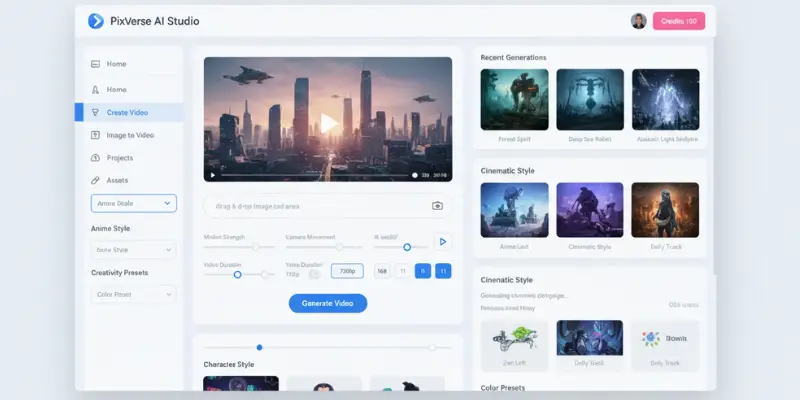
PixVerse AI dashboard interface

Luma Dream Machine

Luma Dream Machine is built for creators who want cinematic AI-generated videos with realistic lighting and smooth camera movement. It stands out for producing visually polished scenes that feel closer to professionally filmed footage than many competing AI video generators.

The platform is particularly effective for landscape shots, product showcases, and atmospheric content where visual quality matters more than complex character animation. Its Ray2 model has also improved overall consistency, making Luma a strong option for creators who prioritize cinematic results.

Quick Verdict

Rating: 8.8/10

Best for cinematic AI videos, environmental scenes, and realistic camera movement. A great choice for creators who value visual quality over advanced editing controls.

Key Features

  • Text-to-video and image-to-video generation
  • Ray2 AI video model
  • Realistic lighting and shadow rendering
  • Natural camera movement
  • Multiple aspect ratios
  • Cloud-based generation

Pricing

  • Free plan with limited monthly generations
  • Paid plans start at around $29.99 per month
  • Higher plans include additional credits and faster generation
  • Annual discounts available

Best For

Filmmakers, marketers, product creators, and anyone producing cinematic AI videos. Users comparing similar tools often explore Luma AI alternatives to evaluate pricing, features, and output quality.

What I Liked

  • Excellent cinematic visuals
  • Natural-looking lighting
  • High-quality image-to-video generation
  • Professional-looking output
  • Consistent environmental scenes

What Could Be Better

  • Premium plans are relatively expensive
  • Character animation is not as strong as Kling AI
  • Longer render times during busy periods
  • Limited production workflow tools

Overall Verdict

Luma Dream Machine is one of the strongest AI video generators for cinematic content. If your priority is creating visually impressive scenes with realistic lighting and camera movement, it remains one of the best platforms available.

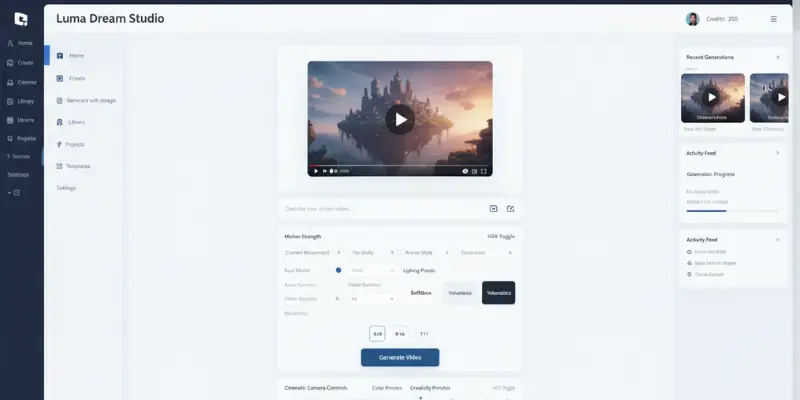
Luma Dream Machine dashboard

Pika

Pika focuses on speed, creativity, and simplicity rather than maximum realism. The platform is designed for creators who want to produce engaging short-form videos for social media without dealing with complicated editing workflows.

Its built-in effects, animation tools, and quick generation process make it a popular choice for beginners, influencers, and content creators producing videos for TikTok, Instagram Reels, and YouTube Shorts.

Quick Verdict

Rating: 8.2/10

Best for short-form content, creative effects, and beginner-friendly AI video generation.

Key Features

  • Text-to-video generation
  • Image-to-video animation
  • Pikaffects creative effects
  • Scene extension
  • Video editing tools
  • Fast cloud-based rendering

Pricing

  • Free plan available
  • Paid plans start at around $8 per month
  • Additional credits on higher plans

Best For

Creators making social media videos, memes, promotional clips, and short creative animations. Users looking for similar tools often compare Pika with platforms featured in Crayo AI alternatives.

What I Liked

  • Extremely easy to use
  • Fast video generation
  • Large effects library
  • Affordable pricing
  • Beginner-friendly workflow

What Could Be Better

  • Less realistic than premium competitors
  • Limited professional editing controls
  • Character consistency could improve
  • Better suited for short videos

Overall Verdict

Pika is one of the easiest AI video generators for beginners. Its combination of speed, affordability, and creative effects makes it an excellent choice for social media creators.

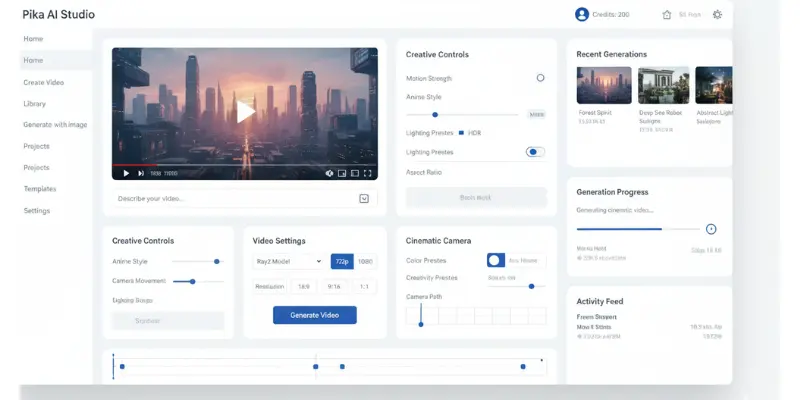
Pika AI video generator dashboard

InVideo AI

InVideo AI approaches AI video creation differently from most platforms. Instead of generating every frame from scratch, it combines AI-generated scripts, stock footage, voiceovers, captions, and templates to produce complete videos in a single workflow.

This makes it especially useful for businesses, marketers, educators, and creators who need finished videos quickly without spending time editing every scene manually.

Quick Verdict

Rating: 7.6/10

Best for marketing videos, explainer videos, presentations, and business content.

Key Features

  • AI script generation
  • Automatic voiceovers
  • Built-in stock media library
  • Subtitle generation
  • Video templates
  • Browser-based editor

Pricing

  • Free plan with export limitations
  • Paid plans start around $25 per month
  • Business plans available

Best For

Businesses, agencies, YouTubers, educators, and marketers creating complete videos from text prompts. Users researching similar platforms often compare features in various InVideo AI alternatives.

What I Liked

  • Produces complete videos from a single prompt
  • Good template collection
  • Built-in voiceovers
  • Easy browser editor
  • Useful for business content

What Could Be Better

  • Relies heavily on stock footage
  • Free plan has export restrictions
  • Less suitable for cinematic AI generation
  • Advanced customization is limited

Overall Verdict

InVideo AI is ideal for users who want finished marketing or educational videos instead of raw AI-generated clips. It saves time and requires very little editing experience.

Sora

Sora has attracted global attention for its ability to generate highly realistic AI videos from detailed text prompts. It performs particularly well with complex environments, lighting, reflections, and scene composition, making it one of the most advanced AI video generation models currently available.

However, access remains more limited than many competing platforms because it is available through ChatGPT subscription plans.

Quick Verdict

Rating: 8.1/10

Best for photorealistic AI videos and detailed scene generation.

Key Features

  • Advanced text-to-video generation
  • Realistic physics simulation
  • High-quality lighting
  • Multiple output formats
  • Available through ChatGPT
  • Continuous model improvements

Pricing

  • Included with ChatGPT Plus
  • Higher limits with ChatGPT Pro
  • No standalone free plan

Best For

Creators who need photorealistic AI videos, detailed environments, advertising visuals, and concept videos. Users comparing premium AI generators often evaluate Sora alongside other leading platforms.

What I Liked

  • Outstanding visual quality
  • Strong prompt understanding
  • Excellent lighting and reflections
  • Highly detailed environments
  • Regular model improvements

What Could Be Better

  • Requires a ChatGPT subscription
  • Usage limits depend on your plan
  • Limited availability compared to competitors
  • Advanced workflow tools are still evolving

Overall Verdict

Sora represents the cutting edge of AI video generation. For creators who already subscribe to ChatGPT, it offers some of the highest-quality AI-generated videos currently available.

Runway ML

Runway ML is one of the most established AI video platforms and continues to be a popular choice among professional creators. It offers more creative control than many competitors, making it suitable for users who want to fine-tune motion, camera movement, and visual effects instead of relying entirely on automatic generation.

Its Motion Brush and inpainting tools remain standout features, especially for creators working on commercial projects or advanced editing workflows.

Quick Verdict

Rating: 7.8/10

Best for advanced motion control, creative editing, and professional AI video production.

Key Features

  • Text-to-video and image-to-video generation
  • Motion Brush for selective animation
  • Camera movement controls
  • AI inpainting tools
  • Multiple export formats
  • Browser-based workflow

Pricing

  • Free plan with limited credits
  • Starter plan from around $15 per month
  • Standard and Pro plans available
  • Credit-based generation system

Best For

Professional creators, video editors, agencies, and filmmakers who need greater creative control during video generation. Users comparing similar platforms often explore Runway AI alternatives to evaluate pricing and available features.

What I Liked

  • Excellent creative editing tools
  • Motion Brush remains unique
  • High-quality video output
  • Professional workflow
  • Reliable platform

What Could Be Better

  • Free plan is quite limited
  • Credits can run out quickly
  • More expensive than several competitors
  • Learning curve is higher for beginners

Overall Verdict

Runway ML is still one of the strongest platforms for creators who value editing flexibility over simplicity. While newer competitors offer better pricing and free plans, Runway remains an excellent option for professional AI video production.

Hailuo AI

Hailuo AI has gained attention for offering one of the most generous free plans among AI video generators. Built by MiniMax, it allows users to experiment with AI video creation without immediately upgrading to a paid subscription.

Although it may not match premium tools in every category, it provides a good balance between accessibility, ease of use, and output quality for everyday creators.

Quick Verdict

Rating: 7.5/10

Best free AI video generator for beginners and creators exploring AI video generation without a large budget.

Key Features

  • Text-to-video generation
  • Image-to-video support
  • Monthly free credits
  • Multiple aspect ratios
  • Fast cloud rendering
  • Beginner-friendly interface

Pricing

  • Free plan with monthly credits
  • Paid plans from around $9.99 per month
  • Additional credits available through premium plans

Best For

Beginners, students, hobbyists, and creators looking to explore AI video generation before purchasing a subscription. Those researching similar platforms often compare Hailuo AI alternatives for additional features and pricing options.

What I Liked

  • One of the best free plans available
  • Easy to use
  • Fast generation
  • No complicated setup
  • Good value for beginners

What Could Be Better

  • Motion quality is behind premium competitors
  • Limited editing controls
  • Better suited for short videos
  • Free credits have monthly limits

Overall Verdict

Hailuo AI is an excellent starting point for anyone new to AI video generation. Its generous free plan and simple workflow make it one of the easiest platforms to explore before investing in a paid tool.

CapCut AI

CapCut AI combines AI-powered video generation with a complete mobile editing suite, making it an attractive option for creators who produce most of their content on smartphones. Instead of focusing only on AI-generated clips, it integrates editing, captions, effects, and enhancement tools into a single workflow.

This makes it particularly useful for short-form content creators publishing videos across TikTok, Instagram Reels, and YouTube Shorts.

Quick Verdict

Rating: 7.2/10

Best for mobile-first creators who want AI video tools and editing features in one application.

Key Features

  • AI text-to-video tools
  • Image animation
  • AI captions
  • Background removal
  • Video enhancement tools
  • Mobile editing suite

Pricing

  • Free plan available
  • Premium plan from around $9.99 per month
  • Higher export quality with paid plans

Best For

Creators who edit videos primarily on mobile devices and want an all-in-one content creation workflow. Users looking for more desktop-focused enhancement software often compare tools featured in Topaz Video AI alternatives.

What I Liked

  • Complete mobile editing solution
  • Beginner-friendly interface
  • AI editing features included
  • Large effects library
  • Useful free version

What Could Be Better

  • Video quality is below premium desktop AI generators
  • Less suitable for professional productions
  • Limited advanced creative controls
  • Mobile hardware can affect rendering speed

Overall Verdict

CapCut AI is one of the best options for creators whose entire workflow happens on a smartphone. While it cannot fully replace premium desktop AI video generators, its combination of AI features and editing tools makes it an excellent choice for social media content creation.

Vidu AI

Vidu AI is a fast-growing AI video generator known for producing smooth animations and maintaining strong subject consistency across videos. One of its standout features is Subject Reference, which allows users to upload a reference image and keep the same character or object consistent throughout multiple scenes.

The platform is suitable for creators producing storytelling videos, product demonstrations, and social media content where visual consistency is important.

Quick Verdict

Rating: 8.4/10

Best for character consistency, image-to-video generation, and creators who need reliable subject references across multiple clips.

Key Features

  • Text-to-video and image-to-video generation
  • Subject Reference for consistent characters
  • Multiple video styles and aspect ratios
  • Fast cloud-based rendering
  • Beginner-friendly interface
  • Supports cinematic camera movements

Pricing

  • Free plan with limited generations
  • Paid plans start at around $10 per month
  • Higher tiers include more credits and faster rendering

Best For

Creators producing story-driven videos, AI influencers, product showcases, and social media content that requires consistent characters. Users looking for similar platforms often compare Vidu AI alternatives to evaluate available features, pricing, and video quality.

What I Liked

  • Excellent character consistency
  • Easy-to-use interface
  • Good image-to-video quality
  • Fast rendering times
  • Useful for storytelling projects

What Could Be Better

  • Free plan has limited credits
  • Advanced editing controls are limited
  • Some complex prompts may require regeneration
  • Premium plans unlock the best features

Overall Verdict

Vidu AI is one of the better AI video generators for creators who value character consistency and image-to-video quality. Its Subject Reference feature gives it an advantage for storytelling and branded content, making it a strong alternative to several mainstream AI video platforms.

My Honest Opinion on AI Video Generation in 2026

Here is where I stand after two weeks of testing:

The quality gap between the best tools and the weakest ones is larger than most roundups acknowledge. Kling and Luma produce clips that genuinely fool people on first watch. Most other tools in this list still show the telltale signs of AI generation if you know what to look for.

The pricing landscape has shifted. Runway built this category and helped define the standard. But in 2026, Kling gives you better motion at a lower price. The only reason to choose Runway today is if you specifically need the motion brush, and that is a narrow use case.

Free plans are the biggest pain point across the category. Runway’s 125 lifetime credits is genuinely bad. In video blocking downloads on the free plan is equally frustrating. Hailuo and Kling have figured out that letting people generate real output for free is the best way to earn paying customers.

The best AI video generators right now are excellent for short-form content. They struggle with anything that needs consistent characters across multiple scenes, long clip lengths, or complex narrative structure. Know that going in and these tools will serve you well. Expect too much and you will be disappointed.
Which AI Video Generator Should You Use?

After reading these AI video generator reviews, the best choice depends on your budget, experience, and the type of videos you want to create. Here are my recommendations for different use cases:

  • Best Overall: Kling AI – Delivers the best balance of realistic motion, video quality, pricing, and free credits.
  • Best for Cinematic Videos: Luma Dream Machine – Ideal for creators who want realistic lighting, smooth camera movement, and cinematic visuals.
  • Best for Creative Content: PixVerse AI – A great option for anime-style videos, creative effects, and fast AI video generation.
  • Best for Social Media: Pika – Perfect for TikTok, Instagram Reels, and YouTube Shorts with quick generation and beginner-friendly tools.
  • Best for Marketing Videos: InVideo AI – Best for creating complete marketing videos with AI-generated scripts, voiceovers, and stock footage.
  • Best for Photorealistic Videos: Sora – Produces impressive visuals for creators who already have a ChatGPT Plus or Pro subscription.
  • Best for Professional Editing: Runway ML – A strong choice for advanced users who need precise motion control and editing features.
  • Best Free AI Video Generator: Hailuo AI – Offers one of the most generous free plans for testing AI video generation.
  • Best for Mobile Creators: CapCut AI – Ideal for creators who edit and publish content entirely from their smartphones.
  • Best for Character Consistency: Vidu AI – Well suited for storytelling, AI influencers, and projects that require consistent characters across multiple scenes.

These AI video generator reviews are intended to help you choose the platform that best matches your workflow instead of simply picking the most popular tool.

What the AI Video Generator Reddit Community Is Saying

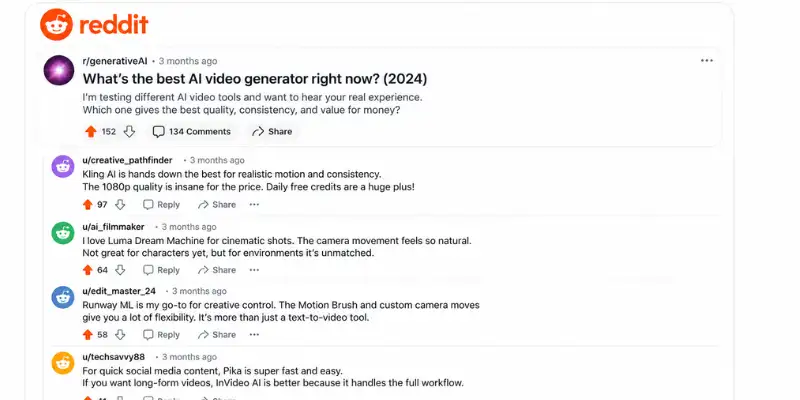
While researching these AI video generator reviews, I also looked at discussions from creator communities on Reddit to understand the experiences of everyday users. Unlike marketing pages, Reddit conversations often highlight both the strengths and the frustrations of using different AI video generators in real-world workflows.

Some of the most common topics discussed across communities like r/generativeAI and r/videography include:

  • Generation times can be slow on some platforms, especially during peak usage.
  • Many free plans are too limited to properly evaluate a tool before upgrading.
  • Human motion and facial consistency remain common challenges for many AI video generators.
  • Most tools perform well for short creative clips but struggle with longer narratives and consistent characters.
  • Kling AI and Luma Dream Machine are frequently praised for their video quality and realistic output.
  • Runway ML is well known for its creative editing features, although its credit-based pricing is a common concern.
  • Sora continues to attract attention for its impressive results, but limited access remains one of the biggest discussion points.
Reddit discussions on AI video generators

AI Video Generator Reviews: Pros and Cons

Pros

  • Covers 10 of the most popular AI video generators in one detailed comparison.
  • Compares pricing, features, free plans, ease of use, and best use cases in a simple format.
  • Includes community insights from Reddit alongside platform research.
  • Helps beginners and experienced creators choose the right AI video generator for their needs.
  • Discusses both strengths and limitations instead of focusing only on marketing claims.
  • Includes practical recommendations for different creator workflows and budgets.

Cons

  • AI video generators continue to evolve, so features and pricing may change over time.
  • Free plans remain limited on several platforms, making full evaluation difficult.
  • Most tools still struggle with long-form storytelling and consistent characters.
  • Advanced creators may need additional editing software for professional production.
  • Some platforms require paid subscriptions to unlock their best AI models and features.

Are AI Video Generators Worth It in 2026?

Yes, AI video generators are worth using in 2026, especially for content creators, marketers, educators, and small businesses that want to create videos faster and at a lower cost. These tools can generate engaging content from simple text prompts or images, reducing the need for advanced editing skills and expensive production equipment.

However, they are not perfect. Some platforms still struggle with character consistency, long-form storytelling, and complex scenes, while others limit free usage through credits or subscriptions. Choosing the right platform depends on your budget, workflow, and the type of videos you want to produce.

Based on these AI video generator reviews, today’s leading tools have become reliable enough for everyday content creation. While they cannot fully replace professional video production, they offer excellent value for anyone looking to create high-quality videos quickly and efficiently.

Common Limitations of AI Video Generators

Even the best AI video generators have some limitations. Here are the most common ones:

  • Character consistency can become less accurate in longer or multi-scene videos.
  • Complex prompts may require multiple generations before achieving the desired result.
  • Free plans often include limited credits, watermarks, or restricted features.
  • Rendering times can increase during peak usage or for high-resolution videos.
  • Long-form storytelling is still more challenging than creating short video clips.
  • Advanced editing and customization tools are not available on every platform.
  • Subscription costs can increase quickly if you generate videos frequently.
  • Output quality varies between platforms depending on the type of content you create.

Final Verdict

After comparing today’s leading platforms, these AI video generator reviews show that there is no single tool that is perfect for everyone. The right choice depends on your workflow, budget, and the type of videos you create.

If you want the best overall balance of video quality, realistic motion, pricing, and ease of use, Kling AI remains the strongest recommendation. For cinematic visuals, Luma Dream Machine stands out, while PixVerse AI and Pika are excellent choices for creators focused on short-form social media content. If you need complete marketing videos instead of AI-generated footage, InVideo AI offers a different but highly effective approach.

Overall, these AI video generator reviews highlight that AI video technology has improved dramatically, but every platform still has strengths and trade-offs. Before purchasing a subscription, take advantage of the available free plans to see which tool fits your workflow best. As new models and features continue to launch throughout 2026, this comparison will remain a helpful starting point for choosing the right AI video generator.

Frequently Asked Questions

What is the best AI video generator in 2026?

Based on these AI video generator reviews, Kling AI is the best overall choice for most creators because it offers realistic motion, competitive pricing, and daily free credits. Luma Dream Machine is ideal for cinematic videos, while PixVerse AI and Pika are excellent for creative and social media content.

Which AI video generator has the best free plan?

Hailuo AI offers one of the most generous free plans with monthly refreshing credits. Kling AI also provides daily free credits, while Pika includes a limited free plan for new users.

Is Sora better than Runway ML?

It depends on your needs. Sora is stronger for photorealistic video generation and complex scenes, while Runway ML offers better creative editing features such as Motion Brush and advanced motion controls.

Can AI video generators create long videos?

Most AI video generators are designed for short clips rather than full-length videos. InVideo AI is an exception, as it creates longer marketing and explainer videos by combining AI-generated scripts, stock footage, and voiceovers.

How much does an AI video generator cost?

Pricing varies by platform. Entry-level plans generally start around $8–10 per month, while premium tools like Luma Dream Machine and Sora require higher monthly subscriptions for advanced features.

Which AI video generator is best for beginners?

Hailuo AI, Pika, and CapCut AI are among the easiest platforms for beginners because they offer simple interfaces, quick video generation, and free plans to explore before upgrading.

Which AI video generator is best for marketing videos?

InVideo AI is the best choice for marketing and business videos because it automatically generates scripts, voiceovers, captions, and complete multi-scene videos from a single prompt.


suffikhan55@gmail.com Avatar
suffikhan55@gmail.com

Suffi is the admin of AI Test Guide, an experienced SEO content writer and AI-tech blogger. He has been working online for years, helping websites grow through smart content, SEO planning, and simple, helpful tech guides


Please Write Your Comments
Comments (0)
Leave your comment.
Write a comment
INSTRUCTIONS:
  • Be Respectful
  • Stay Relevant
  • Stay Positive
  • True Feedback
  • Encourage Discussion
  • Avoid Spamming
  • No Fake News
  • Don't Copy-Paste
  • No Personal Attacks
`