AI Code Review Tools 2026: Honest Comparison Based on Real Features and User Feedback
Published: 30 Jun 2026
Every team says they do thorough code reviews. Most teams do not. Pull requests pile up. Reviewers get tired. Security issues slip through because everyone assumes someone else will catch them.
AI code review tools exist to solve that problem. They promise to review every pull request automatically, catch bugs before production, and apply consistent standards regardless of who wrote the code or how many PRs are in the queue. Some genuinely deliver on that promise, while others fall short once you look beyond the marketing claims.
This comparison is based on official documentation, publicly available pricing, and feedback from experienced developers in communities like r/ExperiencedDevs. It highlights what each tool does well, where it falls short, and which option is the best fit for different development workflows.
| What Is AI Code Review? |
|---|
|
AI code review is the process of using artificial intelligence to examine source code for bugs, security risks, code quality issues, and coding best practices before changes are merged. It helps developers review code more efficiently, reduce repetitive manual work, and identify potential problems earlier in the development process. |
How This Comparison Was Put Together
Choosing an AI code review tools is not just about comparing feature lists. To make this guide useful, we looked beyond marketing pages and focused on information that reflects how these tools perform in real development workflows.
What We Reviewed
- Official product documentation and feature pages
- Public pricing details and available plans
- Discussions shared by developers on Reddit communities, including r/ExperiencedDevs and r/programming
- Independent reviews from developers who have used these tools in real projects
- How each tool’s advertised capabilities compare with feedback from actual users
What We Compared
Every tool was evaluated using the same criteria to keep the comparison fair.
- Detection capabilities — The types of issues the tool can identify
- Integration — How easily it fits into existing development workflows
- Pricing — The value offered by free and paid plans
- Performance — Reported speed, reliability, and false positives
- Best use case — The developers or teams that benefit the most
Our goal is to provide a balanced comparison based on consistent evaluation criteria and practical developer experiences, helping you choose the tool that best matches your workflow.
Quick Comparison of AI Code Review Tools
Compare the top AI code review tools side by side to see their strengths, supported workflows, and ideal use cases before reading the detailed reviews below.
| Tool | Best For | Free Plan | GitHub/GitLab | IDE Support | Overall Strength |
| Qodo | Individual developers | ✅ Yes | ❌ No | ✅ Yes | Security and editor-based reviews |
| CodeRabbit | Development teams | Open source only | ✅ Yes | ❌ No | Automated pull request reviews |
| Traycer | Prioritized feedback | ✅ Limited | ✅ Yes | ✅ Partial | Structured issue reporting |
| Sourcery | Python developers | ✅ Yes | ✅ Yes | ✅ Yes | Readability and refactoring |
| CodeAnt AI | Small projects | ✅ Yes | ✅ Yes | ❌ No | Simple setup and basic reviews |
AI Code Review Tools Compared
Now that you’ve seen the quick comparison, let’s look at each AI code review tool in more detail. The sections below explain what each tool does well, where it falls short, its pricing, key features, and the type of developer or team it is best suited for.
Qodo (Formerly Codium)
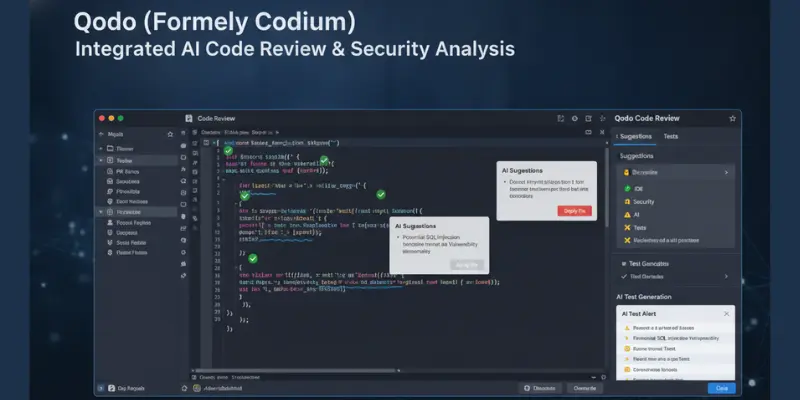
Qodo is consistently the most recommended AI code review tool among developers who use it inside their editor rather than as a separate PR bot. It works as a VS Code extension and JetBrains plugin, which means feedback shows up while you are still writing the code rather than after you open a pull request.
Quick Verdict
Qodo is one of the strongest choices for developers who prefer getting feedback while writing code instead of waiting for a pull request review. Its editor-native workflow, security-focused analysis, and practical free plan make it a reliable option for individual developers and small teams.
Key Features
- VS Code extension and JetBrains plugin, works inside your editor
- Security review covering injection risks, authentication issues, and secret exposure
- Context alignment checking against feature intent and API contracts
- Modularity review for tight coupling and design issues
- Combined review mode covering security, context, and design in one pass
- Editor-native workflow, no webhook or GitHub App setup required
Pricing
- Free plan available with core review features for individual developers
- Teams plan for collaborative use with shared rules and history
- Enterprise pricing available on request for larger organizations
- Free plan is generally considered functional rather than a stripped-down demo
Best For
Individual developers who want AI code review feedback inside their editor rather than waiting for a PR to be opened. Also a strong fit for developers with serious security concerns, since its documented feature set is built specifically around catching authentication and injection issues early. Developers building full AI-assisted workflows often think about how a tool like this sits alongside software testing practices that already exist on the team.
Pros
- Editor-native workflow means feedback arrives while the code is still fresh
- Setup is fast, no webhook configuration or GitHub App approval needed
- Frequently praised in developer communities for catching subtle security issues
- Feedback is generally described as specific rather than generic boilerplate
- Free plan is usable for real individual development work
Cons
- Free plan usage limits are tight for developers who review code frequently
- Not a PR-native bot the way CodeRabbit is, requires the editor extension to be installed
- Teams that prefer a fully browser-based workflow without editor extensions may find it less convenient
CodeRabbit
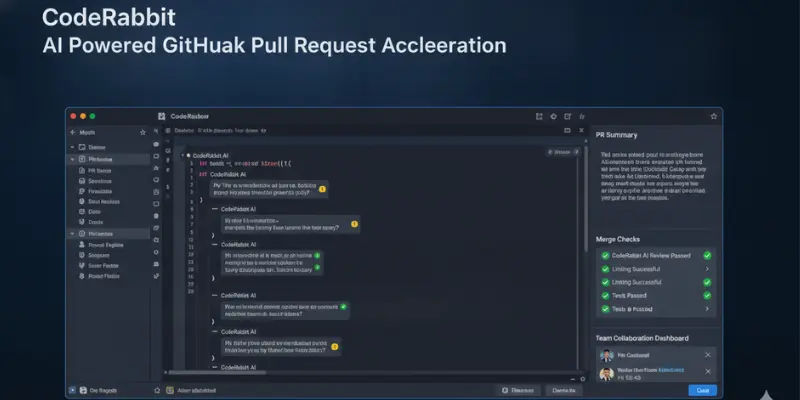
CodeRabbit is the most widely adopted AI code review tool for teams, mainly because it works as a PR-native bot. When a developer opens a pull request on GitHub or GitLab, CodeRabbit automatically reviews it and leaves detailed comments, without anyone needing to trigger anything manually.
Quick Verdict
CodeRabbit is a great fit for teams that want every pull request reviewed automatically. Its PR summaries and workflow automation help reduce manual effort while keeping code reviews consistent across projects.
Key Features
- Automatic PR review triggered when a pull request opens on GitHub or GitLab
- Security analysis, context checking, and code quality feedback in review comments
- Plain-language PR summary explaining what changed and why
- Custom rules to align feedback with a team’s specific standards
- Multi-language support across common stacks
- Dashboard for tracking review history and recurring issue patterns
Pricing
- Free plan available for open-source repositories
- Pro plan priced per user per month for private repositories
- Enterprise pricing available for larger organizations
- Private repos require a paid plan, the free tier does not cover them
Best For
Engineering teams who want AI code review to happen automatically on every pull request without relying on developers to remember to run it manually. Also a strong fit for teams that want non-technical stakeholders to follow what changed in a PR, since the plain-language summary serves that purpose well. Teams building AI-assisted development pipelines often find CodeRabbit sits naturally alongside other coding AI tools already in their stack.
Pros
- PR-native automation means no one has to remember to trigger a review
- Plain-language PR summaries are useful for team leads and non-technical stakeholders
- Custom rules let teams tailor feedback to their own standards
- Dashboard for tracking recurring issues is useful for addressing systemic problems
- Most widely discussed and recommended tool for team workflows in developer communities
Cons
- Security detection depth is generally reported as slightly behind dedicated editor-native tools
- Free plan only covers open-source repositories, private teams need the paid plan immediately
- Review comments can get verbose on large pull requests, making priority issues harder to spot
- Setup requires webhook configuration and GitHub App approval, more steps than an editor extension
Traycer
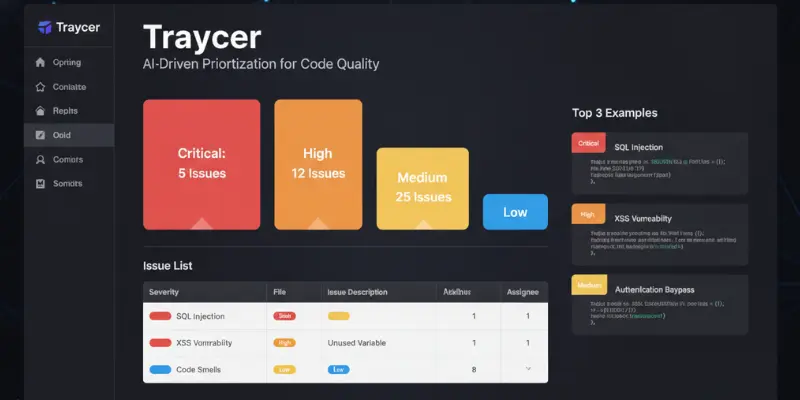
Traycer is a newer entrant that has built a reputation around structured, well-organized output. Rather than a wall of text, every flagged issue comes with a category tag and a severity level, which makes it easier to know what to fix first.
Quick Verdict
Traycer stands out for its organized and easy-to-prioritize feedback. While it is newer than some competitors, its structured reports and severity-based recommendations make it a practical option for developers who want clear guidance.
Key Features
- Security, context alignment, and modularity review across a codebase
- Structured output with severity levels and category tags on every flagged issue
- Clear explanations paired with specific fix suggestions
- Works with multiple code editors and CI pipeline integrations
- Multi-language support across common programming languages
Pricing
- Free plan with limited monthly reviews
- Individual paid plan available at a moderate monthly price
- Team plans available with shared usage and collaboration features
Best For
Developers and small teams who want feedback can prioritize quickly, since the severity tagging makes it clear what needs attention first. Also useful for teams that want to track technical debt systematically over time using the categorized output.
Pros
- Structured output with severity levels makes prioritization straightforward
- Clear explanations alongside specific suggestions make feedback genuinely actionable
- Covers security, context, and design in a single tool
- Works across multiple editors and CI pipelines
Cons
- Less community presence and fewer independent reviews than Qodo or CodeRabbit
- PR-native integration is less mature than CodeRabbit’s established implementation
- Free plan limits are restrictive for developers reviewing code actively
- Newer tool, so long-term reliability has less of a track record than older competitors
Sourcery
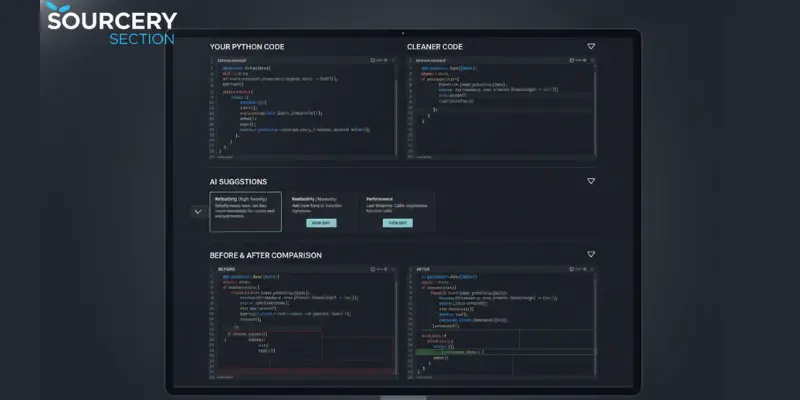
Sourcery takes a narrower approach than the other tools here. Rather than focusing on security vulnerabilities, it focuses on code quality and readability, specifically suggesting refactors that simplify complex functions in Python codebases.
Quick Verdict
Sourcery is best suited for Python developers who want cleaner, more maintainable code. Its refactoring suggestions and readability improvements make it a valuable addition to Python-focused workflows, although it is not designed as a complete security review tool.
Key Features
- Code quality and readability analysis
- Refactoring suggestions to simplify overly complex functions
- PR review comments on GitHub and GitLab
- Real-time suggestions inside supported editors
- Strongest language support for Python specifically
- Free plan available for individual developers
Pricing
- Free plan available for individual use
- Team plan priced per user per month
- Open-source projects get full features at no cost
Best For
Sourcery is ideal for Python developers and teams that want to improve code readability and simplify complex code through automated refactoring suggestions. It also works well alongside security-focused review tools. For teams that want broader quality assurance across the development process, combining it with AI regression testing can provide more complete code validation.
Pros
- Refactoring suggestions are specific and consistently well-regarded by Python developers
- Readability feedback does not vary the way human review quality can across reviewers
- Free plan is functional for individual Python developers
- Works well as a complement to a security-focused tool for fuller coverage
Cons
- Security detection is consistently reported as weaker than Qodo, Traycer, or CodeRabbit
- Python-first focus means other languages get noticeably less thorough analysis
- Not comprehensive enough to serve as a team’s only AI code review tool
- Less relevant outside Python-heavy codebases
CodeAnt AI
CodeAnt AI positions itself as an accessible, easy-to-set-up option, and the developer feedback around it reflects that positioning. It is generally described as a lighter tool compared to Qodo or CodeRabbit, covering the basics without the same depth of analysis.
Quick Verdict
CodeAnt AI is a lightweight option for developers who want basic AI-assisted code reviews without a complicated setup. It covers common code quality checks well, but larger teams may prefer tools with deeper analysis and more advanced features.
Key Features
- Security and code quality analysis on GitHub and GitLab pull requests
- Browser-based dashboard for review history and issue tracking
- Fast setup with minimal configuration required
- Multi-language support
- Clean, beginner-friendly interface
Pricing
- Free plan available
- Paid plans available for team features and higher usage
- Pricing positioned competitively against other tools in this category
Best For
Individual developers on small projects who want a lightweight review layer without a complex setup process. Not generally recommended by experienced developers as a primary AI code review tool for teams with serious security requirements or complex production codebases.
Pros
- Fastest and simplest setup process among the tools compared here
- Clean interface with a short learning curve
- Covers the basics for individual developers working on smaller projects
- Free plan works without major restrictions on core features
Cons
- Developer feedback consistently places detection depth behind the other tools in this comparison
- Not positioned or recommended for production-level security requirements
- Less customization available compared to Qodo or CodeRabbit
- Smaller community, fewer independent reviews to validate claims against
Side-by-Side Comparison
Detection focus Qodo and Traycer are positioned and reviewed most strongly for combined security, context, and design detection. CodeRabbit covers the same scope with a PR-native workflow advantage. Sourcery focuses specifically on Python readability and refactoring rather than security. CodeAnt AI covers the basics across categories without the same depth.
Setup and workflow Qodo and Sourcery work inside the editor through extensions. CodeRabbit, Traycer, and CodeAnt AI work as PR bots that connect to GitHub or GitLab through a webhook or app integration. CodeAnt AI is generally the fastest to configure.
Best documented use case Qodo for individual developers wanting editor-native depth. CodeRabbit for teams wanting automatic PR coverage. Traycer for developers who want prioritized, severity-tagged output. Sourcery for Python-specific readability work. CodeAnt AI for small projects needing a lightweight review layer.
Free plan value Qodo’s free plan is widely regarded as usable for real individual work. Sourcery’s free plan is solid for Python developers specifically. CodeRabbit’s free tier only covers open-source repositories. Traycer and CodeAnt AI both offer functional but limited free tiers.
Benefits of AI Code Review Tools for Development Teams
Teams that get the most value from AI code review tend to share a few practices, based on how these tools are positioned and how developers describe using them effectively:
- They use AI review as the first pass, not the only pass. Human review still happens, but it focuses on architecture, intent, and business logic rather than re-catching patterns the AI already flagged.
- They configure custom rules where the tool supports it, since a generic tool checking generic patterns is less useful than one tuned to a team’s specific concerns.
- They track what the AI flags over time. Recurring issues often point to training gaps, architectural debt, or review standards that need clarifying.
- They treat AI feedback as proposals, not commands, evaluating every suggestion before implementing it.
The benefit is real, but it requires the right approach. Teams that treat AI code review as an ongoing development practice rather than just another plugin tend to get more consistent results and better overall code quality.
Challenges Every Team Should Expect
- False positives are common. Every tool in this comparison has documented or user-reported false positive issues to some degree. Train your team to evaluate suggestions critically rather than implementing them automatically.
- Context limits are real. AI tools review the code they can see. They do not always understand the full business logic, team conventions, or product constraints behind a decision, which is where a human reviewer still matters.
- Overreliance is a risk. When teams stop thinking critically about what AI flags, they start missing the things AI consistently misses, particularly around architecture and long-term maintainability.
- Language coverage varies. Most tools handle common languages reasonably well, but depth of analysis in less common languages varies significantly between tools, and Sourcery in particular is Python-first by design.
AI Code Review vs. Traditional Code Review
Traditional code review provides architectural insight, business context, and mentorship that AI cannot replace. However, it can be time-consuming, inconsistent between reviewers, and difficult to scale as development teams grow.
AI code review tools provide fast, consistent feedback and can identify common coding issues before a pull request is merged. They help developers catch repetitive mistakes early, allowing human reviewers to focus on design decisions, business logic, and overall code quality.
For most teams, the best approach is to use both. AI handles the first layer of review, while experienced developers make the final decisions that require context, judgment, and domain knowledge. Teams looking to strengthen their overall testing process often pair code reviews with AI regression testing to catch issues across different stages of development.
What Reddit Developers Actually Think About AI Code Review Tools
Developer communities tend to be blunter about these tools than marketing pages ever are. Patterns that show up repeatedly across threads in r/ExperiencedDevs and similar communities:
- Most developers agree AI code review is genuinely useful for catching security issues and common patterns that linters miss
- The most common complaint is false positives, tools flagging things as problems that are not, which wastes review time on noise
- The second most common complaint is tools that catch surface-level issues but miss the subtle logic errors that actually matter
- Qodo and similar editor-native tools get praised for depth and speed when working inside the IDE
- CodeRabbit is the most discussed tool for PR-native workflows, generally positive with some complaints about verbose comments on large pull requests
- Sourcery is consistently recommended by Python developers specifically, and rarely mentioned outside that context
- The consensus across nearly every thread is that AI code review works best as a first pass, not a replacement for human judgment on architecture and business logic
These community patterns line up closely with how each tool positions itself, which is a useful sanity check before choosing one.
Which AI Code Review Tools Should You Use?
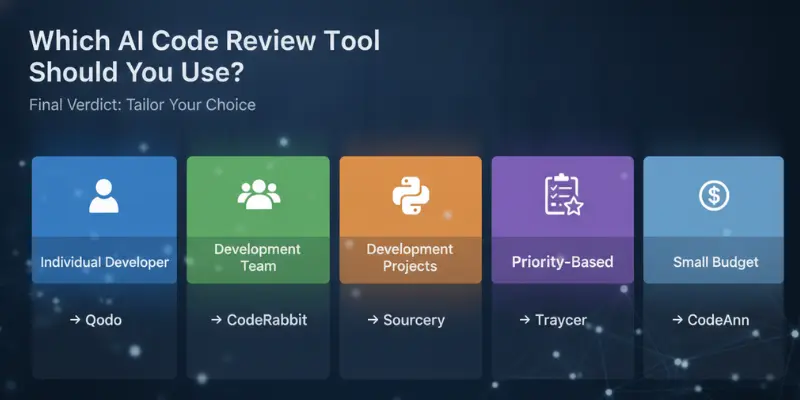
For individual developers: Qodo. Strongest reputation for detection depth, fast setup, and work inside your editor.
For teams on GitHub or GitLab: CodeRabbit. Automatic PR review without any manual step required.
For structured, prioritized feedback: Traycer. Severity-tagged output that is easy to act on.
For Python readability and refactoring: Sourcery. The most consistently recommended tool for that specific use case.
For small projects on a minimal budget: CodeAnt AI covers the basics with the least setup friction.
For the most complete coverage: Qodo for deep editor-native security review, paired with CodeRabbit for automatic team-wide PR coverage.
Final Verdict
Based on documented features, pricing, and consistent patterns in real developer feedback:
Best overall and for individuals: Qodo. Strongest reputation for detection depth and editor-native speed.
Best for team PR automation: CodeRabbit. Automatic review on every pull request with strong team adoption.
Best for structured output: Traycer. Severity-tagged, categorized, and genuinely actionable.
Best for Python and readability: Sourcery. The consistent recommendation for that specific need.
Lightest coverage option: CodeAnt AI. Easy setup, basic coverage, not the choice for serious security work.
The right AI code review tools depend on your workflow. Editor-native deep analysis points to Qodo. Automatic team-wide PR review points to CodeRabbit. Many teams end up running both, using each one where it is strongest.
Faqs
Tools like Qodo and CodeRabbit are widely regarded as accurate on common issue types based on developer feedback. All tools produce some false positives and can miss subtle logic problems. Treat AI feedback as a first pass that surfaces issues for human review, not a final judgment.
No. AI code review works best alongside human review. AI handles mechanical checks fast and consistently, while human reviewers provide architectural judgment, business context, and mentorship that AI cannot replicate.
Qodo is one of the strongest free AI code review tools for individual developers. Sourcery also offers a useful free plan for Python projects, while CodeRabbit’s free tier is limited to open-source repositories.
CodeRabbit, Traycer, and CodeAnt AI integrate with GitHub as PR review bots that automatically leave comments when a pull request is opened. Qodo and Sourcery work inside the code editor rather than as a native GitHub bot.
Editor-native tools like Qodo are generally described by users as fast since feedback appears while you are still writing code. PR-native bots like CodeRabbit depend on webhook processing time, which adds a short delay after a pull request opens.






- Be Respectful
- Stay Relevant
- Stay Positive
- True Feedback
- Encourage Discussion
- Avoid Spamming
- No Fake News
- Don't Copy-Paste
- No Personal Attacks
- Be Respectful
- Stay Relevant
- Stay Positive
- True Feedback
- Encourage Discussion
- Avoid Spamming
- No Fake News
- Don't Copy-Paste
- No Personal Attacks
