Coding AI: Best AI Tools for Coding
Published: 20 Jan 2026
Have you ever been unsure looking at a blank screen, not knowing how to start coding a project?? You aren’t the only one who feels this way. This guide will show you tools, methods, and advice that can help you code more quickly and easily. With real-life examples and simple steps, you’ll learn how to write, debug, and manage code in a smarter way. We’ll also talk about the best tools for people who are new to the field, people who are already professionals, and teams. You’ll also see real-life examples of how coding can be more fun and useful. By the end, you’ll be sure that you can use coding AI in your work.
What Is Coding AI?
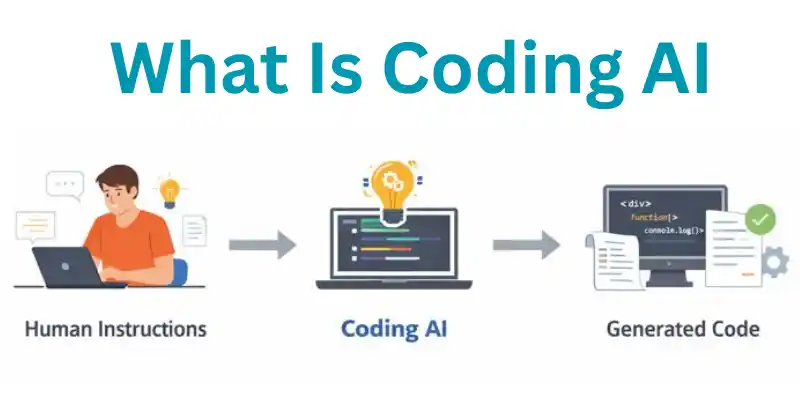
Coding AI is a smart tool that helps people write computer programs faster and easier. It uses Artificial Intelligence to understand what you want and generates code for you. This means even beginners can create apps or websites with less effort. Coding AI saves time and reduces errors in programming. Many developers now rely on it to boost productivity and learn new skills.
AI Coding vs Programming Artificial Intelligence
AI coding is different from traditional programming. Programming AI means teaching a computer how to think or make decisions. Coding AI, on the other hand, writes code for you automatically.
- AI coding helps you generate scripts in languages like Python or JavaScript.
- Programming AI focuses on creating algorithms for machines to learn.
- Example:.Coding AI to make a calculator app is faster than doing it by hand.
How Artificial Intelligence Writes Code
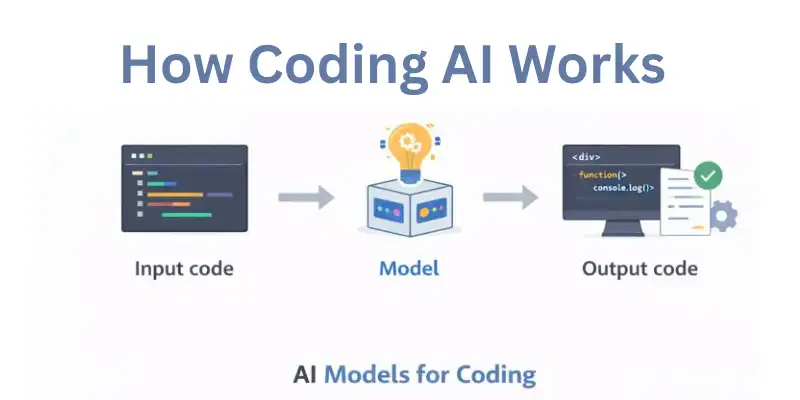
Coding AI uses machine learning to understand programming patterns. It predicts what code you need next based on examples.
- It can autocomplete functions or generate entire modules.
- AI reads your instructions and converts them into working code.
- Example: You type “build a login form,” and coding AI creates HTML, CSS, and JS code instantly.
Types of Coding AI Tools
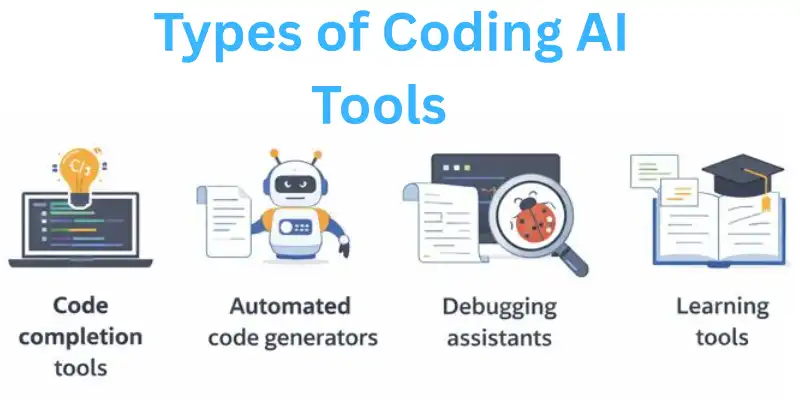
There are many coding AI tools for different needs:
- Code completion tools → Suggest code while you type. Example: GitHub Copilot.
- Automated code generators → Build entire programs from instructions. Example: OpenAI’s Codex.
- Debugging assistants → Find and fix errors automatically. Example: DeepCode.
- Learning tools → Help beginners learn coding faster using AI examples.
How Coding AI Works
Coding AI learns how to program by looking at millions of lines of code to find patterns. The AI can predict the code you need and generate it for you. This makes it easier for developers to write software quickly and with fewer mistakes. AI coding tools look at your instructions and make code snippets that you can use right away. They are now common in schools, new businesses, and projects that help people grow professionally.
AI Models for Coding
AI coding relies on special models called machine learning models. These models are trained to understand programming languages and logic.
- Examples: GPT-based models like Codex or custom AI models for Python, JavaScript.
- They can suggest functions, detect errors, and improve code efficiency.
- Example: Typing “create a signup form” triggers the model to generate full HTML, CSS, and JS code.
Context, Code Completion, and Code Generation
Coding AI works in three main ways:
- Context understanding → AI reads your instructions and previous code.
- Code completion → AI predicts the next line or block of code.
- Code generation → AI creates entire scripts or programs from scratch.
- Example: You start a function to calculate sums; AI suggests the complete function automatically.
Limitations of AI Coding Tools
Even though coding AI is powerful, it has limitations:
- AI could write code that isn’t quite right.
- People might need help with projects that are either very hard or very specific.
- Some tools have trouble coming up with new or creative ways to fix things.
- AI could, for instance, make a login system, but you might have to add more security features yourself.
How to Choose the Best Coding AI
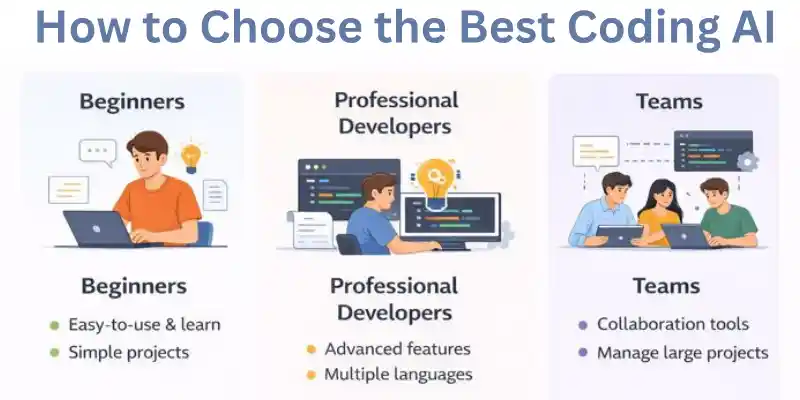
The best coding AI for you depends on your skill level, project needs, and budget. Some tools are good for beginners, while others are better for professional developers or teams. Think about things like code generation, debugging, and how well it works with your workflow. If you choose the right coding AI, it can save you time and make your code better. When you know what you want to do, it’s easier to choose the right tool.
Best Coding AI for Beginners
Beginner-friendly coding AI tools focus on simplicity and learning support.
- Provide easy-to-follow suggestions and tutorials.
- Help you write code without deep technical knowledge.
- Example: Tools like Replit Ghostwriter guide beginners through simple projects.
- Tip: Choose AI that explains code snippets for learning purposes.
Best AI for Professional Developers
Professional developers need advanced features for large projects.
- Support multiple programming languages and frameworks.
- Offer high-quality code generation and debugging tools.
- Example: GitHub Copilot integrates seamlessly with professional workflows.
- Tip: Look for AI with team collaboration and cloud integration.
Best AI Coding Assistant for Teams & Enterprises
Team-focused coding AI helps collaboration and productivity.
- Keep track of code changes, give out tasks, and share AI ideas.
- Cut down on repeat coding tasks while keeping things the same.
- Tabnine Enterprise is an example of a tool that lets many developers work on big projects at the same time.
- Check out the security and access control features.
Free vs Paid AI Coding Tools
There are both free and paid coding AI tools; each has pros and cons.
- Free tools → Good for beginners or small projects. Limited features.
- Paid tools → Advanced functions, better accuracy, and support.
- Example: Free AI may generate small scripts, but paid versions handle full applications.
- Tip: Start with free tools, then upgrade if needed.
Open-Source AI Coding Assistants
Open-source coding AI allows customization and learning opportunities.
- You can change the AI to work better for your project.
- These tools are usually free, and the community will help you in fixing any problems that may come up.
- Open-source assistants like CodeGeeX, for instance, let you test things out and add to them.
- Tip: This is best for developers who want to be able to fully control how AI works.
Best Coding AI Tools (Overview)
The best coding AI tools help programmers write code faster, make fewer mistakes, and get more done. Depending on their features and ease of use, they can be used by beginners, professionals, and teams. Coding AI can write code, find bugs, and even suggest ways to improve it. Your skill level, the type of project you’re working on, and your budget will all affect which tool you choose. There are many choices, so it’s important to look at their pros and cons.
Coding AI Comparison Criteria
When comparing coding AI tools, focus on a few key points:
- Ease of use → How beginner-friendly is the tool?
- Language support → Which programming languages does it handle?
- Features → Code completion, debugging, collaboration, code generation.
- Pricing → Free, paid, or open-source options.
- Integration → Does it work with your IDE or workflow?
- Example: GitHub Copilot scores high on professional features, while Replit Ghostwriter is beginner-friendly.
Coding AI Tools Comparison Table
| Tool Name | Best For | Features & Notes |
| GitHub Copilot | Professional developers | Code completion, debugging, multi-language support; integrates with VS Code, JetBrains |
| Replit Ghostwriter | Beginners | Step-by-step coding help, tutorials; great for learning programming |
| Tabnine | Teams & Enterprises | Collaboration, code suggestions; supports multiple team workflows |
| CodeGeeX | Open-source | Customizable AI, multi-language; ideal for developers who want control |
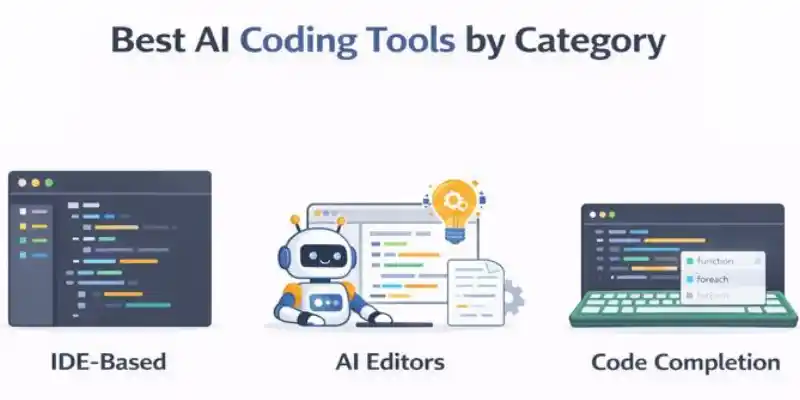
Best AI Coding Tools by Category
There are a lot of coding AI tools that work with different ways of writing and organizing code. Some are part of IDEs, some are separate editors, and some only help you finish your code. Picking the right category makes it easier and faster to code. Coding AI can help people who are just starting out, professionals, and teams, depending on what they need. You can pick the best tool for the job if you know what each category means.
IDE-Based AI Coding Assistants
IDE-based coding AI integrates directly into development environments.
- Provides suggestions and completions while you type.
- Works with professional IDEs like VS Code, IntelliJ, and PyCharm.
- Example: GitHub Copilot helps developers write Python, JavaScript, and other languages inside VS Code.
- Tip: Ideal for professional developers who want seamless integration.
AI Powered Code Editors
AI-powered code editors are standalone tools with smart coding features.
- Offer debugging, code generation, and learning support.
- Can be used without a full IDE setup.
- Example: Replit Ghostwriter allows beginners to write projects directly in the browser.
- Tip: Great for learning or quick coding tasks without installing heavy software.
AI Code Completion Tools
Code completion tools predict your next line of code to speed up programming.
- Suggest functions, loops, or entire code blocks.
- Save time by reducing repeat coding tasks.
- Example: Tabnine predicts code for multiple languages and improves productivity.
- Tip: Works well for both individuals and teams who want faster coding workflows.
Agentic Coding AI
Agentic coding AI is a smart tool that can write code, fix bugs, and improve code independently. They do the same tasks over and over again, which speeds up work for beginners, professionals, and teams. You can choose the best coding AI for your projects if you know what they are.
AI Coding Agents
AI coding agents are autonomous programs that assist in coding tasks.
- They can generate code, suggest improvements, and detect errors.
- Designed to reduce manual coding effort and speed up development.
- Example: A coding AI agent can create a full function from your instructions without manual input.
- Tip: Best for developers who want to focus on design and logic rather than typing code.
AI Powered Coding Agents
These agents use advanced AI models to understand context and generate precise code.
- Can handle difficult coding tasks across multiple languages.
- Learn from past code to improve suggestions and efficiency.
- Example: Tools like OpenAI Codex or AutoGPT can generate scripts and optimize them automatically.
- Tip: Ideal for projects that need high accuracy and minimal manual intervention.
Coding AI Agents for Automation
Automation-focused coding AI agents handle routine coding tasks automatically.
- Can refactor code, update libraries, and run test scripts.
- Help teams maintain regularly and reduce human errors.
- Example: An AI agent updates a web app’s codebase with the latest security patches automatically.
- Tip: Perfect for teams or enterprises that want to save time on routine coding tasks.
AI Code Generation Tools
AI code generation tools help developers write programs automatically by understanding instructions. These tools save time, reduce errors, and improve productivity. Coding AI can generate scripts, functions, and even entire applications. They are useful for beginners learning to code and professionals working on large projects. Using the right AI code generation tool makes coding faster and more efficient.
AI That Writes Code
AI that writes code can generate scripts based on your instructions.
- It predicts the code you need and completes functions or modules.
- It is best for cutting down on coding tasks that need to be done over and over again and for avoiding mistakes.
- Example: You type “create a calculator app,” and coding AI generates the HTML, CSS, and JS code automatically.
- Tip: Best for beginners and developers who want faster coding.
Generative AI for Coding
Generative AI creates new code using patterns learned from existing code.
- Can handle multiple programming languages and frameworks.
- Learn from examples to improve accuracy over time.
- Example: Tools like OpenAI Codex generate Python or JavaScript code based on text prompts.
- Tip: Use generative AI for creative coding tasks or building prototypes quickly.
AI Powered Code Generation Tools
These tools combine AI models and developer instructions to automate coding tasks.
- Offer debugging, autocomplete, and full code generation features.
- Help teams maintain consistent and error-free code.
- Example: Tabnine or Copilot suggest and generate code for web apps and software projects.
- Tip: Ideal for teams or developers looking to save time on complicated projects.
AI Code Review & Analysis Tools
AI code review and analysis tools help find errors, improve code quality, and optimize programs automatically. Coding AI saves time, reduces bugs, and helps beginners, professionals, and teams write better code faster.
AI Powered Code Review Tools
AI-powered code review tools check your code for errors and suggest improvements.
- Detects bugs, security issues, and inefficiencies automatically.
- Save time compared to manual code review.
- Example: DeepCode reviews your Python or JavaScript code and highlights potential problems.
- Tip: Ideal for developers who want high-quality, error-free code.
AI Code Analyzer
AI code analyzers study your code to find patterns and issues.
- Check the code’s performance, security, and structure.
- Can provide suggestions for optimization and refactoring.
- Example: SonarQube with AI integration analyzes a web app and recommends improvements.
- Tip: Best for large projects or teams maintaining complex applications.
AI Assisted Coding Tools
AI-assisted coding tools combine code writing and review features.
- Suggest code, fix errors, and optimize logic as you type.
- Help beginners learn and professionals code more efficiently.
- Example: GitHub Copilot suggests code snippets and also points out possible problems.
- Tip: Useful for both individual developers and collaborative team projects.
Best AI Tools for Developers
The best AI tools for developers make it easy to write, debug, and improve code. Coding AI helps you get more done, makes fewer mistakes, and works with many programming languages. These tools are helpful for people who are new to programming, professionals, and teams working on software projects. They can be used as standalone tools or work with IDEs to make coding easier. Picking the right AI tool makes development workflows more efficient and speeds things up.
AI Developer Tools
AI developer tools assist in writing code and automating tasks.
- Suggest code, detect errors, and optimize logic automatically.
- Help both beginners and experienced developers save time.
- Example: GitHub Copilot suggests Python, JavaScript, or Java code while you type.
- Tip: Pick tools that match your coding language and workflow.
AI Tools for Software Development
AI tools for software development handle full project tasks.
- Generate code, test scripts, and help debug complex projects.
- Support multiple languages and frameworks for versatility.
- Example: Tabnine improves team productivity by predicting code blocks.
- Tip: Useful for teams or developers managing large applications.
AI Powered Developer Tools
AI-powered developer tools combine multiple AI features in one platform.
- Offer code generation, review, and collaboration features.
- Help maintain regular, high-quality code across projects.
- Example: OpenAI Codex can generate, explain, and optimize code automatically.
- Tip: Best for developers who want a comprehensive AI assistant.
AI Development Environment
AI development environments integrate AI into your coding workspace.
- Provide autocomplete, debugging, and project management support.
- Improve efficiency by keeping everything in one platform.
- Example: You can code and learn in a browser with Replit Ghostwriter.
- Tip: Ideal for beginners or remote teams who want easy access.
Coding With AI (Use Cases)
Coding AI helps developers write, debug, and optimize code faster. It can assist beginners, professionals, and teams on different projects. AI tools improve accuracy, save time, and reduce repeat tasks. From generating scripts to testing code, coding AI makes programming easier. Understanding these use cases helps you apply AI effectively in your projects.
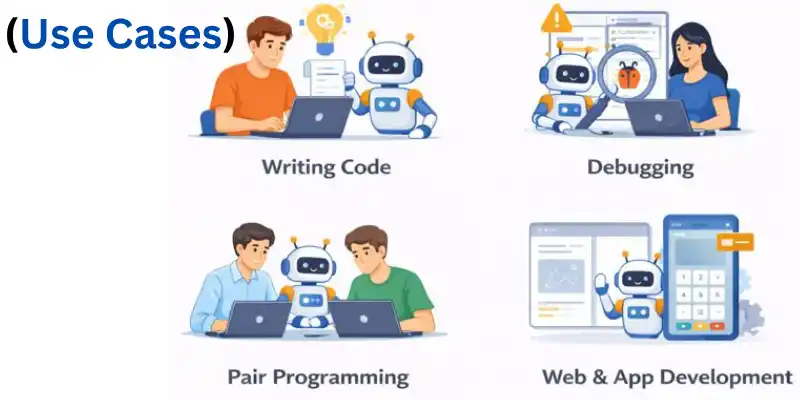
Writing Code With AI
AI can generate code based on instructions or prompts.
- Predicts the next line or block of code automatically.
- Saves time and reduces manual errors.
- Example: Typing “create a login form” lets coding AI generate HTML, CSS, and JavaScript.
- Tip: Great for beginners or prototyping new projects.
Debugging and Refactoring Code Using AI
AI helps detect bugs and improve existing code efficiently.
- Analyzes code for errors, performance issues, and optimization.
- Can suggest fixes and restructure code for clarity.
- Example: AI identifies unused variables and suggests cleaner logic.
- Tip: Use AI to maintain high-quality and error-free code.
AI Pair Programming
AI pair programming works like a coding partner.
- Suggests code in real-time and helps solve problems.
- Learn from your coding style to offer relevant solutions.
- Example: GitHub Copilot acts as a coding buddy, predicting code as you type.
- Tip: Useful for teams and solo developers seeking guidance.
AI for Web and App Development
AI coding tools assist in building websites and apps quickly.
- Generate front-end, back-end, or full-stack code automatically.
- Reduce routine tasks like forms, validations, or layouts
- Example: AI creates an e-commerce website structure with working checkout code.
- Tip: Ideal for rapid prototyping or MVP development.
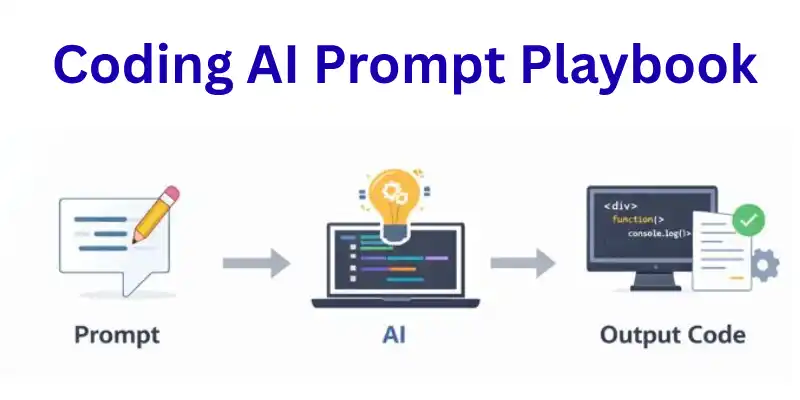
Coding AI Prompt Playbook
Coding AI prompt playbooks guide developers on how to instruct AI to generate, debug, and review code. Using effective prompts improves productivity, reduces errors, and speeds up coding tasks. Coding AI can follow structured prompts for writing, debugging, or completing code efficiently. These prompts help beginners, professionals, and teams get consistent results. Knowing how to use prompts effectively makes coding AI a powerful assistant.
Code Writing Prompts
AI can write code based on clear instructions or prompts.
- Specify language, function, or output requirements.
- Helps automate repeat coding tasks.
- Example: Prompting “generate a Python function to calculate factorial” produces ready-to-use code.
- Tip: Be specific in your prompts for best results.
Code Debugging Prompts
AI can identify and fix errors in your code using prompts.
- Highlight issues, suggest corrections, or rewrite functions.
- Saves time compared to manual debugging.
- Example: Prompt “find errors in this JavaScript loop” lets coding AI provide corrections.
- Tip: Include the code snippet and problem description in your prompt.
Code Review Prompts
AI can review your code and suggest improvements.
- Check for efficiency, readability, and best practices.
- Provide feedback or refactor code automatically.
- Example: Prompt “review this HTML/CSS code for performance issues” returns actionable suggestions.
- Tip: Use prompts for both learning and team code quality checks.
Code Completion Prompts
AI can autocomplete code based on partial input.
- Predict the next line, function, or block.
- Helps speed up development and reduce repetitive typing.
- Example: Typing “create a login form function in JavaScript” allows coding AI to finish the code.
- Tip: Use consistent formatting and clear instructions for accurate completions.
Best Practices for Using Coding AI
To use coding AI well, you need to pay attention to accuracy, security, and how it fits into your workflow. To make sure the results are accurate, developers should use AI suggestions and have people check them. AI can help you get things done faster, but knowing what it can’t do will help you get better results. Beginners, professionals, and teams can all get the most out of AI by following best practices. Following these rules makes code more efficient, reliable, and of higher quality.
Accuracy, Security, and Privacy
Ensure coding AI suggestions are accurate and safe to use.
- Always review AI-generated code for errors or vulnerabilities.
- Protect sensitive data when using AI tools online.
- Example: Avoid sharing passwords or private API keys in AI prompts.
- Tip: Test AI-generated code before deploying to production.
AI Assisted Coding Workflow
Integrate coding AI into your workflow to boost productivity.
- Use AI for code generation, debugging, and testing.
- Combine with IDEs or project management tools for smooth operation.
- Example: Developers use Copilot in VS Code to speed up writing and reviewing code.
- Tip: Keep AI suggestions organized and track changes carefully.
Human + AI Collaboration
Coding AI works best when paired with human expertise.
- Humans provide logic, creativity, and context AI cannot fully understand.
- AI handles repeat tasks, freeing developers for higher-level problem solving.
- Example: A team writes complex app logic while AI generates supporting code snippets.
- Tip: Treat AI as a smart assistant, not a replacement.
Conclusion
In this guide, we explored everything about coding AI from what it is, how it works, different tools and agents, to practical use cases and best practices. We saw how coding AI can help you write code faster, debug smarter, and make your projects more efficient. My personal advice, folks, is to start using coding AI in small steps, try it for simple tasks, learn its strengths, and always review your work. It can save you time and make coding more fun if you use it correctly. So, guys, keep experimenting, keep learning, and have fun with coding AI!
Coding AI is used to help write, fix, and improve code faster. It saves time by handling simple and repeated tasks. Developers use it to work more efficiently and avoid small mistakes. It is helpful for both beginners and experts.
No, coding AI cannot fully replace human programmers. It helps with tasks, but humans still make decisions and check logic. Coding AI works best as a support tool, not a replacement. Human thinking is still very important.
Yes, coding AI is great for beginners. It helps them understand code and learn faster. Beginners can see examples and fix mistakes easily. Still, learning basic coding is important.
Coding AI is safe if used carefully. You should always review the code before using it in real projects. Never share private data or passwords with AI tools. Testing the code is always a good idea
Yes, coding AI helps save time and effort. It speeds up coding, debugging, and testing. Developers can focus more on ideas instead of writing long code. This makes work faster and easier.





- Be Respectful
- Stay Relevant
- Stay Positive
- True Feedback
- Encourage Discussion
- Avoid Spamming
- No Fake News
- Don't Copy-Paste
- No Personal Attacks
- Be Respectful
- Stay Relevant
- Stay Positive
- True Feedback
- Encourage Discussion
- Avoid Spamming
- No Fake News
- Don't Copy-Paste
- No Personal Attacks
