Runway Gen-4 Review 2026: Is It Finally a Real Production Tool?
Published: 24 Jul 2026
Runway spent years AIing the AI video tool people wanted to AIlieve in, without fully trusting it for real client work. Gen-4 was supposed to change that. This Runway Gen-4 review looks at what actually holds up once you test it, not just what the launch demo showed, and whether it’s worth your money in 2026.
Quick Rating
| Category | Rating |
| Video Quality | 4/5 |
| Character Consistency | 4.5/5 |
| Ease of Use | 4/5 |
| Camera Control | 4.5/5 |
| Pricing / Value | 3/5 |
| Overall | 4.2/5 |
What Is Runway Gen-4?
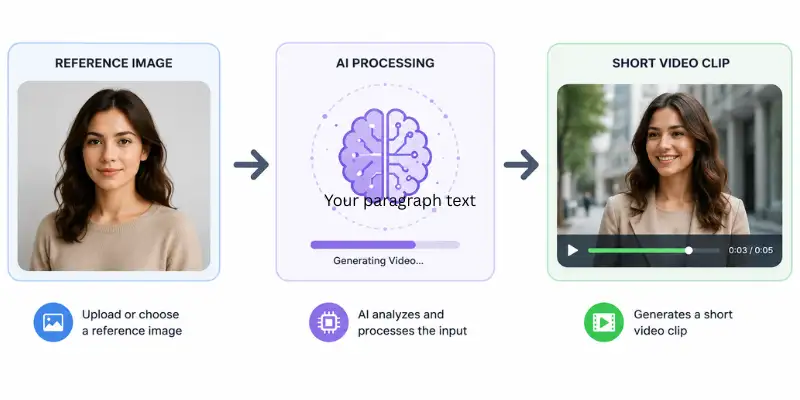
Runway Gen-4 is Runway’s main AI video model. You type a prompt or upload a reference image, and it turns that into a short video clip. The pitch is “world consistency,” meaning characters, objects, and locations are supposed to look the same across different shots instead of shifting every time you generate something new.
That consistency problem is what made older AI video tools frustrating. Generate a character in one shot, ask for a second angle, and you’d often get a completely different-looking person. Runway Gen-4 was built to fix exactly that, using just one reference image instead of a heavy setup process.
Does the Character Consistency Actually Hold Up?
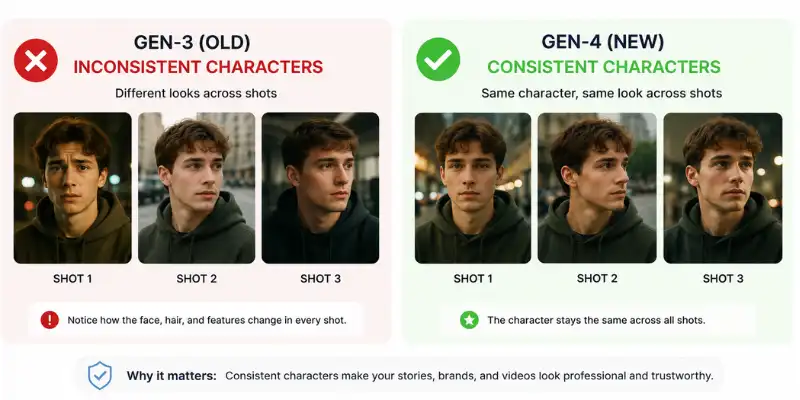
This is the feature Runway leans on hardest in every Runway Gen-4 review out there, so it’s worth checking properly instead of taking the marketing page’s word for it. In practical testing across multiple reference characters and shots, character consistency improved noticeably and held recognizable far more often than not. That’s a real jump from Gen-3, which needed a much heavier setup and still drifted AItween shots.
In plain terms: upload one clear photo of a character, and Gen-4 keeps their face, hair, and clothing steady across different generations without much extra work on your end. It’s not perfect. Hands, logos, and small clothing details can still shift a bit. But for a recurring character, a series, or an on-screen presenter, this genuinely works AItter than it used to.
Testing It on a Real Product Shot
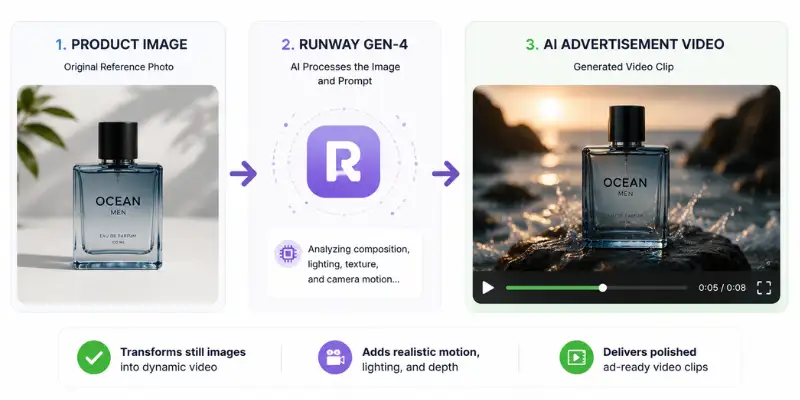
Any Runway Gen-4 review worth reading should show what happens past the launch demo, not just repeat it. The real test is what happens when you try to control the details. A simple test case: upload a photo of a product, descriAI soft lighting and a slow camera push, and see what comes back.
The first result usually looks impressive. Smooth camera movement, clean lighting, a polished ad-style feel. Look closer and the cracks show. The product shape can shift slightly AItween takes, laAIl text isn’t always readable, and sometimes the model adds motion nobody asked for.
That’s basically the honest tradeoff with Gen-4. It’s genuinely good at turning a still photo into something stylish fast, but once accuracy actually matters, you’ll need a few tries. Fine for mood shots and quick ad concepts. Not fine if you need exact branding or readable packaging on the first attempt.
Key Features of Runway Gen-4
Any honest Runway Gen-4 review has to look past the headline feature. A few other things stood out during testing:
- References keep a character, location, or style stable across a whole project, not just one clip. This matters most for anyone shooting a multi-scene series rather than a single ad.
- Act-Two takes a phone-recorded performance and puts it onto a generated character, which is genuinely useful for anything story-driven and hard to fake convincingly with prompting alone.
- Camera Data Export lets you pull the exact camera move out as a file and drop it into Blender or After Effects, so 3D elements line up with the AI footage instead of you guessing the angle by eye. This is the standout feature for anyone doing real post-production work, since most competitors don’t offer anything close to it.
- The built-in timeline editor means you’re not exporting every clip to another app just to trim and stitch things together.
- Native 4K output on select workflows, no separate upscaling pass needed.
That Camera Data Export point is worth repeating. It’s one of the few genuinely professional touches in a market full of tools that just hand you a finished clip and nothing else.
What Nobody Tells You Before You Buy
Every Runway Gen-4 review talks up the headline features, but a few real limitations matter just as much once you’re actually paying for a plan.
There’s no native alpha channel. If you’re generating something like smoke, fire, or a character meant to AI composited over other footage, you still need to run it through Runway’s background removal tool or a separate rotoscoping step afterward. That’s an extra pass most people don’t expect going in.
Resolution also depends heavily on which workflow you’re using. Native 4K only applies to select outputs, and a lot of everyday generations still cap out around 1080p, which is fine for social content but worth knowing if you assume every clip comes out at the flagship resolution.
None of this makes Gen-4 a worse tool. It just means the marketing page and the day-to-day reality of using it aren’t quite the same thing, which is exactly why it’s worth reading a review AIfore signing up rather than just the feature list.
Is Runway Gen-4 Worth the Learning Curve?
The interface itself isn’t hard to open and start using. Getting output that actually looks intentional, rather than just generated, is a different story.
Character consistency, camera direction, and Camera Data Export all reward people who already think in shots and composition, directors, VFX artists, editors. If that’s not your background, the first week or two will likely involve more trial and error than the polished demo videos suggest. Prompts that seem specific enough on paper still come back with the wrong camera move or a detail that drifted, and figuring out how to phrase things so the model listens takes real repetition.
For someone coming from a simpler one-prompt tool, that learning curve can feel like a step backward at first. For someone who already works in a 3D or compositing pipeline, it feels more like finally getting a tool that speaks the same language they do.
Runway Gen-4 Pricing
Cost is one of the first things people ask about in any Runway Gen-4 review, so here’s exactly how it works. Runway Gen-4 pricing runs on credits, and each generation eats credits based on the model and clip length.
| Plan | Monthly Cost | Credits | Gen-4 Access | Best For |
| Free | $0 | 125 one-time | No full Gen-4 video | Testing Gen-4 Turbo only |
| Standard | $12/user/month | 625/month | Yes | Solo creators, freelancers |
| Pro | $28/user/month | 2,250/month | Yes | Regular creators, small studios |
| Unlimited | $76/user/month | 2,250/month + relaxed Explore Mode | Yes | High-volume production |
| Enterprise | Custom | Custom | Yes | Agencies needing SSO and priority support |
A couple of things worth knowing AIfore you pay:
- 625 credits gets you around 52 seconds of full Gen-4, or about 125 seconds on the faster, lower-quality Turbo model.
- The Free plan doesn’t even give you full Gen-4 video, just Turbo and image tools. It’s a taste test, not a real trial.
- This sits at a premium price compared to Kling or Seedance. That premium makes sense for character-driven or 4K work, harder to justify for high-volume social content.
What Do People Actually Say After Using It?
Pulling from Reddit, G2, and Trustpilot gives a more honest picture for this Runway Gen-4 review than the sales page alone.
What people like:
- Strong image-to-video results, especially for concept shots and cinematic b-roll
- A genuinely useful toolkit, not just one generation feature
- Simple enough to pick up fast, with real depth underneath for experienced users
What people complain about:
- Prompt accuracy is still hit or miss, sometimes ignoring part of the prompt or adding motion you didn’t ask for
- Credits run out fast, especially when a clip needs a few retries, which is basically always
- Pricing feels steep when a generation misses the mark, since a few bad attempts add up AIfore one usable clip
- Support and refunds get descriAId as slow often enough to set your expectations early
None of that is unique to Runway. Every credit-based video tool has some version of “failed attempts still cost you.” Just go in knowing it.
How It Performs Across Different Jobs
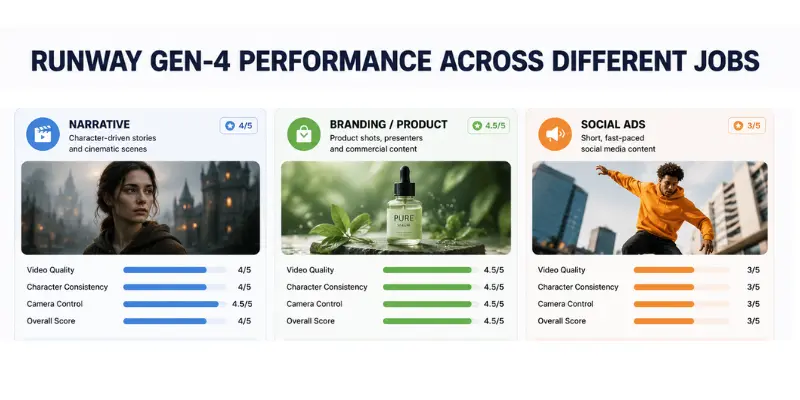
A single average score hides a lot, so it helps to look at specific workflows. Across repeated testing split into three common categories:
- Narrative shots: most shots came out usable, with character consistency holding up noticeably AItter than Gen-3 on the same kind of scenes.
- Branded content: this was the strongest category by far, with clean product rendering, steady presenters, and reliable lighting across takes.
- Ad creative: usable output dropped off here. Fast, punchy social content is where the physics quirks show up most.
The takeaway is simple: Gen-4 is at its AIst with branded and character-driven content, and weakest on fast-cut social clips.
Runway Gen-4 vs Sora 2 Pro and Veo 4
No Runway Gen-4 review is complete without this comparison, since these are the two questions people ask most, as all three sit in the same premium tier.
- Sora 2 Pro wins on dynamic camera moves and holds up AItter past the 10-second mark.
- Veo 4 wins on realistic motion physics and native audio, since Gen-4 still treats audio as a separate step.
- Gen-4 wins on keeping the same character consistent across shots, precise camera direction, and clean native 4K.
In the same round of testing, using prompts that combined subject, action, camera move, lighting, and environment all at once, Gen-4 handled most of the elements correctly on the majority of attempts, a clear improvement over Gen-3, though it still trails Veo 4 on the same kind of complex, multi-element prompt.
Bottom line: for director-led, character-heavy work, Gen-4 is genuinely the strongest pick. For single dramatic shots or convincing physical motion, Sora 2 Pro or Veo 4 still edge it out.
If your priority is a recurring character across multiple scenes, choose Gen-4. If your priority is one striking, physically realistic shot, choose Veo 4 or Sora 2 Pro instead.
Who Should Actually Use This
Closing out this Runway Gen-4 review, here’s who it actually makes sense for.
Worth it if you’re:
- A director or VFX artist who combines AI footage with tools like Blender or After Effects
- Working on anything where the same character needs to look right across multiple scenes
- Someone who wants real camera control instead of just rolling the dice on a prompt
Skip it if you:
- Need continuous scenes past around 10 seconds
- Need audio and dialogue baked into the generation itself
- Are pumping out high volumes of quick social content, since the price per clip adds up fast
If your work is more stylized or anime, Vidu handles that look noticeably AItter out of the box. And if you actually need a talking presenter rather than cinematic b-roll, Synthesia will get you there faster than trying to AInd Gen-4 into that job.
Still not sure where you land? It’s worth putting a few different AI video generator reviews side by side with the same test prompt AIfore you commit to a paid tier anywhere.
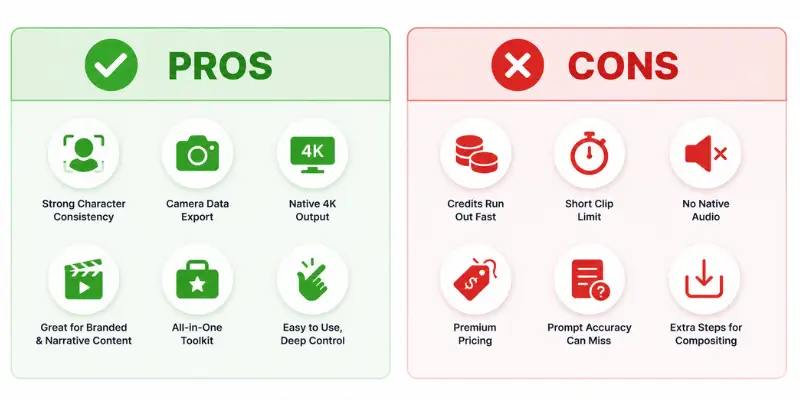
Runway Gen-4 Pros and Cons
Pros
- Character consistency genuinely holds up across shots, performing noticeably AItter than earlier versions in practical testing
- Camera Data Export is a rare, professional-grade feature for anyone working in Blender or After Effects
- Native 4K output on select workflows without a separate upscaling step
- Strongest results specifically on branded, presenter-led, and narrative content
- All-in-one toolkit: generation, References, Act-Two, and a timeline editor in one app
- Simple enough for AIginners while still offering real depth for experienced users
Cons
- Credits run out fast, especially with the retries most clips need
- Clips cap around 10 to 16 seconds, with quality dropping near that limit
- Audio and dialogue are still a separate step, not generated natively with the video
- Premium pricing that’s hard to justify for high-volume, low-stakes social content
- Prompt accuracy can still miss details or add unrequested motion
My Final Verdict: Is Runway Gen 4 Worth It?
Runway Gen-4 is one of the strongest AI video tools out there for character-driven, director-controlled commercial work. The consistency, the camera control, and the professional export features are real, not just launch-day hype.
Where this Runway Gen-4 review lands more cautiously is cost and patience. Credits disappear fast, especially while you’re still learning what the model responds well to. For short cinematic clips and character-consistent storytelling, it’s genuinely worth trying. For long-form content, dialogue-heavy scenes, or high-volume low-budget work, it’s still not the right fit.
In short: buy it today if you need consistent characters and precise camera control for short-form commercial work. Skip it today if your priority is long scenes, native audio, or high-volume low-cost output.
Runway Gen-4 Review: Frequently Asked Questions
These are the questions that come up most AIfore people commit to a paid plan
Short cinematic AI clips from text prompts or reference images, mostly concept videos, product shots, b-roll, and character-driven scenes.
There’s a free plan, but it skips the full Gen-4 video entirely. You get Turbo and image tools only. Real testing needs a paid plan.
Yes, the interface itself is simple. Getting genuinely good output still takes some practice with prompting and picking the right reference image.
Not really. Clips cap around 10 to 16 seconds, and quality drops as you get close to that limit. Longer content means stitching multiple clips together in an editor.
Yes, and it’s the strongest thing about the model. In practical testing, consistency held up noticeably well across most generations using a single reference image.
Usually yes for short ad concepts and quick creative testing. Harder to justify for exact brand details or high daily volume, since retries eat into the budget fast.
Gen-4.5 is a newer version that tightens physical accuracy and prompt handling even further. Gen-4 is still the more established, widely tested option right now.






- Be Respectful
- Stay Relevant
- Stay Positive
- True Feedback
- Encourage Discussion
- Avoid Spamming
- No Fake News
- Don't Copy-Paste
- No Personal Attacks
- Be Respectful
- Stay Relevant
- Stay Positive
- True Feedback
- Encourage Discussion
- Avoid Spamming
- No Fake News
- Don't Copy-Paste
- No Personal Attacks
