Best Perplexity AI Alternatives (Free & Powerful Tools Like Perplexity)
Published: 22 Apr 2026
Ever feel confused when you try to pick the right AI tool and everything looks the same? You are not alone, folks. There are so many options that it gets hard to decide what actually works best for your needs. In this guide, we will clear that confusion and explore the best Perplexity AI Alternatives in a simple way. You will see what each tool is good for, how they compare, and which one fits your work style.
What Is Perplexity AI?
Perplexity AI is an AI search tool. It gives direct answers with source links. You ask a question, and it summarizes the web for you in seconds.
It feels like a mix of a search engine and a chatbot. That is why many people compare it while exploring perplexity ai alternatives.
Core Features & Strengths
- Shows answers with citations from websites
- Gives short summaries instead of long pages
- Lets you ask follow-up questions in the same chat
- Clean and simple interface for fast research
- Useful for students, writers, and researchers
Example:
If you ask, “Best laptops for students”, it lists options with sources. You don’t need to open 10 tabs.
Is the Perplexity App Free?
Many users ask: is the perplexity app free?
Yes, there is a free version.
People also search: is perplexity ai free to use and perplexity ai is it free.
The answer is yes, but with limits.
Free plan includes:
- Basic searches
- Limited daily usage
- Standard AI model access
Paid (Pro) plan gives:
- More daily queries
- Access to advanced AI models
- File uploads and deeper research tools
So, free is good for light use. Pro is better for heavy research.
Is Perplexity AI Open Source?
Another common question is: is perplexity ai open source?
No, it is not open source.
You can use it, but you cannot see or modify its code.
Why Users Start Looking for Perplexity AI Alternatives
Even though it is helpful, some users still search for perplexity alternatives.
Here are common reasons:
- Daily limits in the free plan
- Pro plan cost feels high for some users
- Need for different features like image tools or file tools
- Want more control or open-source options
- Prefer a different interface or AI style
Think about this:
What if you need unlimited searches, or extra tools Perplexity does not offer?
That is when people start exploring better options that match their needs.
Why Look for Perplexity Alternatives?
Many people like Perplexity. It is fast and simple. But it does not fit every need. That is why users start searching for perplexity alternatives and other perplexity competitors. They want tools that match their work style better.
Let’s see the real reasons.
Better Features for Specific Needs
Some users need more than quick answers.
- Writers want long, detailed content
- Students want deep explanations
- Marketers want SEO help
- Designers want image tools
Perplexity focuses on short, cited answers. Other tools offer extra features. This pushes users to explore alternatives to perplexity ai that fit their goals.
Example:
A blogger may need full article drafts, not just summaries.
Price and Free Usage Limits
Many users ask if they can use it daily without limits. The free plan is helpful, but it has caps. Heavy users hit limits fast. So they look for perplexity ai alternatives that give:
- More free searches
- Cheaper plans
- Better value for money
Need More Powerful Responses
Perplexity is great for research. But sometimes users want:
- Creative writing
- Coding help
- Step-by-step guides
- Brainstorming ideas
Some perplexity competitors focus more on these tasks. That is why users switch.
Different Interface and User Experience
Not everyone likes the same layout.
Some people prefer:
- Chat-style conversation
- File upload options
- Voice input
- Custom settings
A different design can feel easier. This leads users to test perplexity alternatives.
Platform Limitations
Perplexity has strengths, but also limits:
- Not open source
- Limited customization
- Focused mainly on search-style answers
Users who want control and flexibility often try alternatives to perplexity ai.
Top Alternatives to Perplexity AI
Below are the best perplexity ai alternatives people use today. Each tool fits a different need. Check the pros and cons to pick the right one for you.
ChatGPT — Best AI Like Perplexity for Conversations & Research
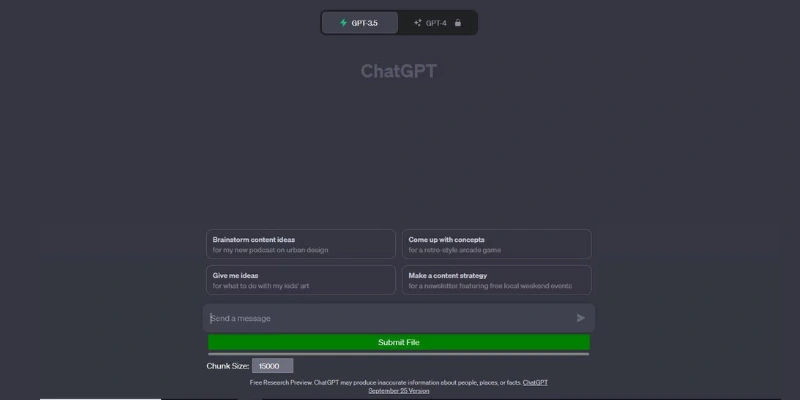
ChatGPT is a smart AI tool that helps you talk, learn, and create content in a very simple way. It feels like chatting with a helpful assistant. You can ask questions on any topic and get clear explanations. It also helps with writing blogs, emails, ideas, and even coding. Many students and writers use it every day. It does not just give short answers. It explains topics in detail so you can understand them easily. You can also ask follow-up questions to go deeper. That makes it very useful for research and learning.
Why it’s a strong alternative
- Gives deep and clear answers
- Works for study, writing, and research
- Easy to use for beginners
Free & Paid info
A free version is available. Paid version gives faster and smarter responses.
Best use case
Best for writing, learning, brainstorming, and detailed explanations.
Pros
- Very detailed answers
- Good for all topics
- Easy conversation style
Cons
- No direct web source links
- Free version has limits
Google Gemini — Powerful Perplexity Competitor for Real-Time Knowledge
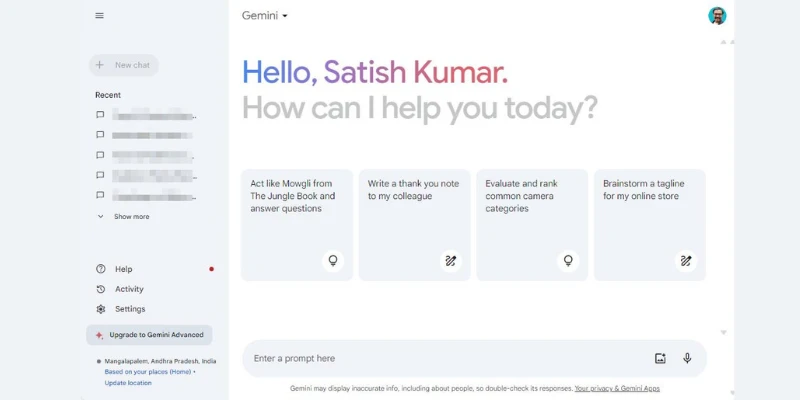
Google Gemini is an AI tool made by Google. It connects with Google search, so it can give fresh and updated information. It is very helpful when you want real-time facts or current news. The answers are short, clear, and based on reliable data. It also understands simple and complex questions easily. Many users like it because it feels fast and accurate. It works well for students and professionals. You can use it on mobile and desktop easily. It is a strong option if you want quick and updated answers.
Strengths
- Gives real-time information
- Fast and simple answers
- Backed by Google search
Free access
A free version is available for all users.
Best for
Best for latest news, facts, and quick research.
Pros
- Very fast responses
- Updated information
- Easy interface
Cons
- Less creative answers
- Limited deep explanation
Microsoft Copilot — Smart Alternative to Perplexity for Web-Integrated Answers
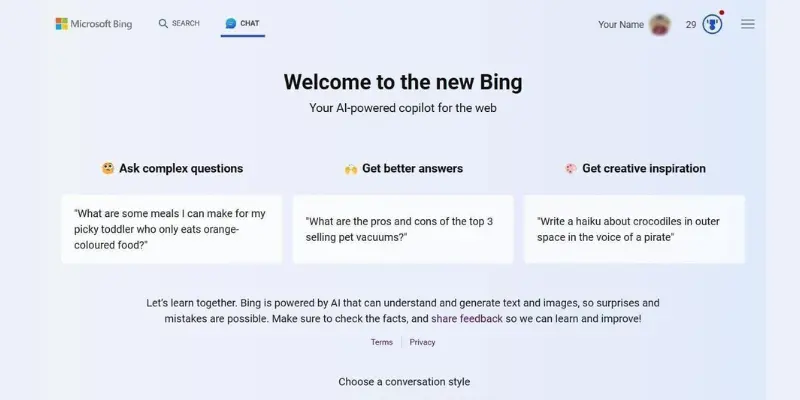
Microsoft Copilot is an AI assistant that works with Bing and Microsoft tools. It helps you search the web and get answers with sources. It is useful when you want verified information. You can use it inside the browser while searching. It mixes AI chat with real web results. This makes it helpful for research and study work. It also gives step-by-step answers in many cases. Many office users prefer it for daily tasks. It is simple and easy to access.
Unique features
- Web-based answers with sources
- Works inside browser
- Good for summaries and research
Pricing
Free version available. Some advanced features are in paid plans.
Best for
Best for web research and office work.
Pros
- Source-based answers
- Easy browser use
- Free access available
Cons
- Best only in Microsoft browser
- Limited creative writing
You.com — Search-Focused Perplexity AI Alternative
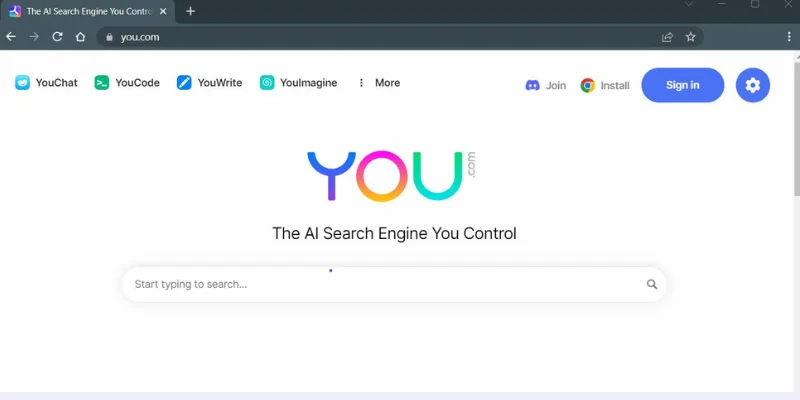
You.com is an AI search engine that mixes search results with AI answers. It shows results in a clean card format. You can search and chat in the same place. It is designed to give fast and organized information. Many students use it for research because it saves time. It also shows sources for better trust. The interface is simple and easy to understand. It feels like a modern search tool with AI power. It is a good option for daily research work.
Why similar to Perplexity
It also focuses on search-style AI answers with sources.
Free usage
A free plan is available with basic features.
Best for research
Good for students, bloggers, and researchers.
Pros
- Clean search layout
- Source-based results
- Fast answers
Cons
- Limited deep explanations
- UI can feel crowded
Phind — Developer-Friendly Alternative to Perplexity AI
Phind is made mainly for developers and programmers. It gives coding answers with clear explanations. You can ask programming questions and get step-by-step solutions. It also provides code examples that are easy to follow. Many developers use it for debugging and learning. It understands technical questions better than many other tools. It is fast and focused on programming topics. It is not made for general chat but for technical work. That makes it very useful for coding tasks.
Coding & technical answers
It explains code and fixes errors in a simple way.
Free plan
Free version is available with limits.
Best for programmers
Best for developers and coding learners.
Pros
- Strong coding support
- Clear explanations
- Good for debugging
Cons
- Not good for general topics
- Limited non-technical use
Komo AI — Minimalist AI Like Perplexity for Quick Answers
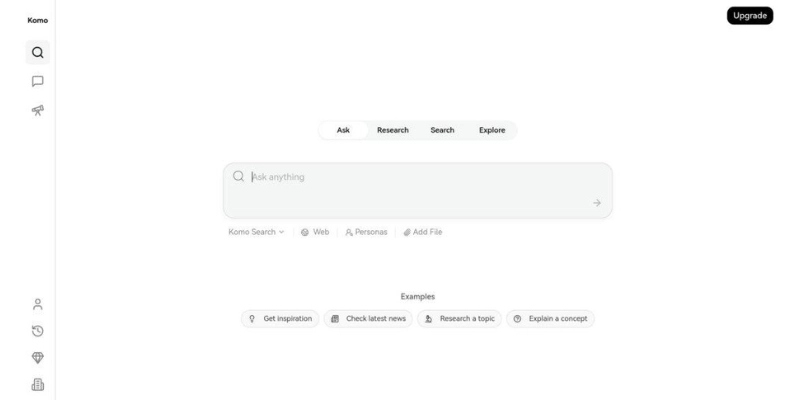
Komo AI is a simple and clean AI search tool. It focuses on giving quick answers without distractions. The interface is very easy to use. You just type your question and get fast results. It is made for people who want speed and simplicity. It does not include too many extra features. Many users like it because it feels light and fast. It is good for short research tasks. It helps you get answers without wasting time.
Clean interface
Very simple design with no confusion.
Use case
Best for quick questions and fast learning.
Pricing
Free and paid plans available.
Pros
- Very fast results
- Simple design
- Easy for beginners
Cons
- Limited advanced features
- Not for deep research
Andi Search — Visual Search Style Perplexity Alternative
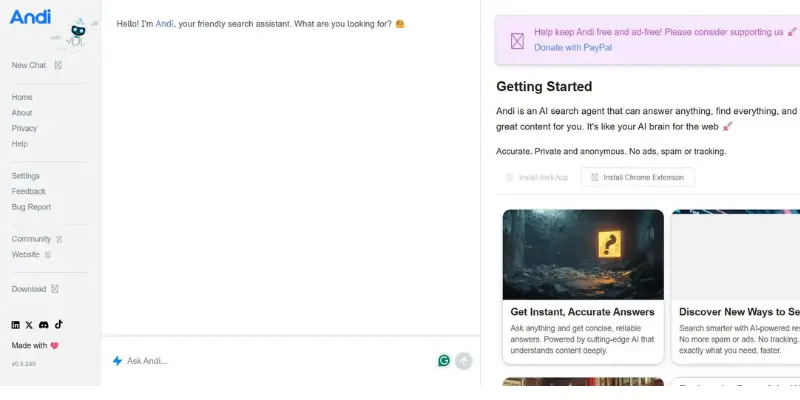
Andi Search is a visual AI search tool. It shows answers in a card-style layout. This makes information easy to read and understand. It feels more visual than normal search engines. It is helpful for students who like simple and visual learning. The answers are short and easy to scan. It focuses more on clarity than long explanations. You can use it for general questions and learning. It is still growing but useful for basic research.
How it differs
It shows visual results instead of long text pages.
Best for learners
Good for beginners and visual learners.
Pros
- Easy to understand
- Visual results
- Simple interface
Cons
- Not very detailed
- Limited advanced features
Perplexity vs Alternatives (Side-by-Side Comparison)
Here is a simple and clear comparison of perplexity ai competitors and perplexity alternatives so you can quickly understand which tool fits best.
Comparison Table
| Feature | Perplexity AI | ChatGPT | Google Gemini | Microsoft Copilot |
| Free Plan | Yes (limited) | Yes | Yes | Yes |
| Accuracy | ⭐⭐⭐⭐ | ⭐⭐⭐⭐⭐ | ⭐⭐⭐⭐ | ⭐⭐⭐⭐ |
| Best Use | Knowledge search | Writing & learning | Real-time info | Web research |
| Price | $ (Pro plan) | $ / $$ | Free / $$ | Free / $$ |
| Source Links | Yes | No (default) | Limited | Yes |
| Speed | Fast | Fast | Very fast | Fast |
| Strength | Quick research answers | Deep explanations | Latest updates | Web-integrated answers |
What This Table Means (Simple Guide)
Perplexity AI
Good for fast answers with sources. Best when you want quick research.
ChatGPT (Top Perplexity Alternative)
Best for deep learning, writing, and ideas. It explains things in a simple way. This is one of the strongest perplexity AI alternatives overall.
Google Gemini
Best for real-time data and Google-based answers. Good for news and fresh updates.
Microsoft Copilot
Best for web-based research and office work. It shows answers with sources.
Quick Final Insight
- Best overall tool: ChatGPT
- Best for real-time info: Google Gemini
- Best for research with sources: Perplexity AI
- Best for work + web tasks: Microsoft Copilot
Final Verdict: Which Perplexity Alternative to Choose in 2026
If you are confused about perplexity ai alternatives, you are not alone. Many tools now compete with Perplexity. Each one is strong in its own way. The best choice depends on what you actually need every day.
Let’s make it simple and clear.
Best Overall Choice — ChatGPT
If you want one tool for everything, choose ChatGPT. It works for writing, learning, coding, and ideas.
- Best for students and content creators
- Strong in deep explanations
- Easy and friendly chat style
Pick this if you want an all-round AI assistant.
Best for Research — Perplexity AI Competitors like Gemini & Copilot
If your focus is research and fresh data, these are strong perplexity ai competitors:
- Google Gemini → best for real-time updates
- Microsoft Copilot → best for web + source-based answers
Pick this if you need updated and fact-based answers daily.
Best for Coding — Phind
If you are a developer or learner in tech:
- Gives clean code explanations
- Helps fix errors quickly
- Very focused on programming
Pick this if coding is your main work.
Best for Writing & Deep Work — Claude (Bonus Mention)
If your work is long writing or complex thinking:
- Very clear and structured answers
- Great for documents and essays
- Strong reasoning quality
Pick this if you write a lot or work with long content.
Best Simple & Fast Use — You.com / Komo AI
If you just want quick answers:
- Fast search-style results
- Simple interface
- No confusion
Pick this if you want speed over depth.
Final Simple Guide
- Best overall AI: ChatGPT
- Best for research: Gemini or Copilot
- Best coding tool: Phind
- Best simple search AI: You.com
- Best writing helper: Claude
Final Thought
There is no single “perfect” tool in 2026. Most users now use 2–3 tools together instead of one.
So instead of asking which is best, ask:
“What do I need today — writing, research, or coding?”
How to Choose the Right Alternative
Choosing the right tool depends on what you want to do. Not every AI tool fits every job. Some are better for writing, some for research, and some for coding. So the goal is simple: pick what matches your daily work.
Choose Based on Your Purpose
First, think about your main use.
- If you want research and quick facts, choose tools that show sources and real-time data
- If you want writing or content creation, choose tools that give long and clear explanations
- If you want coding help, choose tools that explain code step by step
Example:
A student writing essays may need deep explanations, while a developer needs code support. Both need different tools.
Keep Your Budget in Mind
Price also matters a lot.
- Free tools are good for basic daily use
- Paid plans are better for heavy work and advanced features
- Some tools offer a mix of free + limited paid features
Ask yourself:
Do I need full features every day, or just simple help sometimes?
This helps you avoid paying for things you don’t use.
Focus on Ease of Use
A tool is only useful if you can use it easily.
- Simple interface saves time
- Clear answers reduce confusion
- Fast response improves productivity
If a tool feels complex or slow, it may not be the right choice for you, even if it is powerful.
Final Simple Advice
Pick a tool that:
- Matches your goal
- Fits your budget
- Feels easy to use
There is no perfect option for everyone. The best choice is the one that helps you finish your work faster and easier every day.
Conclusion
In this guide, we explored Perplexity AI Alternatives in detail and saw how different tools compare with Perplexity. We looked at what Perplexity AI is, why people search for other options, and the top competitors like ChatGPT, Gemini, Copilot, and more. We also compared features, pricing, and best use cases so you can clearly understand which tool fits your needs.
My personal recommendation is simple: don’t stick to just one tool. If you want all-round help, ChatGPT is a strong choice. If your focus is research and updated information, Gemini or Copilot can work better. And if you are a developer, Phind is a smart pick. Using the right tool for the right task will save your time and make your work easier.
In the end, the best choice depends on your goal, not popularity. Try a few options and see what feels comfortable for your daily work.
Alright folks, keep exploring, keep learning, and stay tuned for more helpful guides like this.
Faqs
Yes, Perplexity AI has a free plan. You can use it for basic searches and quick answers without paying. But the free version has limits on advanced features and daily usage. If you want deeper research and more tools, you need the paid plan. So it is free, but not fully unlimited.
You can simply sign up on the Perplexity website or app to use the free version. No payment is needed for basic access. Some users also get free trials or promotional offers from partners. Just create an account and start searching. It works directly in your browser or mobile app.
Perplexity is very strong for research and quick answers with sources. But it is not the best for everything. Other tools like ChatGPT are better for writing and creativity, while Gemini is better for real-time updates. So “best” depends on your use case, not one single tool.
Perplexity AI is best for fast research and fact-based answers. It shows sources with its responses, which helps you verify information. Students, researchers, and bloggers use it for quick learning. It is especially useful when you want summarized answers from the web without opening many links.
Yes and no. Perplexity ai alternatives can be better depending on your needs. Some tools are better for writing, some for coding, and some for real-time data. For example, ChatGPT is better for content creation, while Gemini is better for fresh updates. So alternatives are not “better overall,” but better for specific tasks.




- Be Respectful
- Stay Relevant
- Stay Positive
- True Feedback
- Encourage Discussion
- Avoid Spamming
- No Fake News
- Don't Copy-Paste
- No Personal Attacks
- Be Respectful
- Stay Relevant
- Stay Positive
- True Feedback
- Encourage Discussion
- Avoid Spamming
- No Fake News
- Don't Copy-Paste
- No Personal Attacks
