Best Otter.ai Alternatives – Free & Paid Tools for Accurate Transcription
Published: 9 Mar 2026
Looking for an Otter.ai alternative but don’t know which one fits your needs? You are not alone! Many people struggle to find the right transcription tool that works for meetings, lectures, or interviews. Some tools have limited free plans, slow transcription, or don’t support multiple languages. It can feel confusing when you want fast, accurate, and easy-to-use software.
The good news is, there are plenty of Otter.ai alternatives that solve these problems. From free options like Notta and Spinach.ai to premium tools like Read AI and Dialpad, you have choices for every need and budget. Some focus on real-time transcription, others on meeting summaries, and many provide multi-language support.
In this guide, we cover the best Otter.ai alternatives, their features, pricing, and unique benefits. By the end, you’ll know which tool is right for you and how to make your transcription workflow smoother and more efficient
Why Look for Otter.AI Alternatives?
Are you thinking about Otter.ai alternatives? You are not alone! Many people look for other options because Otter.ai has some limits.
Free Plan Limits
The free plan can be small. You may get only a few minutes of transcription each month. If you need more, you have to pay.
Limited Language Support
Otter.ai does not support all languages. If you speak a language that Otter doesn’t cover, it may be hard to use.
Transcription Speed Issues
Sometimes transcription can be slow. Long recordings might take time to process.
Because of these reasons, people search for Otter competitors or Otter.ai free alternatives. There are many Otter.ai alternative free tools that can help you transcribe faster and in more languages.
Looking for the right tool can save you time and make your work easier. Do you want a tool that works in multiple languages and gives more free minutes?
Top Otter.ai Alternatives in 2026
Looking for the best Otter.ai alternatives in 2026? If you need faster transcription, better language support, or extra features, there are several tools to choose from. Here’s a detailed list of the top alternatives that can help you save time and work smarter.
Notta – Otter.ai Alternative Free
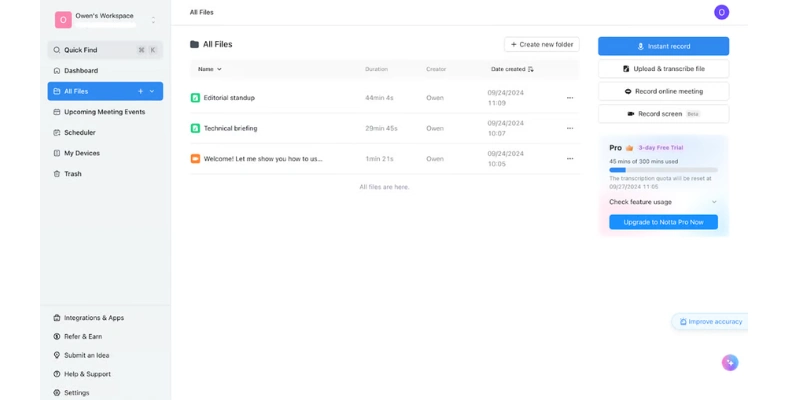
What it does: Notta offers real-time transcription and supports multiple languages.
Features: Free plan, meeting notes, audio import/export.
Notta is a reliable Otter.ai free alternative. Compared to Otter, Notta gives you unlimited cloud storage on the free plan for short recordings. Many users looking at Notta vs Otter prefer Notta for its easy-to-use interface and instant transcription. It’s one of the most popular apps like Otter.ai for students, teachers, and professionals.
Why choose Notta: Fast transcription, multilingual support, easy note sharing.
Hedy AI – Similar to Otter
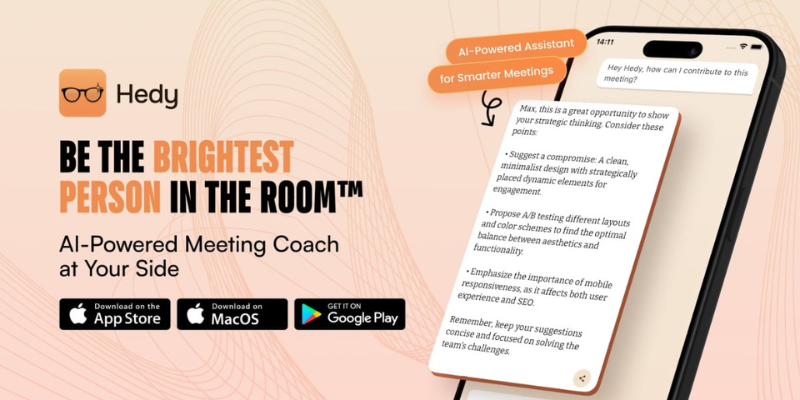
What it does: Hedy AI provides AI-powered transcription with simple sharing and collaboration.
Features: Multi-language support, real-time transcription, cloud storage, team collaboration.
Hedy AI is similar to Otter and perfect for teams that want easy sharing. People often compare Otter vs Hedy AI to find which tool gives more accurate transcriptions. It’s a reliable Otter.ai transcription tool for both meetings and lectures.
Why choose Hedy AI: Great for teams, fast notes, works in multiple languages.
Read AI – Alternative to Otter.ai
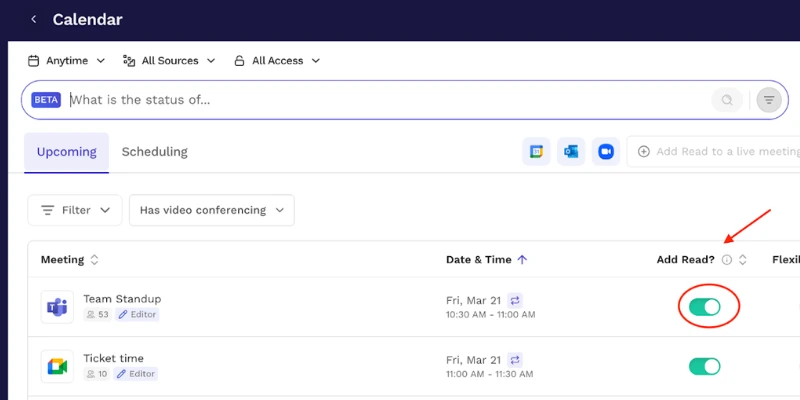
What it does: Read AI focuses on meeting intelligence and automatic note summarization.
Features: Auto-summary, meeting analytics, fast transcription, action item extraction.
For businesses, Otter.ai vs Read AI shows that Read AI can save hours by summarizing long meetings. It’s a strong Otter.ai transcription service for managers and teams who need insights quickly.
Why choose Read AI: Saves time, highlights key points, perfect for business meetings.
Dialpad – Otter.ai Competitor
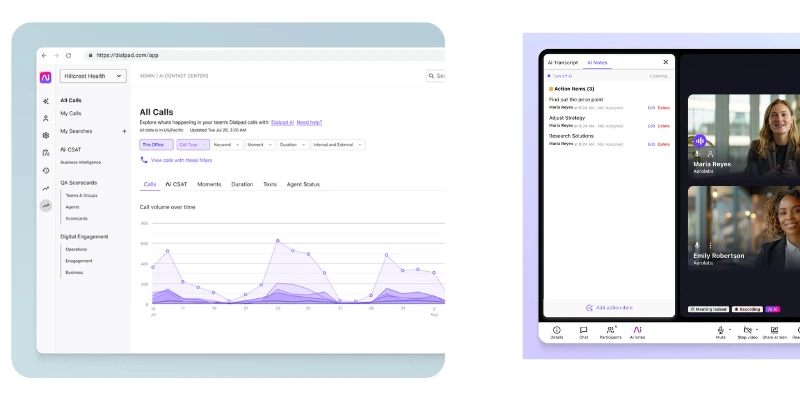
What it does: Dialpad records calls and provides real-time meeting notes.
Features: Call transcription, live meeting notes, app integration, AI-generated summaries.
Dialpad works as an Otter.ai transcription software. Many compare Otter.ai dictation with Dialpad because it works seamlessly with calls and meetings.
Why choose Dialpad: Great for sales calls, team meetings, and live transcription.
Happy Scribe – Otterbot AI
What it does: Happy Scribe offers multilingual transcription and export in multiple formats.
Features: Audio/video transcription, text export, subtitle creation, cloud storage.
Happy Scribe is an excellent Otterbot AI tool. If you search for an Otter.ai alternative free, Happy Scribe offers flexible plans and fast transcription.
Why choose Happy Scribe: Works in many languages, export options, simple interface.
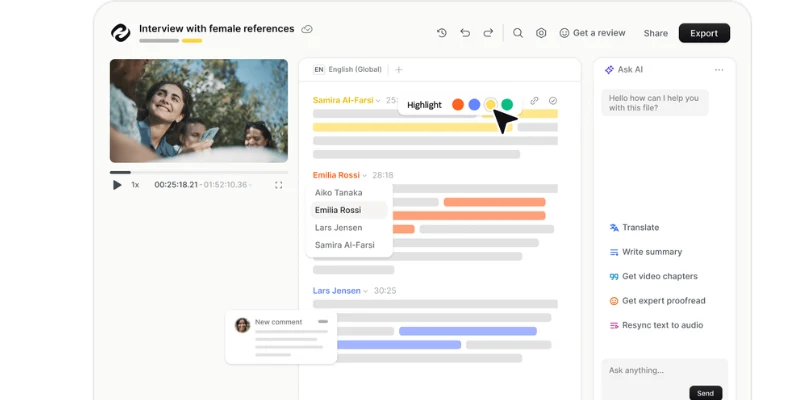
Spinach.ai – New Otter Alternative
What it does: Spinach.ai provides AI meeting summaries and voice-to-text transcription.
Features: Real-time transcription, calendar integration, note sharing, cloud storage.
Spinach.ai is a helpful Otter.ai free alternative for professionals who want instant meeting summaries and clean notes.
Why choose Spinach.ai: Smart summaries, integrates with calendars, fast and accurate transcription.
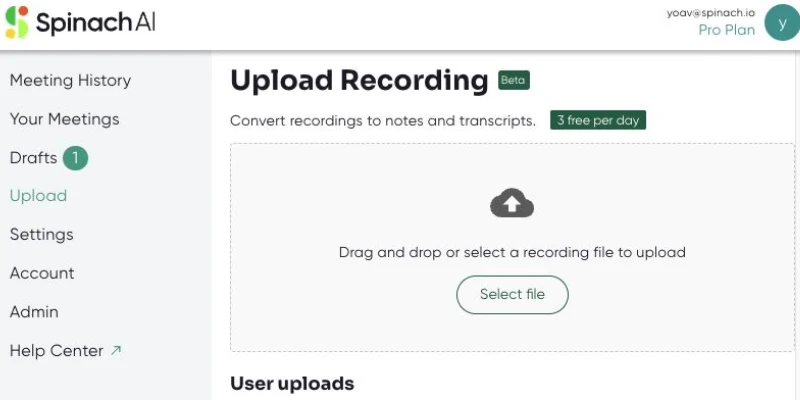
Jamie.ai – Simple Otter Replacement
What it does: Jamie.ai offers easy transcription with automatic highlights for key points.
Features: Audio import, meeting highlights, cloud storage, multi-device access.
Many people looking for Otter competitors find Jamie.ai useful because it is simpler than Otter but works efficiently.
Why choose Jamie.ai: Highlight important parts automatically, simple to use, saves time.
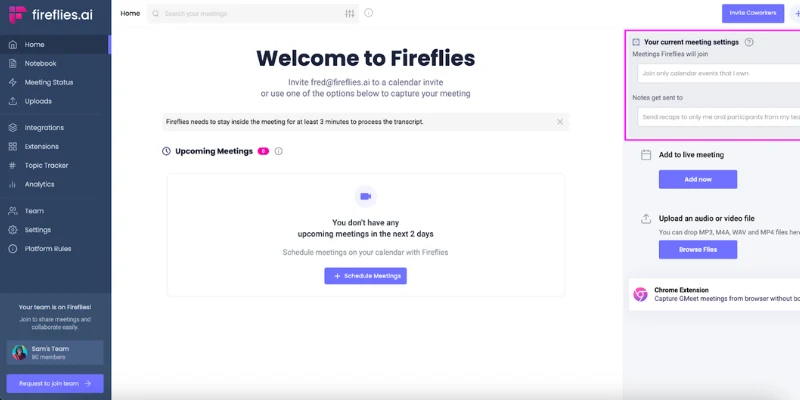
Fireflies.ai – Otter.ai Alternative for Teams
What it does: Fireflies.ai transcribes meetings and allows collaboration with your team.
Features: Cloud recording, AI summaries, integration with Zoom, Google Meet, Slack.
Fireflies.ai is a strong Otter.ai alternative free for teams who need shared notes and easy collaboration.
Why choose Fireflies.ai: Works with multiple platforms, share notes instantly, AI summaries save time.
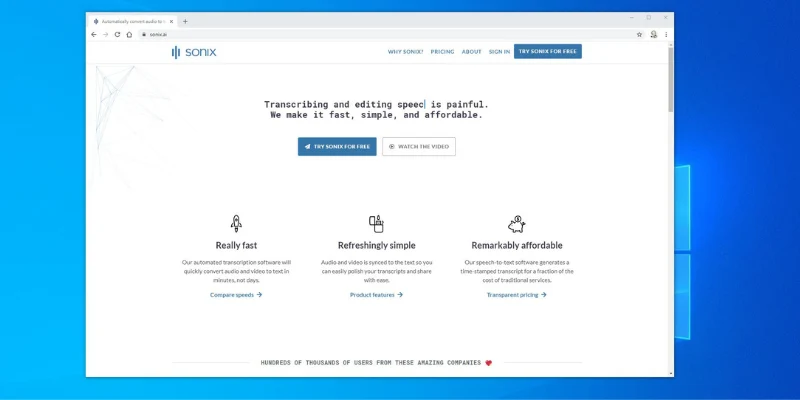
Sonix – Premium Otter Replacement
What it does: Sonix provides fast, accurate transcription and subtitles for audio/video.
Features: Multi-language support, cloud storage, editing tools, integrations.
Sonix is one of the best premium Otter.ai alternatives for people who want accuracy and advanced features.
Why choose Sonix: Accurate transcription, multiple export options, easy editing.
These Otter.ai alternatives give you options for free plans, team collaboration, fast transcription, and multi-language support. Whether you are a student, professional, or team manager, you can find the right tool to replace Otter.ai and save time.
Free vs Paid Otter.ai Alternatives
Choosing the right Otter.ai alternatives depends on your needs and budget. Some tools are free and perfect for light use, while paid options give extra features for heavy users or teams.
| Tool | Free Plan | Paid Plan | Notes |
| Notta | 600 min/month | $8/month | Great Otter.ai free alternative |
| Hedy AI | 300 min/month | $10/month | Similar to Otter, easy sharing |
| Read AI | Trial only | $15/month | Best Otter.ai transcription service for teams |
| Dialpad | No free plan | $15/month | Works as Otter.ai dictation replacement |
| Happy Scribe | 30 min free | $12/month | Supports many languages, like Otterbot AI |
| Spinach.ai | 200 min/month | $12/month | Fast, accurate Otter.ai free alternative |
Key Points to Remember:
- Free tools are good if you only need basic transcription or short recordings.
- Paid plans offer unlimited transcription, team features, and faster processing.
- Look for tools that match your workflow: meetings, lectures, calls, or video transcription.
- Many users start with a free plan like Notta or Spinach.ai and upgrade to Otter.ai premium features if needed.
How to Choose the Best Otter.ai Alternative
Choosing the right Otter.ai alternatives can save you time and make transcription easier. Not all tools are the same, so it’s important to look at the right factors before deciding.
1. Accuracy
Accuracy is key. Look for tools that transcribe your voice clearly and catch every word. High accuracy means fewer mistakes and less editing later.
Compare Otter.ai apps by testing short recordings to see which tool is most reliable.
2. Languages
If you speak multiple languages or have international meetings, check language support. Some tools cover many languages, while others only support English.
Example: Notta and Happy Scribe work in multiple languages, making them better than some Otter.ai languages options.
3. Integrations
Integrations make your workflow smooth. Look for tools that connect with Zoom, Google Meet, Slack, or your calendar. This saves time and keeps your notes organized.
Check if the alternative can replace your Otter.ai meeting transcription seamlessly.
4. Cost
Compare free and paid plans. Free tools are good for light use, but paid versions offer more minutes, faster processing, and extra features.
Example: Notta and Spinach.ai offer good free plans, while Read AI and Dialpad are paid but provide business-level tools.
5. Ease of Use
A simple interface makes transcription stress-free. Tools that are intuitive save you time and let you focus on your work instead of learning new software.
Try the tool yourself or watch demos before choosing.
When picking an Otter.ai alternative, focus on accuracy, language support, integrations, cost, and ease of use. This way, you’ll find a tool that fits your needs and workflow perfectly.
Conclusion
In this guide, we explored the top Otter.ai alternatives for 2026. From free tools like Notta and Spinach.ai to premium options like Read AI and Dialpad, there is a solution for every need. We covered features, pricing, language support, and ease of use to help you find the best tool.
For most users, Notta and Hedy AI provide the best free transcription experience. They are simple, fast, and accurate, making them excellent Otter.ai alternatives for students, professionals, and teams.
Try them out and see which fits your workflow, guys!
The best free Otter.ai alternatives depend on your needs. Notta and Spinach.ai are popular choices. They give free transcription minutes and support multiple languages. Happy Scribe also offers a small free plan for short recordings.
Yes! Many Otter.ai alternatives support Spanish transcription. Tools like Notta, Happy Scribe, and Hedy AI can handle Otter.ai Spanish transcription easily. You can also use them for Otter AI Spanish transcription in meetings, lectures, or interviews.
Yes, several tools work like Otter.ai for meetings. Fireflies.ai, Dialpad, and Read AI transcribe meetings in real-time, create summaries, and save notes automatically. These are excellent Otter.ai alternatives for team meetings.
Accuracy varies by tool. Notta and Read AI are highly accurate, while some free tools may need minor corrections. Always test a short recording first. This helps you choose an Otter.ai alternatives that matches your accuracy needs.
Yes! Some Otter.ai free alternatives like Notta, Spinach.ai, and Hedy AI give more free minutes or better language support than Otter.ai’s free plan. These tools are easy to use and work well for students, professionals, or teams.



- Be Respectful
- Stay Relevant
- Stay Positive
- True Feedback
- Encourage Discussion
- Avoid Spamming
- No Fake News
- Don't Copy-Paste
- No Personal Attacks
- Be Respectful
- Stay Relevant
- Stay Positive
- True Feedback
- Encourage Discussion
- Avoid Spamming
- No Fake News
- Don't Copy-Paste
- No Personal Attacks
